Isilon: Front Panel LED/Light Bar states
Summary: Front panel LEDs or Light Bars for current Isilon nodes have two colors and three states which indicate the health and or status of the node.
This article applies to
This article does not apply to
This article is not tied to any specific product.
Not all product versions are identified in this article.
Instructions
Here are the lights and descriptions:
LED/Light Bar Color
Blue = Node healthy, no critical alerts
Amber/orange = Node has a critical alert
LED/Light Bar State
Slow Pulse = Node is not part of a cluster
Solid = Node is part of a cluster
Blink = Service light (aka Unit ID) activated
The colors and states can be mixed. For example, an amber blinking LED/Light Bar would indicate a node with a critical alert on which the Service Light had been activated.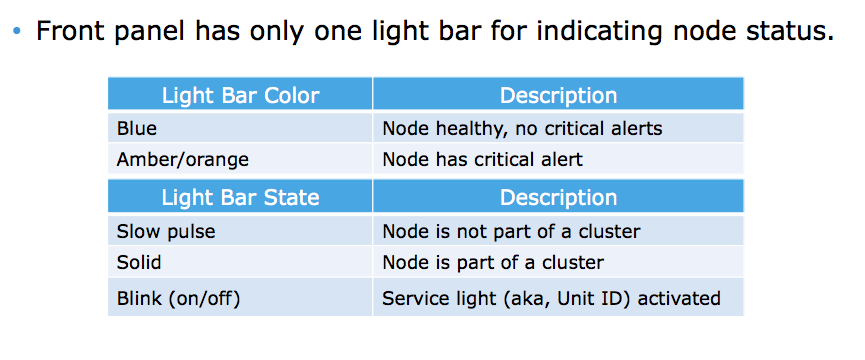
Affected Products
IsilonProducts
Isilon HD400, Isilon NL-Series, Isilon NL400, Isilon NL410, Isilon S-Series, Isilon S200, Isilon S210, Isilon X-Series, Isilon X200, Isilon X210, Isilon X400, Isilon X410Article Properties
Article Number: 000019536
Article Type: How To
Last Modified: 17 Nov 2025
Version: 5
Find answers to your questions from other Dell users
Support Services
Check if your device is covered by Support Services.