ECS: How to create an Object Lock enabled bucket
Summary: Creating an object lock enabled bucket. Enabling object lock on an existing bucket.
Instructions
ECS code version 3.6.x Introduced the Object-lock feature, but there are two preconditions to enable the Object-lock for buckets on ECS:
- Object-lock does not work with ADO enabled bucket. This is addressed in 3.8.x.
- Object-lock does not work with Legacy users. (Non-IAM users)
You can create an S3 bucket on ECS with Object Lock enabled by using one of many utilities. For OBS, object lock can now be enable/disable in the UI during or after bucket creation.
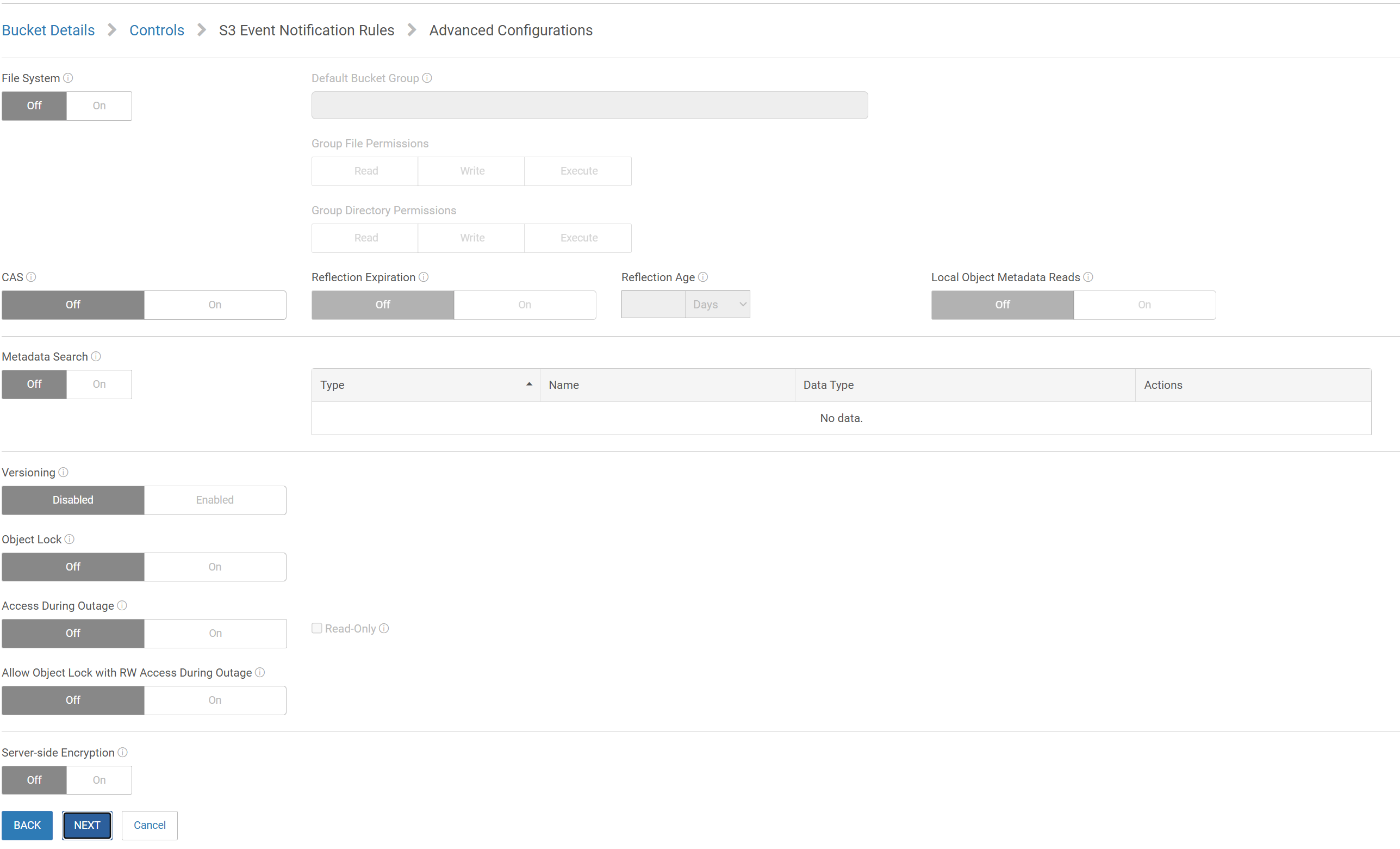
Below is the demonstration using S3Curl Method:
- Create an IAM user following the below steps from the Admin Guide.
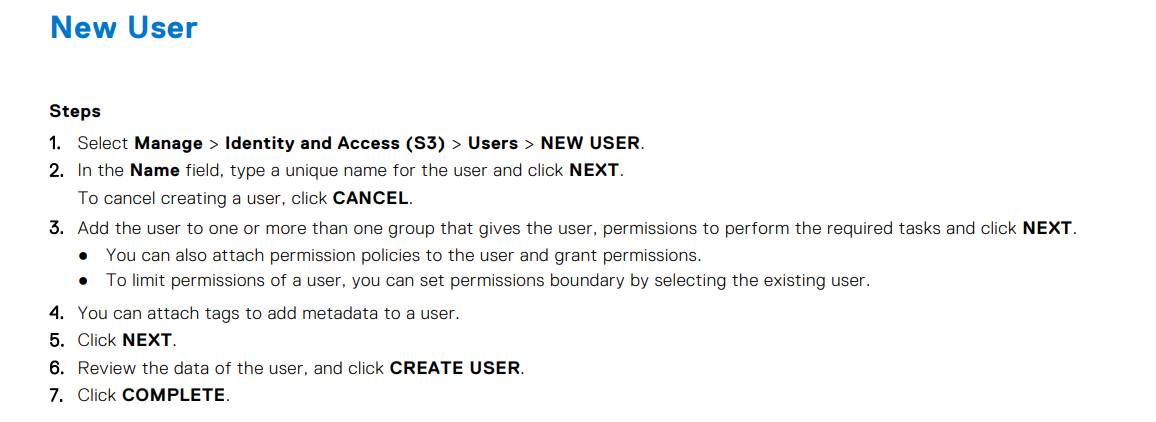
Note down the secret key when generated.
Example from lab test -
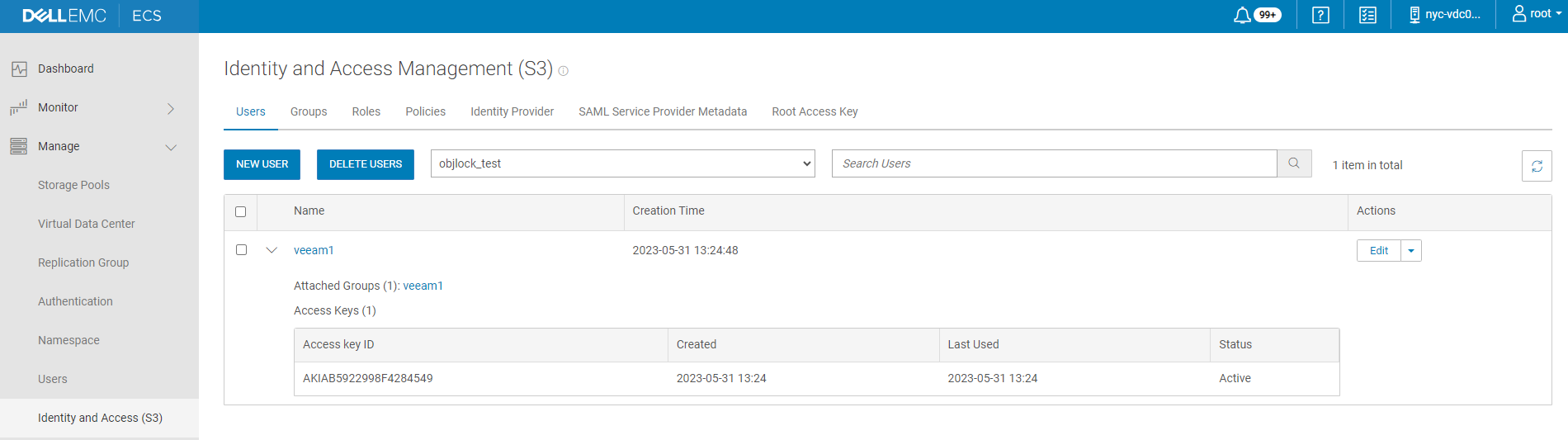
2. Once you have the IAM user ready, create a profile for S3curl.
admin@xxxxx81:/usr/share/s3curl> sudo cat .s3curl
%awsSecretAccessKeys = (
veeam1 => {
id => 'AKIAB5922998F4284549',
key => 'JUPcZFt5wf4dI2AW6Rp4euNU+Clteg319T4XYxPt',
},

@endpoints = ('10.xxx.xxx.81','10.xxx.xxx.82')
);
admin@xxxxx81:/usr/share/s3curl>
- Create an Object Lock enabled bucket (Without ADO).
Example: Created bucket "objlock_bkt"
admin@xxxxx81:/usr/share/s3curl> sudo ./s3curl.pl --id veeam1 --createBucket -- http://10.xxx.xxx.81:9020/objlock_bkt -H "x-amz-bucket-object-lock-enabled: true"
admin@xxxxx81:/usr/share/s3curl>
Bucket info of above created bucket with the object-lock feature enabled and ADO disabled as needed:
admin@xxxxx81:~> svc_bucket info objlock_bkt
svc_bucket v1.0.38 (svc_tools v2.12.2)                 Started 2023-06-04 09:45:19

Bucket ID                        object_lock_test.objlock_bkt

  Name                             objlock_bkt
  Namespace                        object_lock_test
  Owner User                       urn:ecs:iam::object_lock_test:root
  Owner VDC Name                   nyc-vdc01
  Owner zone/VDC ID                urn:storageos:VirtualDataCenterData:50f52bd5-0b66-4928-86af-44f2d231b8ba
  Keypool Hash ID                  84ef34ea5b363f77dd97df4b8f6c28d47548935bd2db6f1b14b881bfa4098881
  Keypool Policy                   None
  Bucket ACL:
    Type       Affects    Name                                Access Rights
    user       file/dir   urn:ecs:iam::object_lock_test:root  FULL_CONTROL

  Replication Group (vpool) Name   rg02-bos-nyc-chi
  Replication Group (vpool) ID     urn:storageos:ReplicationGroupInfo:4886a7b4-f9fe-4dc9-8b79-67d46f7db335:global
  Bucket Creation Date             2023-06-01 08:51:31 (1685609491869)
  Temp Failed (TSO)                False

  API Type                         S3
  FS Access Enabled                False
  Encryption Enabled               False
  Versioning State                 Enabled
  ADO Enabled                      False
  ADO Read-Only                    False
  Object Lock Enabled              True
  Auto commit period (seconds)     None
  Enforce Retention                False
  Lifecycle Policy                 None

  Default FS Access permissions (for owner group):
    File                        Dir
    Read    Write   Exec       Read    Write   Exec
    Unk     Unk     Unk        Unk     Unk     Unk

  Object count                     0
  Total Object Size                0 GB
Enabling object lock on an existing bucket.
- Create a new bucket without enabling object-lock.
Example from the lab: The bucket created here is "objlock_bkt_1".
sudo perl s3curl.pl --id veeam1 --createBucket -- http://10.xxx.xxx.81:9020/objlock_bkt_1
- Added object-lock feature post the bucket creation using below API:
Example:
admin@xxxxx81:/usr/share/s3curl> sudo perl s3curl.pl --id veeam1 -- http://10.xxx.xxx.81:9020/objlock_bkt_1?enable-object-lock -X PUT
Bucket info:
admin@xxxxx81:/usr/share/s3curl> svc_bucket info objlock_bkt_1
svc_bucket v1.0.38 (svc_tools v2.12.2)                 Started 2023-06-04 09:52:22

Bucket ID                        objlock_test.objlock_bkt_1

  Name                             objlock_bkt_1
  Namespace                        objlock_test
  Owner User                       urn:ecs:iam::objlock_test:root
  Owner VDC Name                   nyc-vdc01
  Owner zone/VDC ID                urn:storageos:VirtualDataCenterData:50f52bd5-0b66-4928-86af-44f2d231b8ba
  Keypool Hash ID                  76e8cf1f8bf0699ffec438e846ce250811832b3e067f9cdaeb213b590245ded2
  Keypool Policy                   None
  Bucket ACL:
    Type       Affects    Name                                Access Rights
    user       file/dir   urn:ecs:iam::objlock_test:root      FULL_CONTROL

  Replication Group (vpool) Name   rg02-bos-nyc-chi
  Replication Group (vpool) ID     urn:storageos:ReplicationGroupInfo:4886a7b4-f9fe-4dc9-8b79-67d46f7db335:global
  Bucket Creation Date             2023-06-04 09:46:09 (1685871969218)
  Temp Failed (TSO)                False

  API Type                         S3
  FS Access Enabled                False
  Encryption Enabled               False
  Versioning State                 Enabled
  ADO Enabled                      False
  ADO Read-Only                    False
  Object Lock Enabled              True
  Auto commit period (seconds)     None
  Enforce Retention                False
  Lifecycle Policy                 None

  Default FS Access permissions (for owner group):
    File                        Dir
    Read    Write   Exec       Read    Write   Exec
    Unk     Unk     Unk        Unk     Unk     Unk

  Object count                     0
  Total Object Size                0 GB
For other methods like AWS CLI and Postman to enable object lock, refer below link:
https://infohub.delltechnologies.com/l/dell-ecs-and-veeam-backup-replication/creating-an-object-lock-enabled-bucket