Dell Unity: FAST VP Theory of Operation (User Correctable)
Summary: This LKB defines FAST VP and the underlying principle.
Instructions
Working of FAST VP and underlying algorithm in Dell Unity Hybrid arrays.
Theory of Operation:
FAST VP operates by relocating the most active data up to the highest available tier (either the Extreme Performance or Performance Tier). To ensure sufficient space in the higher tiers, relocations attempt to reclaim 10% free space in the tiers to allow for new slice allocation that occurs when new LUNs are created or when thin LUNs consume additional capacity. By reclaiming this 10% headroom, the least active slices within each tier move to lower tiers (Performance or Capacity).
FAST VP Algorithm:
FAST VP uses three different strategies to improve performance, capacity, and TCO. These techniques help identify and relocate slices to the most appropriate tiers by collecting statistics on each slice, analyzing the data, and relocating each slice based on its activity level.
Statistics Collection:
A slice of data is considered hotter (more active) or colder (less active) than another slice of data based on the relative activity level of those slices. The activity level of a particular slice is determined by counting the number of I/Os, reads, and writes, bound for each slice. FAST VP maintains a cumulative I/O count and weighs each I/O according to how recently it arrived. This weight deteriorates over time, and newer I/Os are given a higher weight. After approximately 24 hours, the weights of new I/Os are nearly cut in half and continue to decrease. This statistics collection occurs continuously in the background for all pool LUNs.
Analysis:
FAST VP analyzes the collected data once per hour. This analysis process produces a ranking order from hottest to coldest for each slice within the pool. Before relocation is invoked with automatic or manual relocation, FAST VP performs a final calculation and creates a candidate list of slices to move up, down, and within a pool. The ranking of a LUN and its slices can be influenced by changing the tiering policy, in which case the tiering policy takes precedence over activity level.
Relocation:
During the user-defined relocation window, FAST VP promotes slices according to the candidate list that it created in the analysis stage. During relocation, FAST VP prioritizes relocating slices to higher tiers. Slices are only relocated to lower tiers if the space they occupy is required for a higher priority slice. This way, FAST VP ensures that the higher performing drives are always used. After data is added to a pool, FAST VP attempts to move it to the higher tiers if space is available and the tiering policy allows for it. The relocation process aims to keep 10% of the space in all tiers free. This creates space for any new slice allocations of higher priority LUNs before the next relocation. Lower tiers are used for capacity as the need arises. This entire relocation process is done automatically based on the user-defined relocation schedule, or manually, if user-initiated. You can manually start the relocation at the pool level by browsing to the properties page of a particular pool and going to the FAST VP section and pressing the "Start Relocation" tab.
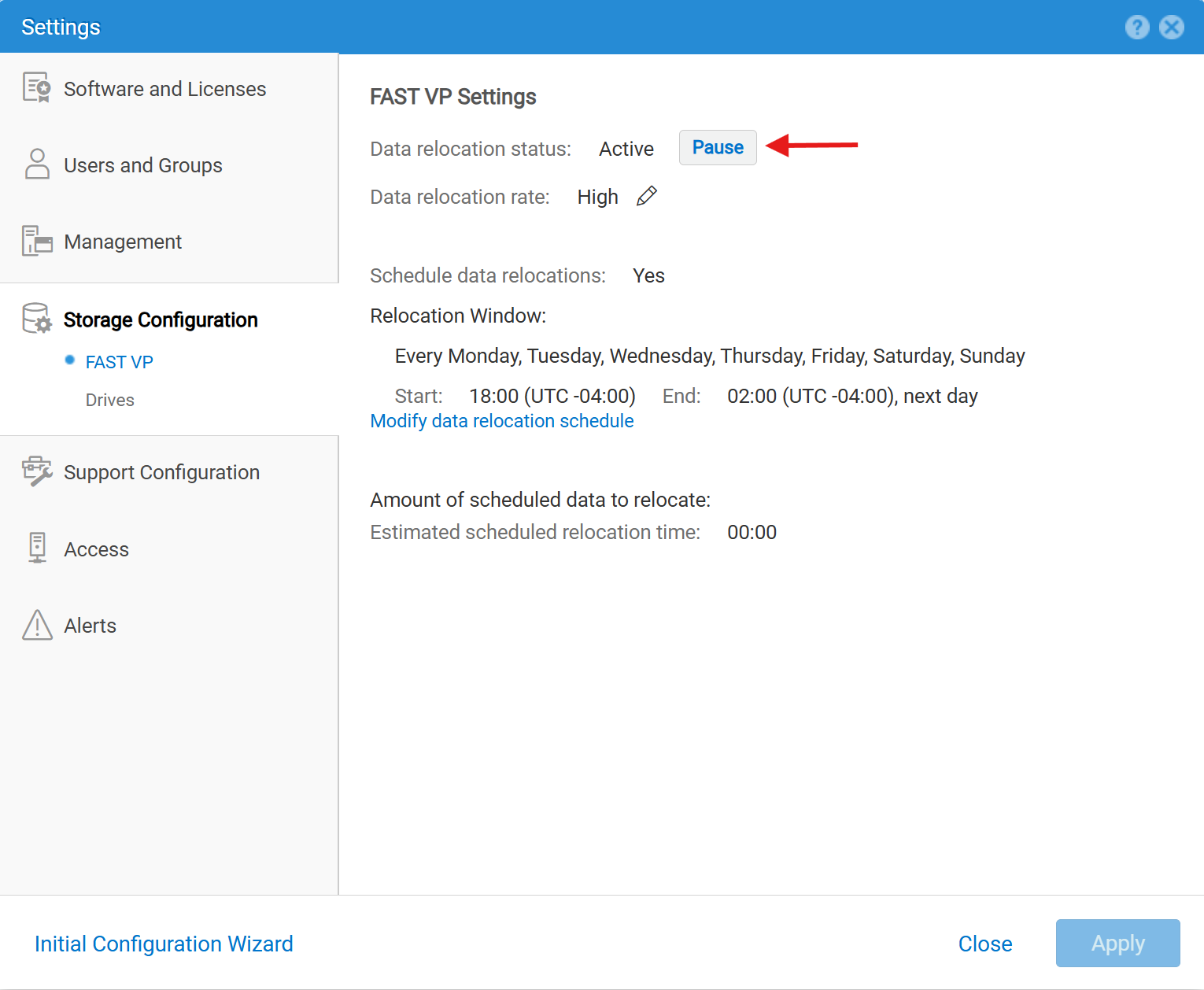
The relocation can be paused and resumed at the array level by hovering to:
Settings (gear icon) > Storage Configuration > FAST VP > Data Relocation Status.
Remaining Relocations:
The FAST VP schedule runs relocations for all the Pools simultaneously and this can put a high load on the array, especially if the priority is medium or high. Otherwise, running the priority as low can result in a large percentage of slices not having time to relocate. When all the scheduled relocations are completed for a Pool, new relocation candidates will be calculated; if at the start of the next hour there is time remaining, then more relocations will begin. For this reason, it is common to see some remaining relocations, even if the window had more than enough time for all the relocations to complete. To keep the remaining relocations to a minimum, it helps to ensure the relocation window is a multiple of 60 minutes, so that the relocations finish on the hour without beginning further sets of relocations.