PowerStore: Blank EULA screen during deployment
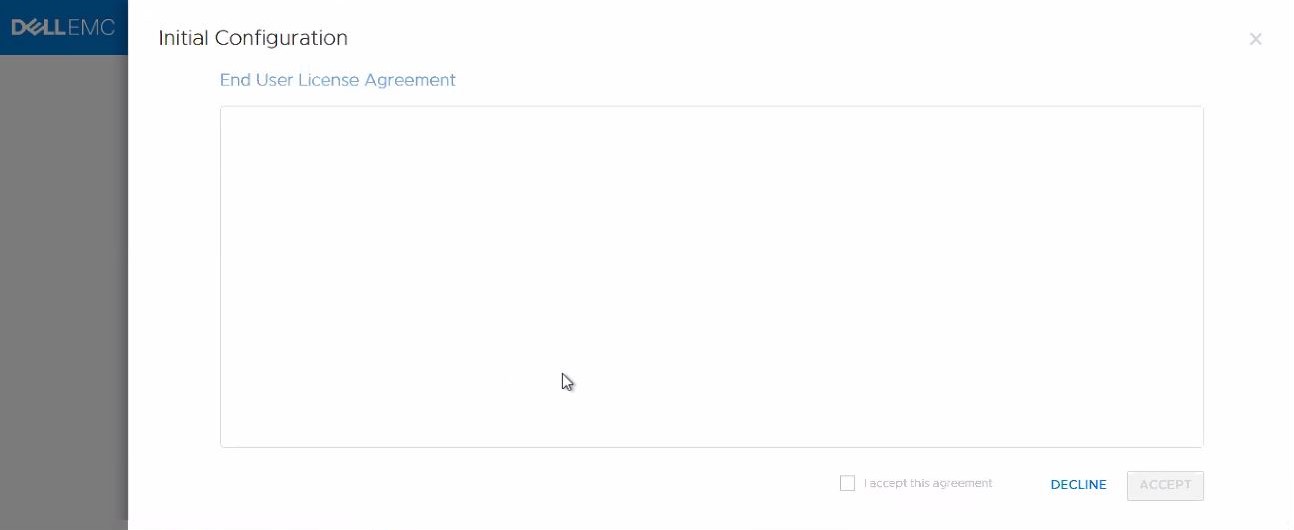
Summary: EULA blank screen during deployment or Initial Configuration Wizard (ICW). License agreement cannot be read and no option to accept it.
This article applies to
This article does not apply to
This article is not tied to any specific product.
Not all product versions are identified in this article.
Symptoms
When going through the first steps of the initial configuration wizard (ICW), the field for the license agreement is blank, and the button to agree to the EULA is greyed out, no other options to proceed with installation.
Cause
The browser language being set to anything other than English causes this.
The issue has been observed on PowerStore OS v1 SP2, it remains to be confirmed if this is the only affected version.
The issue has been observed on PowerStore OS v1 SP2, it remains to be confirmed if this is the only affected version.
Resolution
Change the browser language to en-US English, restart the browser and log in again, now the field should be populated.
Note that simply changing it to any English option may not resolve the issue, only en-US will be sure to fix it.
Note that simply changing it to any English option may not resolve the issue, only en-US will be sure to fix it.
Affected Products
PowerStoreArticle Properties
Article Number: 000182961
Article Type: Solution
Last Modified: 05 Sept 2025
Version: 2
Find answers to your questions from other Dell users
Support Services
Check if your device is covered by Support Services.