Dell EMC Unity:上傳用於升級的 Unity OE 代碼時,UI 中出現非特定錯誤 (Dell EMC 可修正)
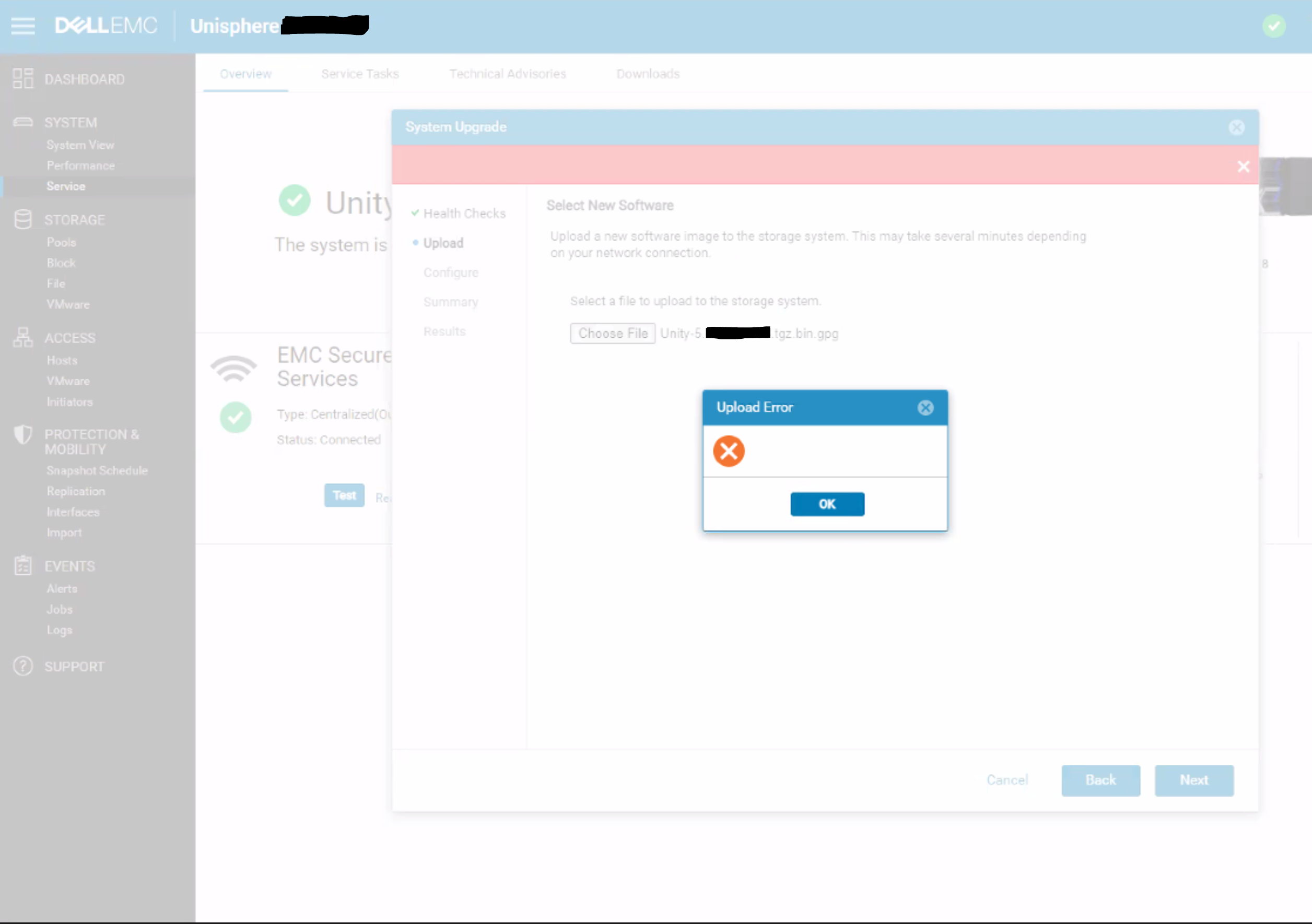
Summary: Unisphere 對話方塊中出現空白上傳錯誤,沒有具體的錯誤訊息或錯誤代碼。
This article applies to
This article does not apply to
This article is not tied to any specific product.
Not all product versions are identified in this article.
Symptoms
上傳用於升級的 Unity OE 代碼時,Unity Unisphere 出現以下錯誤:
Cause
這是 UI 問題,其中 UI 無法正確處理 REST 要求的 HTTP 500 或 HTTP 409 錯誤。
409 衝突:
當要求與伺服器目前的狀態發生衝突時,會傳送此回應。
500 內部伺服器錯誤:
伺服器遇到其不知道如何處理的情況。
當要求與伺服器目前的狀態發生衝突時,會傳送此回應。
500 內部伺服器錯誤:
伺服器遇到其不知道如何處理的情況。
Resolution
因應措施:
解決方案:
預期於 5.2 版本提供此問題的修正。
- 使用 uemcli 命令上傳升級映像,避免使用 UI:
uemcli -upload -f Unity-xxx.tgz.bin.gpg upgrade
或
- 從與 Unity 陣列位於相同子網上的系統上傳升級映像。
解決方案:
預期於 5.2 版本提供此問題的修正。
Affected Products
Dell EMC UnityArticle Properties
Article Number: 000190184
Article Type: Solution
Last Modified: 12 Dec 2025
Version: 4
Find answers to your questions from other Dell users
Support Services
Check if your device is covered by Support Services.