PowerFlex 4.0: NFS and HTTP pod stuck in pending state
Summary: PowerFlex manager version 4.0.2, has both nfs-server-0 and http-share-0 pods stuck in pending state.
Symptoms
1. PowerFlex manager version 4.0.2 both NFS and HTTP share show as pending

2. Kubectl describe pod http-share-0 -n PowerFlex show pod is unbound to pvc.

Message from describe command.
0/3 nodes are available: 3 pod has unbound immediate PersistentVolumeClaims. preemption: 0/3 nodes are available: 3 preemption is not helpful for scheduling
Message from PFxM GUI
RCM files unavailable at the httpshare location

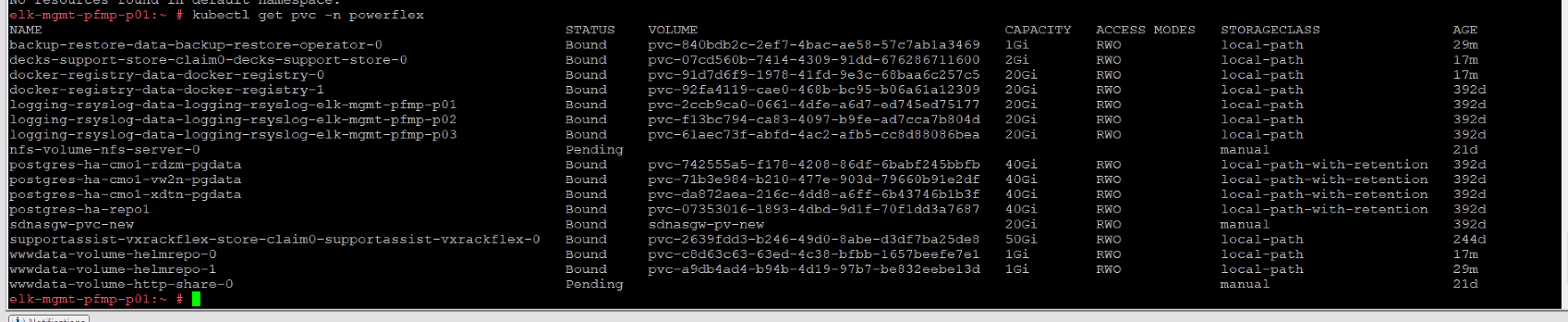
3. kubectl get pvc -n PowerFlex show both nfs-volume-nfs-server-0 and wwwdata-volume-http-share-0 as pending
Cause
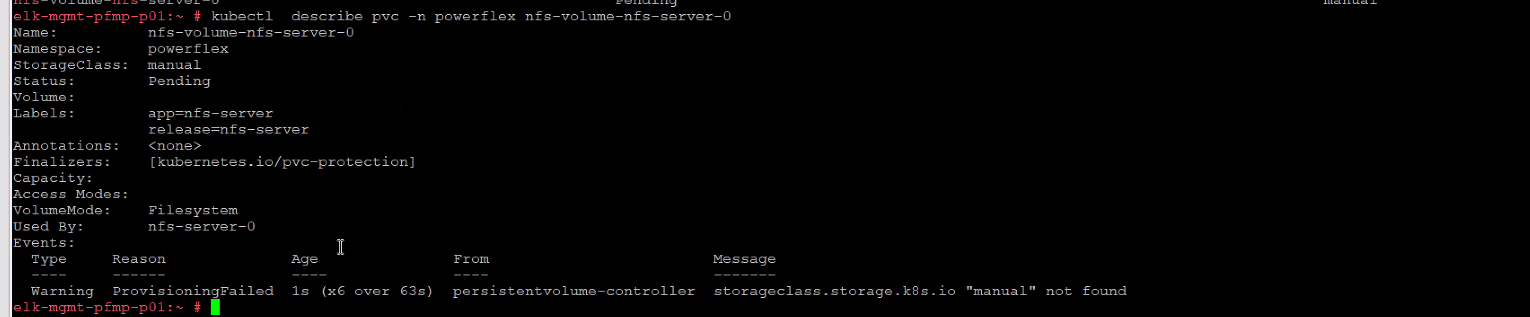
The problem is with Storageclass set as Manual for both NFS and HTTP share on PVC.
Resolution
1. Get the yaml file output and save the files.
kubectl get pvc wwwdata-volume-http-share-0 -n powerflex -o yaml > wwwdata-volume-http-share-0.yaml
kubectl get pvc nfs-volume-nfs-server-0 -n powerflex -o yaml > nfs-volume-nfs-server-0.yaml
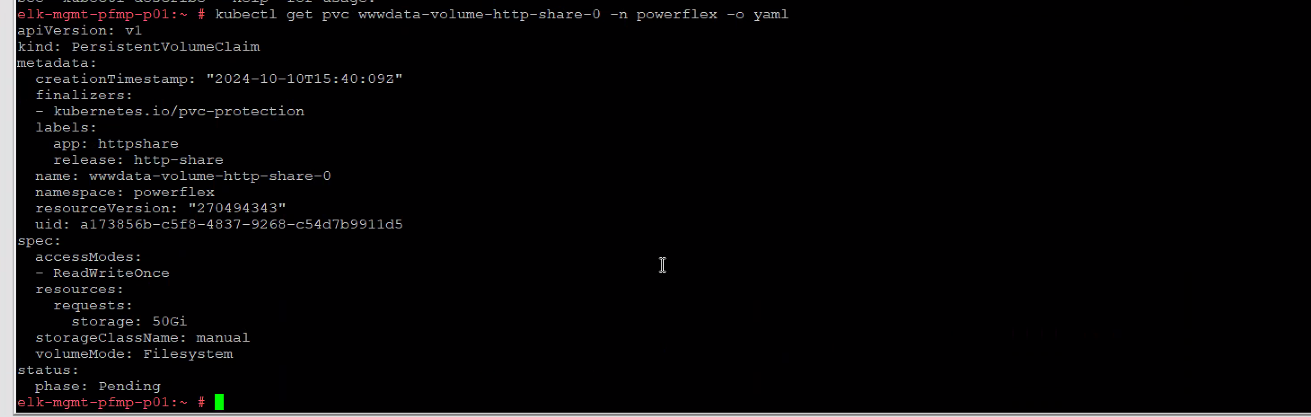
2. Open the files in vi editor and change the storageClassName from manual to local-path for both files wwwdata-volume-http-share-0.yaml and nfs-volume-nfs-server-0.yaml
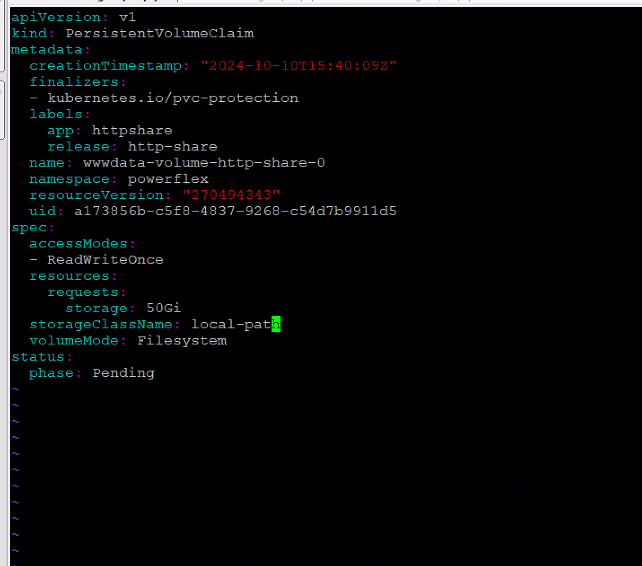
3. Run cat command to verify changes.
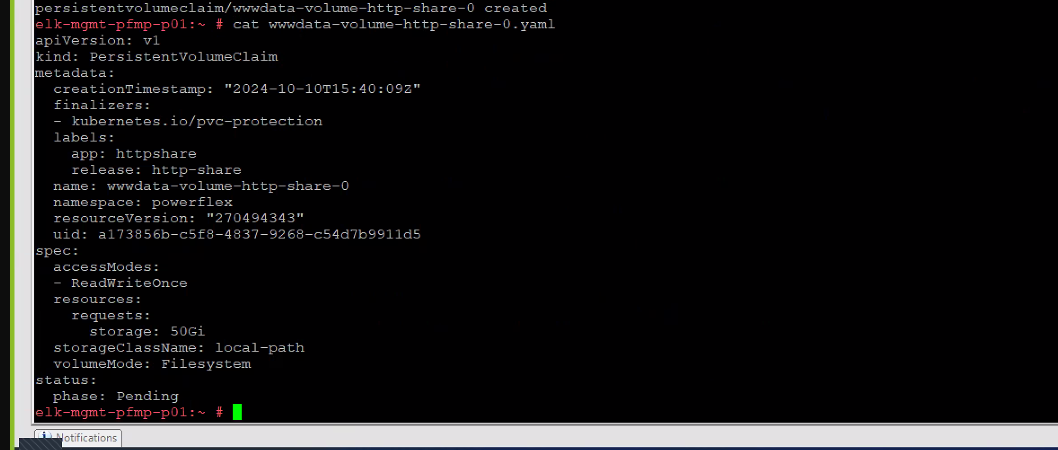
4. Delete the existing pvc by running command.
kubectl delete pvc -n powerflex wwwdata-volume-http-share-0
kubectl delete pvc -n powerflex nfs-volume-nfs-server-0


5. Apply the changes from the file.
kubectl apply -f wwwdata-volume-http-share-0.yaml
kubectl apply -f nfs-volume-nfs-server-0.yaml


6. Check the status of both pods again. It might take a couple of min. to show from Pending to Running.

Additional Information
kubectl rollout status sts -n powerflex or kubectl rollout status deploy -n powerflex will also show no response/blank output when both pods are in pending state.