PowerFlex 4.X: PFMP에서 하위 구성 요소에 대한 자격 증명을 만들거나 수정하는 방법
Summary: 이 문서에서는 PFMP(PowerFlex Manager Platform)에서 하위 구성 요소에 대한 자격 증명을 생성하거나 수정하는 방법에 대해 설명합니다
This article applies to
This article does not apply to
This article is not tied to any specific product.
Not all product versions are identified in this article.
Instructions
아래 단계는 iDRAC 암호를 업데이트하기 위한 것입니다.
-
PowerFlex Manager를 열고 Settings로 이동합니다.

-
보안에서 리소스 자격 증명(Resource Credentials)을 선택합니다

-
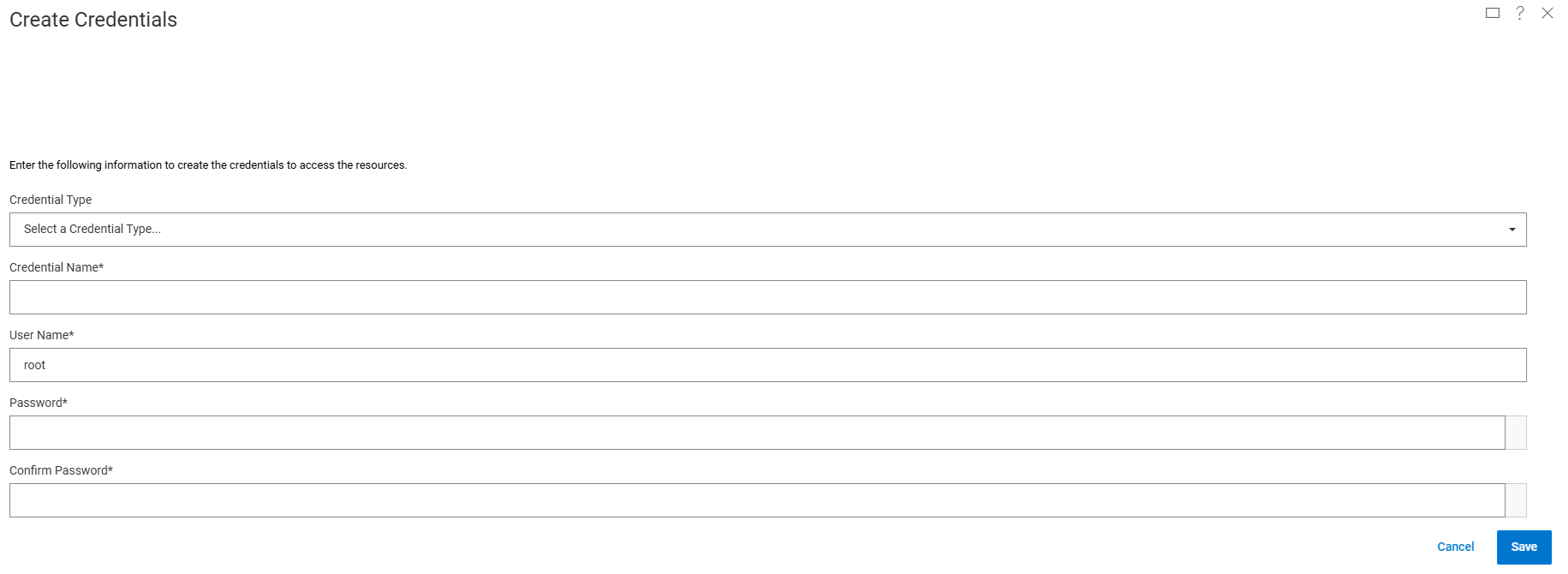
새 자격 증명에 대해 Create 를 선택하거나 Modify 를 선택하여 기존 자격 증명을 업데이트합니다.
-
드롭다운 목록에서 자격 증명 유형을 선택하고 자격 증명 이름, 사용자 이름 및 암호를 입력한 다음 Save
를 클릭합니다. iDRAC의 경우 다음 유형을 선택합니다. 노드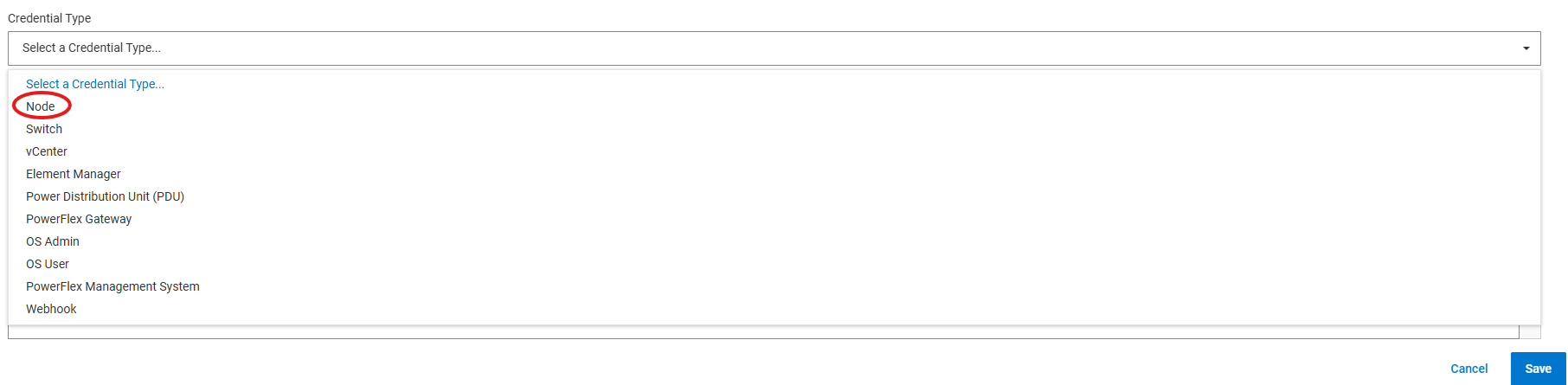
-
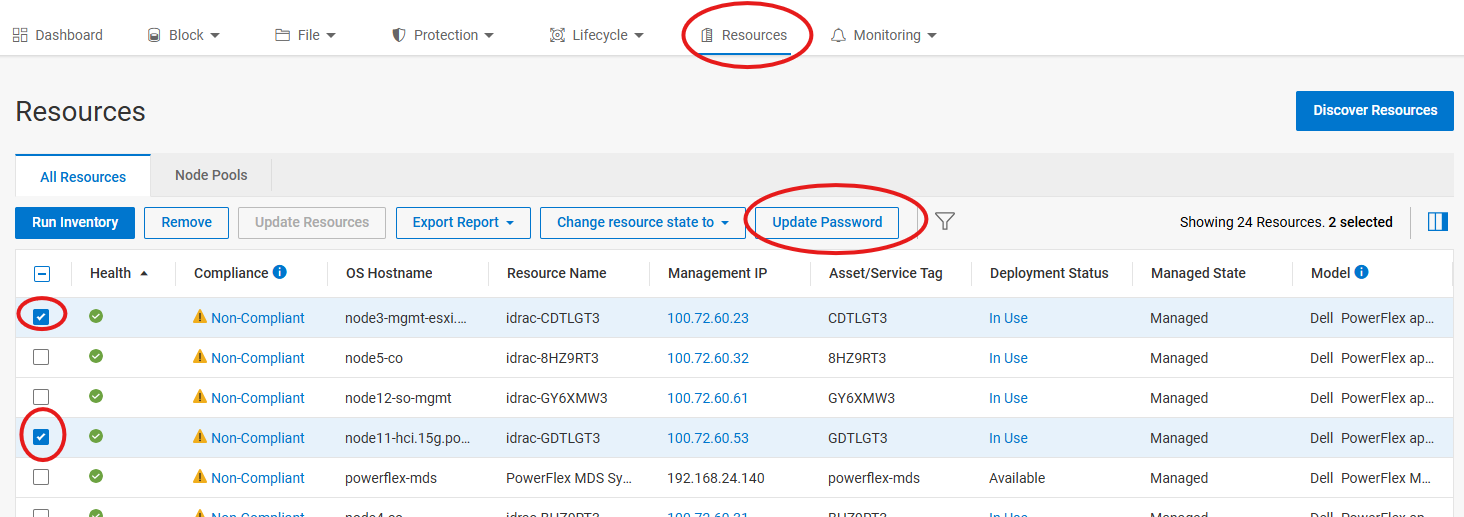
필요한 노드에 자격 증명을 적용하려면 Resources로 이동하여 새 자격 증명을 적용할 노드를 하나 이상 선택하고 Update Password를 클릭합니다
-
다음 페이지에서 iDRAC Password 를 선택합니다(또는 업데이트하려는 다른 비밀번호 유형 선택)

-
다음 페이지의 드롭다운 목록에서 4단계에서 선택한 자격 증명 이름을 선택하고 마침을 클릭합니다

또는 1-4단계 대신 새 자격 증명을 만들려면 7단계에서 더하기 기호(+)를 클릭하여 새 자격 증명을 만들 수 있습니다.
Affected Products
PowerFlex appliance R650, PowerFlex appliance R640Products
PowerFlex rack, VxFlex Ready Nodes, PowerFlex custom node, PowerFlex appliance R6525, PowerFlex appliance R660, PowerFlex appliance R6625, Powerflex appliance R750, PowerFlex appliance R760, PowerFlex appliance R7625, PowerFlex appliance R740XD
, PowerFlex appliance R7525, PowerFlex appliance R840
...
Article Properties
Article Number: 000274870
Article Type: How To
Last Modified: 24 Jan 2025
Version: 2
Find answers to your questions from other Dell users
Support Services
Check if your device is covered by Support Services.