NetWorker: Azure VM 스냅숏 복원이 실패함 "원본 Blob이 디스크와 동일한 지역에 속하지 않습니다."
Summary: NetWorker Azure VM(Virtual Machine) 스냅샷 복원이 실패하고 소스 Blob이 디스크와 동일한 지역에 속하지 않는다는 보고가 표시됩니다.
This article applies to
This article does not apply to
This article is not tied to any specific product.
Not all product versions are identified in this article.
Symptoms
Azure VM은 NetWorker Azure VM 스냅샷 보호를 사용하여 보호됩니다.
Azure VM 스냅샷 복원이 실패하고 디버그 7(D7) 복구 로그에서 다음 오류가 표시됩니다.
208119:nsrazure_recover: Error from url 'https://management.azure.com/subscriptions/SUBSRIPTION_ID/resourceGroups/RESOURCE_GROUP_NAME/providers/Microsoft.Compute/disks/VM-NAME_OsDisk_JOB-NAME_JOBID_TIME-STAMP?api-version=2021-12-01': Response Code: 400 Response Data: {
  "error": {
    "code": "BadRequest",
    "message": "The source blob https://STORAGE-ACCOUNT-NAME.blob.core.windows.net/CONTAINER-NAME/VM-NAME_OsDisk_JOB-NAME_JOBID_TIME-STAMP does not belong to the same region as the disk."
  }
}
..
MM/DD/YY HH:mm:SS nsrazure_recover-D7 restoreDiskFromBlob failed for payload '{
  "location": "REGION-NAME",
  "properties": {
    ...
    },
    "creationData": {
      "createOption": "Import",
      "sourceUri": https://STORAGE-ACCOUNT-NAME.blob.core.windows.net/CONTAINER-NAME/VM-NAME_OsDisk_JOB-NAME_JOBID_TIME-STAMP,
      "storageAccountId": "/subscriptions/SUBSCRIPTION-ID/resourceGroups/RESOURCE-GROUP-NAME/providers/Microsoft.Storage/storageAccounts/STORAGE-ACCOUNT-NAME"
    },
    "diskSizeGB": SIZE
  }
}'
MM/DD/YY HH:mm:SS nsrazure_recover-D6 restoreDiskFromBlob: end
207541:nsrazure_recover: Unable to start recover session for subscription 'SUBSCRIPTION-NAME', resource group 'RESOURCE-GROUP-NAME', storage account 'STORAGE-ACCOUNT-NAME'
Cause
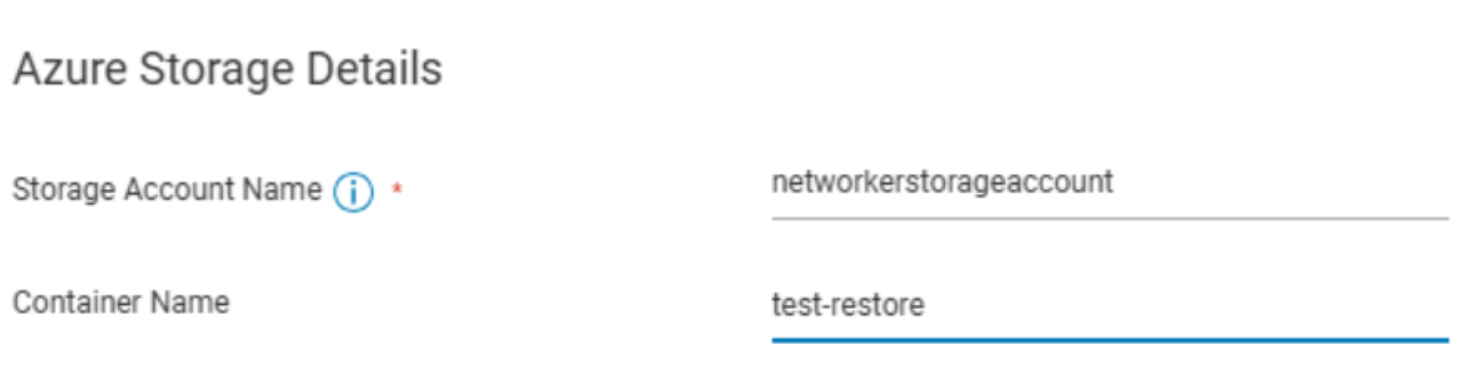
복원에서 선택한 대상 디스크 위치는 Azure Blob Storage 계정과 다른 Azure 지역에 있습니다. 예를 들어 사용되는 복원 타겟은 다음과 같습니다. southcentralus; 그러나 복원에 지정된 Azure Storage 계정은 eastus2을 클릭합니다.
원본 Blob과 대상 관리 디스크는 동일한 지역에 있어야 합니다.
Resolution
- Azure Portal에 로그인합니다.
- 복원 중에 사용된 스토리지 계정으로 이동합니다. https://portal.azure.com/#browse/Microsoft.Storage%2FStorageAccounts
- 스토리지 계정의 개요 탭에서 위치를 확인합니다. 스토리지 계정의 위치가 대상 디스크 위치와 일치하지 않는 경우 동일한 Azure 지역 내에서 스토리지 계정을 식별하거나 만듭니다. 예:


참고: 스토리지 계정은 VM이 복구되는 리소스 그룹에 속해야 합니다.
- 타겟 디스크 위치와 일치하는 Azure Storage 계정 위치를 사용하여 Azure 복원을 다시 수행합니다.
Additional Information
이는 Azure 내의 제약 조건입니다. Azure Portal을 통해 가져오는 경우 스토리지 계정에서 사용할 수 있는 대상 Azure 지역을 선택해야 합니다. 스토리지 계정과 연결되지 않은 지역은 선택할 수 없습니다.
보다: 자습서: Azure Import/Export 서비스를 사용하여 Blob Storage로 데이터 가져오기Import data to Blob Storage with the Azure Import/Export service
NetWorker Azure VM 스냅샷 통합 가이드에는 복구 명령줄 옵션에 대해 다음과 같이 설명되어 있습니다.
| -엘 | 생성된 VM의 리전을 지정합니다. 이 옵션은 백업 중에 수집된 정보에서 파생됩니다. |
복구 UI에는 옵션이 없으므로 타겟 리전은 백업에서 파생됩니다.
모든 NetWorker 가이드는 다음을 통해 제공됩니다 https://www.dell.com/support/product-details/product/networker/docs
Affected Products
NetWorkerProducts
NetWorker FamilyArticle Properties
Article Number: 000339191
Article Type: Solution
Last Modified: 02 Jul 2025
Version: 1
Find answers to your questions from other Dell users
Support Services
Check if your device is covered by Support Services.