Avamar 19.10: Fitness Analyzer のバックアップ レポートに一貫性のない履歴列が表示される
Summary: この記事では、バックアップ レポート履歴に誤った結果が表示されるAvamar 19.10 Fitness Analyzerの問題について説明します。
This article applies to
This article does not apply to
This article is not tied to any specific product.
Not all product versions are identified in this article.
Symptoms
- Avamarにログインします。 ユーザー インターフェイス(UI)
- [アクティビティ]に移動し 、 バックアップを確認します。この場合、
client hop-win10-desk-01開始しました: 2024-09-12 02:00:50 GMT-03:00:

- Fitness Analyzerを起動し、[Backup >History]をクリックします。最初の問題は、このパネルに複数のバックアップがないことです。
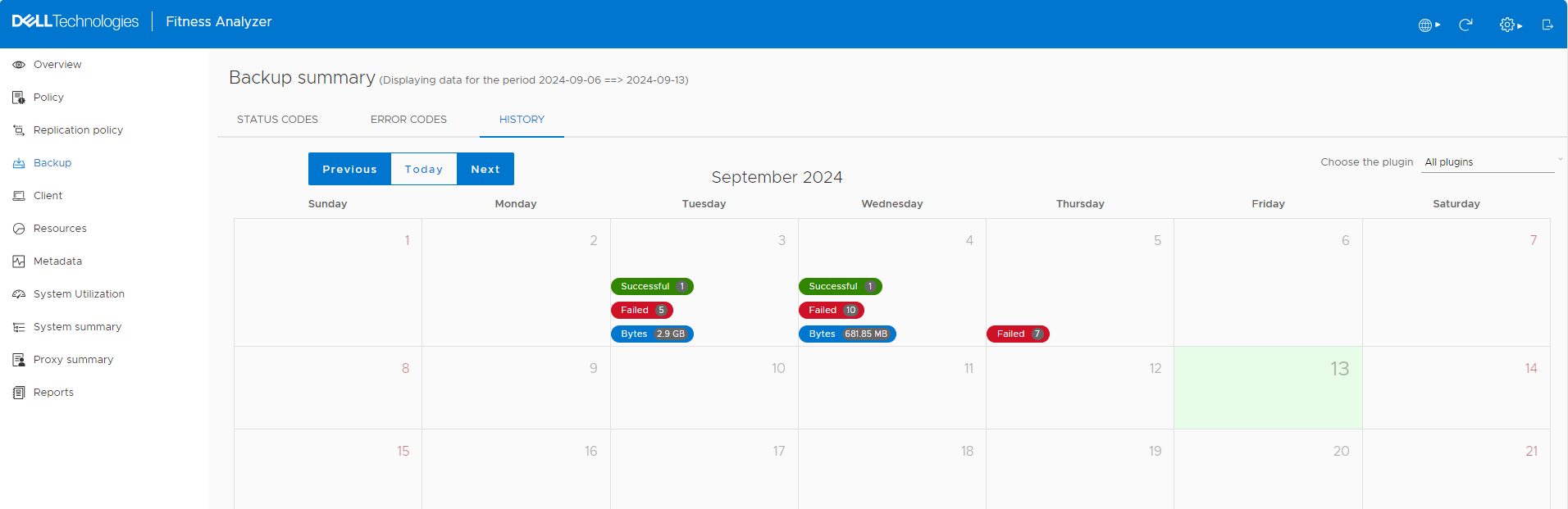
- 右上隅のアイコン[今すぐ強制的にリロード]をクリックします。その後、[ Backup >Status Codes]に戻ります。もう一度 [履歴] をクリックすると 、部分的な結果が表示されます。
![再ロード後のFitness Analyzerの[Backup History]パネル](https://supportkb.dell.com/img/ka0Do000000qEw5IAE/ka0Do000000qEw5IAE_ja_3.jpeg)
- [Successful backup of September 12]をクリックすると、2つのバックアップが表示されます。このパネルには、誤った結果が表示されます。Started、Elapsed、Bytesに誤った結果が表示されます。
![[開始]、[経過]、および[バイト数]に誤った結果が表示されます。](https://supportkb.dell.com/img/ka0Do000000qEw5IAE/ka0Do000000qEw5IAE_ja_4.jpeg)
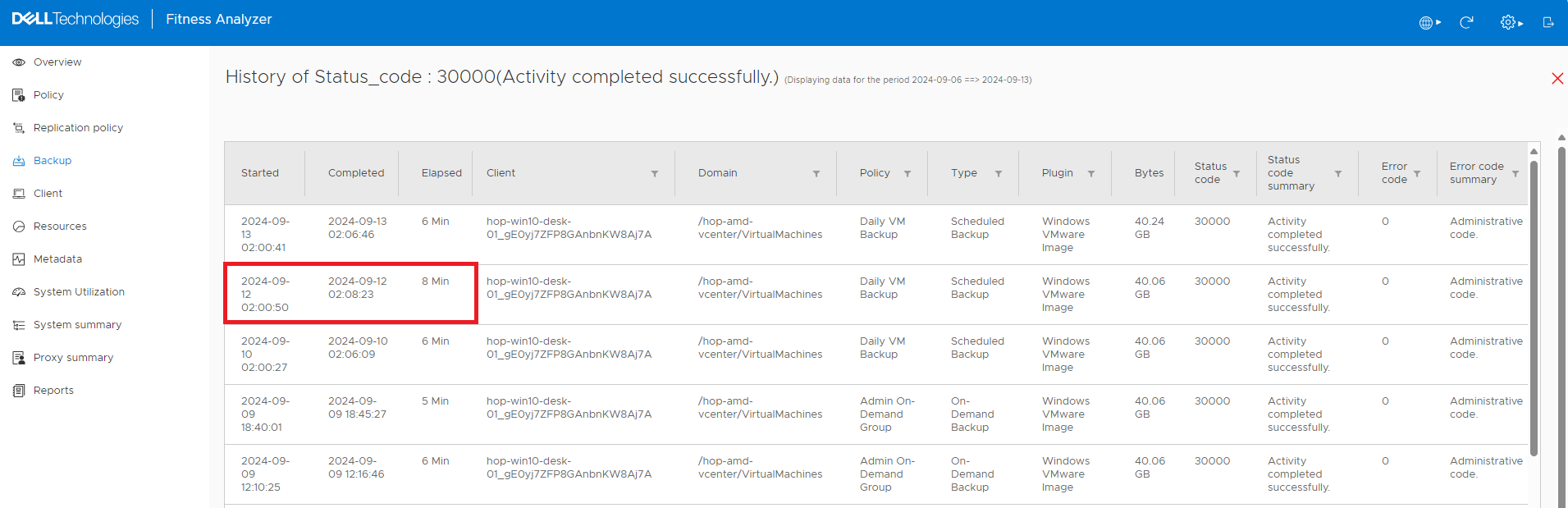
- このパネルを閉じて 、[Status Codes ]パネルに移動します。30000コードの [詳細 ]をクリックします。今回は、7分33秒を8分に四捨五入しましたが、正しく表示されます。
Cause
これはソフトウェアの欠陥です。
Resolution
回避策はありません
この問題は、Avamar 19.12バージョン リリースで修正されています。
Affected Products
AvamarProducts
Avamar ServerArticle Properties
Article Number: 000228735
Article Type: Solution
Last Modified: 03 Dec 2025
Version: 3
Find answers to your questions from other Dell users
Support Services
Check if your device is covered by Support Services.