Fn+Tの使用時にMyDell通知がポップアップ表示されない
Summary: Inspiron 14 Plus 7440およびInspiron 16 Plus 7640でFn+Tを押しても通知が表示されない。
This article applies to
This article does not apply to
This article is not tied to any specific product.
Not all product versions are identified in this article.
Symptoms
Fn+Tを押した後、MyDellに、ウルトラ パフォーマンスがオンかオフかを示す通知が表示されない。
MyDellページには、[Application]と[Color & Display]の2つのオプションのみが表示されます。
影響を受けるプラットフォーム:
- Inspiron 14 Plus 7440
- Inspiron 16 Plus 7640
Cause
これは、MyDell 3.2とSupportAssist 4.6.5間の相互運用の問題が原因で発生します。インストール シーケンスにより、構成ファイルが誤って上書きされます。
Resolution
SupportAssistを再インストールして、正しい設定ファイルが使用されていることを確認します。
- SupportAssistをアンインストールするには、[Settings]、[Apps]、[Installed apps]の順に移動します。
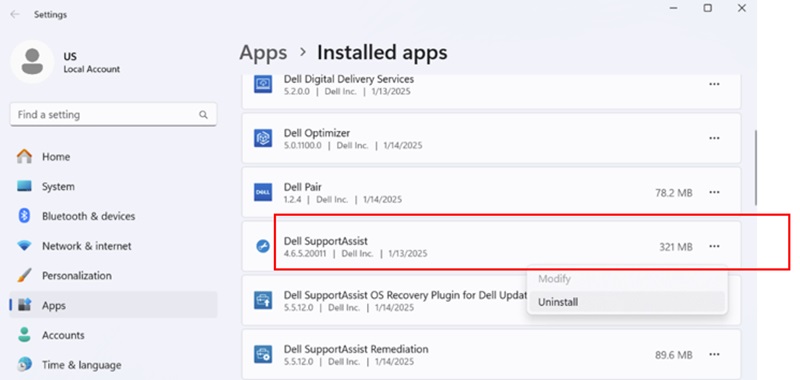
- SupportAssistがアンインストールされたら、 SupportAssistインストーラーをダウンロードします。

- インターネットに接続し、[SupportAssistinstaller.exe]をクリックしてインストールします。ダウンロードとインストールの進行状況が右下隅に表示されます。

- SupportAssistのインストールが完了したら、PCを再起動します。再起動後にMyDellを開くと、ページが正しく表示されます。
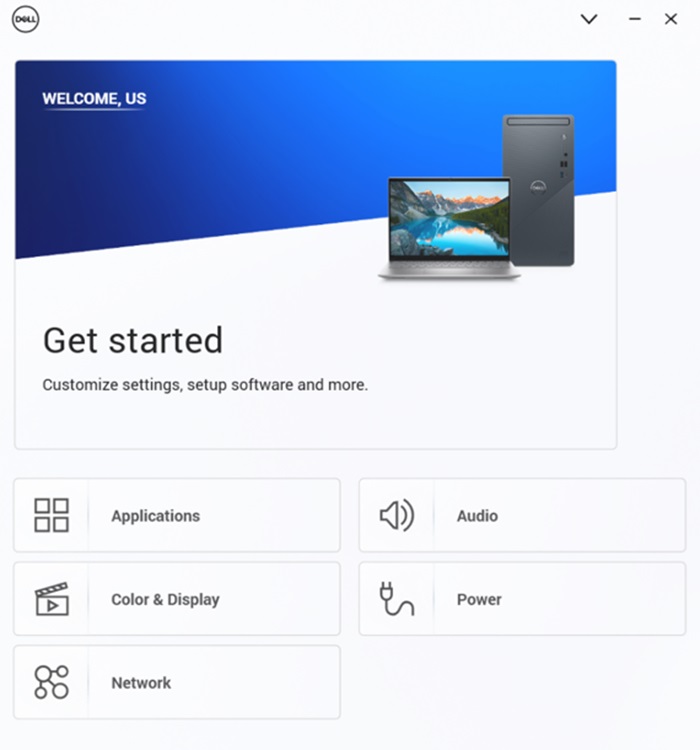
- Fn+Tを押すと、ウルトラ パフォーマンスのオン/オフ通知が表示されます。
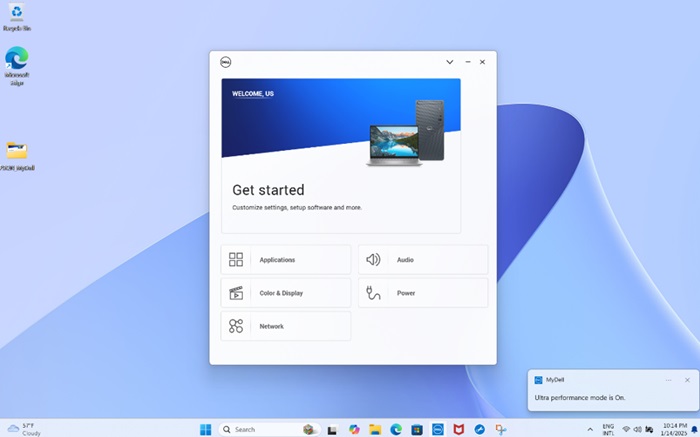
- MyDell Powerページでは、温度管理がUltra Performanceに切り替わったことも確認できます。
注:MyDellページは自動的には更新されません。Fn+Tを押した場合は、MyDellを再度開いて設定を確認する必要があります。
Affected Products
Inspiron 14 Plus 7440, Inspiron 16 Plus 7640Article Properties
Article Number: 000287626
Article Type: Solution
Last Modified: 16 Apr 2025
Version: 2
Find answers to your questions from other Dell users
Support Services
Check if your device is covered by Support Services.