使用 Fn+T 時不會彈出 MyDell 通知
Summary: 按下 Fn+T 時,Inspiron 14 Plus 7440 和 Inspiron 16 Plus 7640 不會顯示通知。
This article applies to
This article does not apply to
This article is not tied to any specific product.
Not all product versions are identified in this article.
Symptoms
按下 Fn+T 後,MyDell 便不會出現通知,顯示 Ultra Performance 為開啟或關閉。
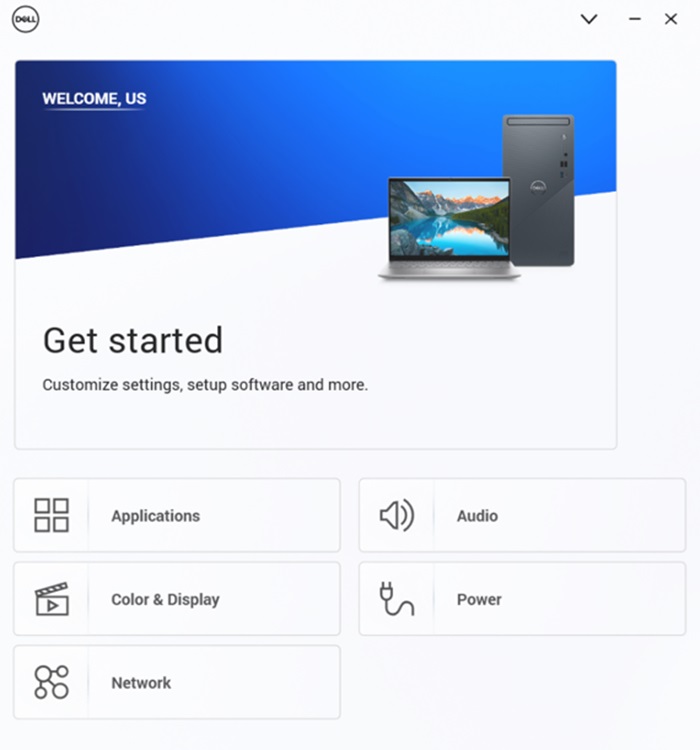
MyDell 頁面只會顯示兩個選項:「應用程式」和「色彩」>「顯示器」。
受影響的平台:
- Inspiron 14 Plus 7440
- Inspiron 16 Plus 7640
Cause
此問題是因為 MyDell 3.2 和 SupportAssist 4.6.5 之間的互操作問題所導致。安裝順序會導致配置檔被錯誤地覆蓋。
Resolution
重新安裝 SupportAssist,以確保使用正確的設定檔。
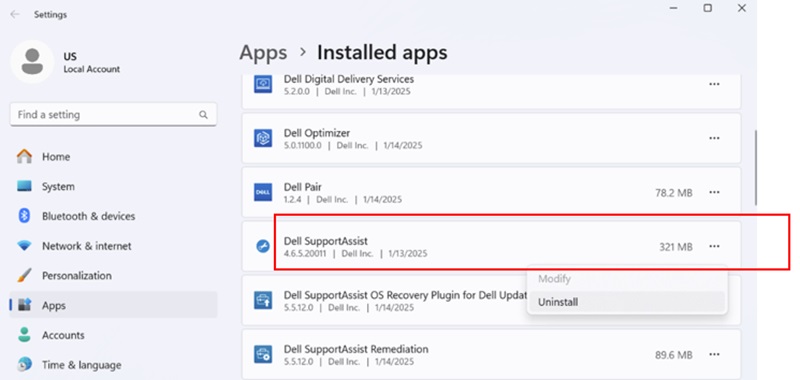
- 若要解除安裝 SupportAssist,請前往設定、應用程式,接著前往已安裝的應用程式。
- 解除安裝 SupportAssist 後,請下載 SupportAssist 安裝程式。

- 連線至網際網路,然後按一下 SupportAssistinstaller.exe 進行安裝。下載和安裝進度會顯示在右下角。
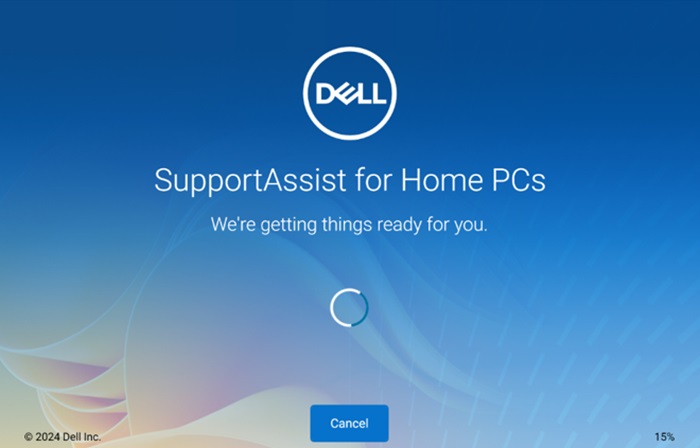
- SupportAssist 安裝完成後,請將電腦重新開機。重新啟動後,開啟 MyDell,頁面會正確顯示。
- 按下 Fn+T 可查看超高效能開啟和關閉通知。

- 在 MyDell Power 頁面上,您也可以看到散熱管理已切換為超高效能。
注意:MyDell 頁面不會自動重新整理。如果您按下 Fn+T,您必須重新開啟 MyDell 以確認設定。
Affected Products
Inspiron 14 Plus 7440, Inspiron 16 Plus 7640Article Properties
Article Number: 000287626
Article Type: Solution
Last Modified: 16 Apr 2025
Version: 2
Find answers to your questions from other Dell users
Support Services
Check if your device is covered by Support Services.