Dell Command | Configure Toolkit Returns an Error When Setting Secure Boot Mode to Audit Mode
Summary: This article provides information about Dell Command | Configure Toolkit returning an error when setting Secure Boot Mode to Audit Mode by Dell Command | Configure Toolkit.
This article applies to
This article does not apply to
This article is not tied to any specific product.
Not all product versions are identified in this article.
Symptoms
Dell Command | Configure Toolkit Returns an Error
The Dell Command | Configure Toolkit (CCTK) cannot set the Secure Boot Mode to Audit Mode and returns an error log.
XXXX/XX/XX XX:XX:XX cctk - Option : SecureBootMode
XXXX/XX/XX XX:XX:XX cctk - Error in Setting the Value
Cause
Resolution
Go to BIOS setup to Enable Custom Mode and Delete All Keys first then CCTK can set the Secure Boot Mode.
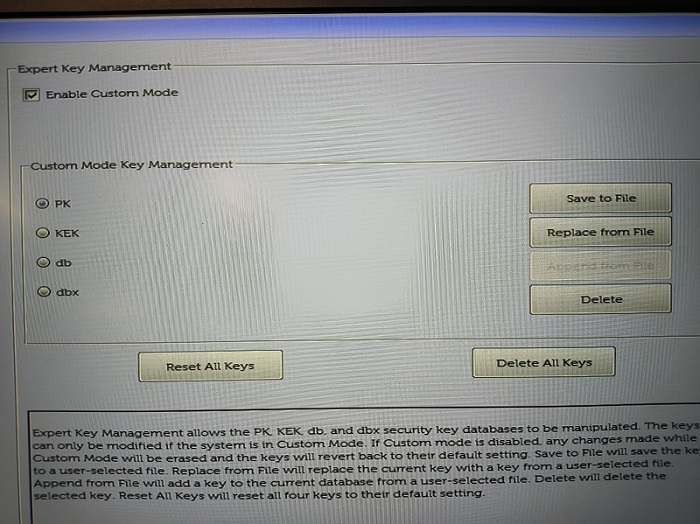
(Figure 1 - BIOS Setup)
Affected Products
OptiPlex, Latitude, Dell Command | ConfigureArticle Properties
Article Number: 000205212
Article Type: Solution
Last Modified: 24 Apr 2025
Version: 9
Find answers to your questions from other Dell users
Support Services
Check if your device is covered by Support Services.