NVP vProxy:NetWorker vProxy 網路組態失敗
Summary: vProxy 裝置部署時使用的靜態 IPv4 位址從未出現在虛擬機器上,也不會回應;wickedd 報告重複的 IP 錯誤,因為該位址正在網路上使用。
This article applies to
This article does not apply to
This article is not tied to any specific product.
Not all product versions are identified in this article.
Symptoms
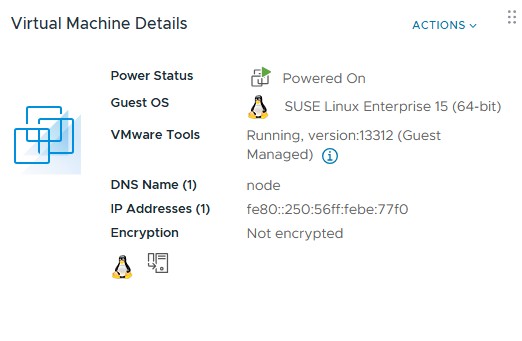
vProxy OVF 以指定的 IPv4 位址部署,但部署的虛擬機器不會顯示該位址,也不會在網路上回應該位址。
ip a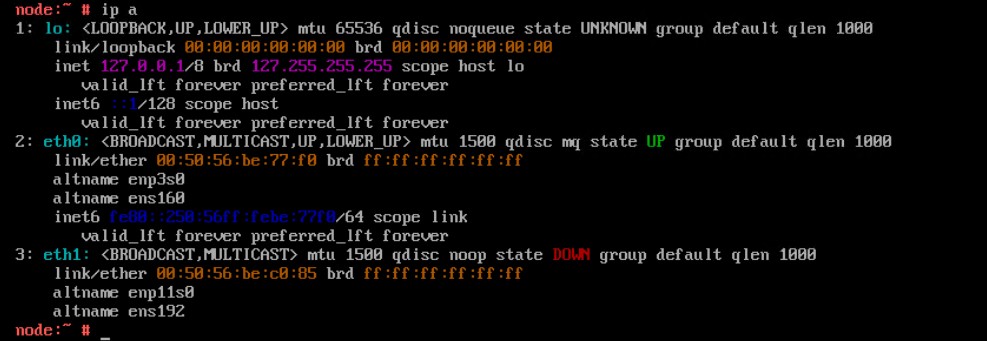
使用 config_network.sh 指令檔重新設定網路參數時,無法套用靜態 IPv4 位址
/opt/emc/vproxy/bin/config_network.sh <Interface> <FQDN> <IP Address> <Netmask> <Gateway> <DNS List (comma separated)>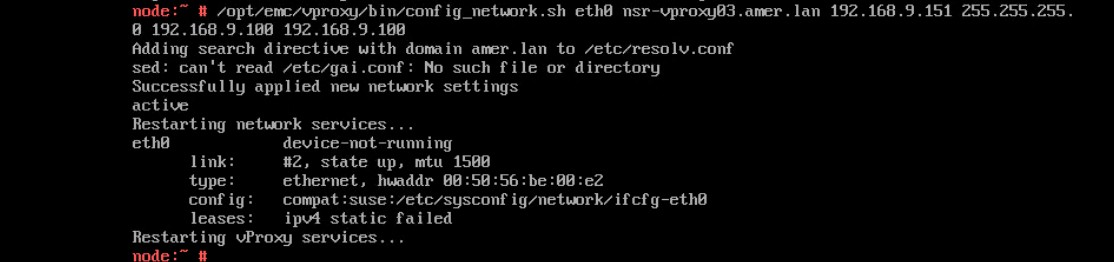
wickedd 服務的狀態顯示重複的 IP 位址錯誤。
systemctl status wickedd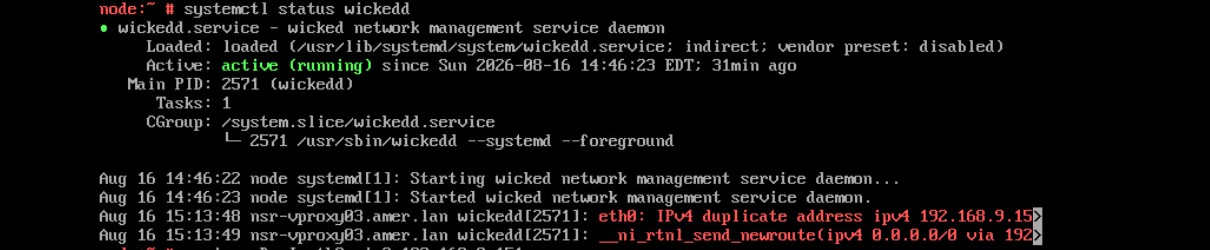
Cause
Resolution
尋找新的唯一位址,然後使用下列命令指派新的 IP 位址。
- 以服務身分登入相關應用裝置,並提升至 root。
- 執行下列命令。
/opt/emc/vproxy/bin/config_network.sh <Interface> <FQDN> <IP Address> <Netmask> <Gateway> <DNS List (comma separated)>*如需更多資訊,請參閱 NVP vProxy:如何手動變更 vProxy 裝置網路介面設定
Affected Products
NetWorkerArticle Properties
Article Number: 000499204
Article Type: Solution
Last Modified: 17 Aug 2026
Version: 1
Find answers to your questions from other Dell users
Support Services
Check if your device is covered by Support Services.