Isilon:前面パネルのLED/ライト バーの状態
Summary: 現在のIsilonノードの前面パネルLEDまたはライト バーには、ノードの正常性またはステータスを示す2色と3つの状態があります。
This article applies to
This article does not apply to
This article is not tied to any specific product.
Not all product versions are identified in this article.
Instructions
ここでは、ライトと説明を示します。
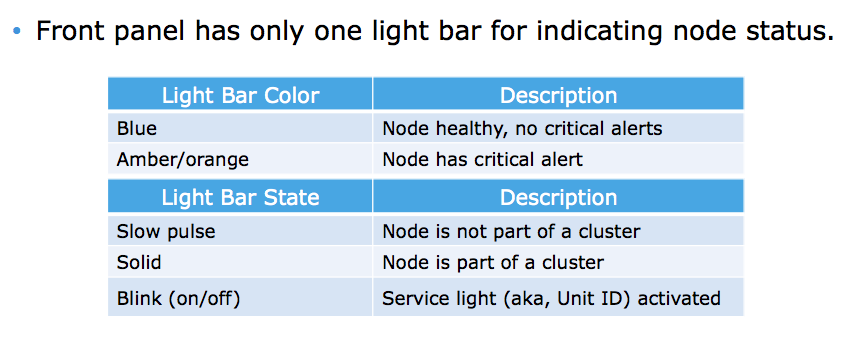
LED/ライト バーの色
青 = ノードは正常、重大なアラートはありません
橙色/オレンジ = ノードに重大なアラートがある
LED/ライト バーの状態
低速パルス = ノードはクラスターの一部ではありません
点灯 = ノードはクラスターの一部です
点滅 = サービス ライト(別名ユニットID)がアクティブ
色と状態を混在させることができます。たとえば、橙色で点滅するLED/ライト バーは、サービス ライトがアクティブ化された重大なアラートがあるノードを示します。
Affected Products
IsilonProducts
Isilon, Isilon HD400, Isilon NL-Series, Isilon NL400, Isilon NL410, Isilon S-Series, Isilon S200, Isilon S210, Isilon X-Series, Isilon X200, Isilon X210, Isilon X400, Isilon X410Article Properties
Article Number: 000019536
Article Type: How To
Last Modified: 17 Apr 2026
Version: 6
Find answers to your questions from other Dell users
Support Services
Check if your device is covered by Support Services.