Isilon:前面板 LED/灯条状态
Summary: 当前 Isilon 节点的前面板 LED 或灯条有两种颜色和三种状态,指示节点的运行状况和/或状态。
This article applies to
This article does not apply to
This article is not tied to any specific product.
Not all product versions are identified in this article.
Instructions
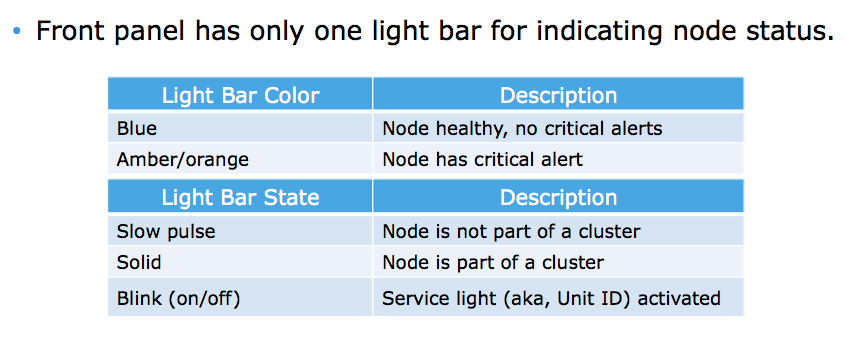
以下是指示灯和说明:
LED/灯条颜色
蓝色 = 节点运行状况良好,无严重警报
琥珀色/橙色 = 节点具有严重警报
LED/灯条状态
慢速脉冲 = 节点不是群集
的一部分 常亮 = 节点是群集
的一部分 闪烁 = 服务指示灯(也称为设备 ID)已激活
颜色和状态可以混合使用。例如,呈琥珀色闪烁的 LED/灯条表示节点具有已激活服务指示灯的严重警报。
Affected Products
IsilonProducts
Isilon, Isilon HD400, Isilon NL-Series, Isilon NL400, Isilon NL410, Isilon S-Series, Isilon S200, Isilon S210, Isilon X-Series, Isilon X200, Isilon X210, Isilon X400, Isilon X410Article Properties
Article Number: 000019536
Article Type: How To
Last Modified: 17 Apr 2026
Version: 6
Find answers to your questions from other Dell users
Support Services
Check if your device is covered by Support Services.