Dell Unity:配置林级身份验证时,无法为 LDAP 用户添加角色映射
Summary: 客户在 Unity 上配置了林级 LDAP 身份验证以进行 UI 管理。LDAP 连接已验证为正常,但客户无法为 LDAP 用户添加角色映射。(用户可纠正)
This article applies to
This article does not apply to
This article is not tied to any specific product.
Not all product versions are identified in this article.
Symptoms
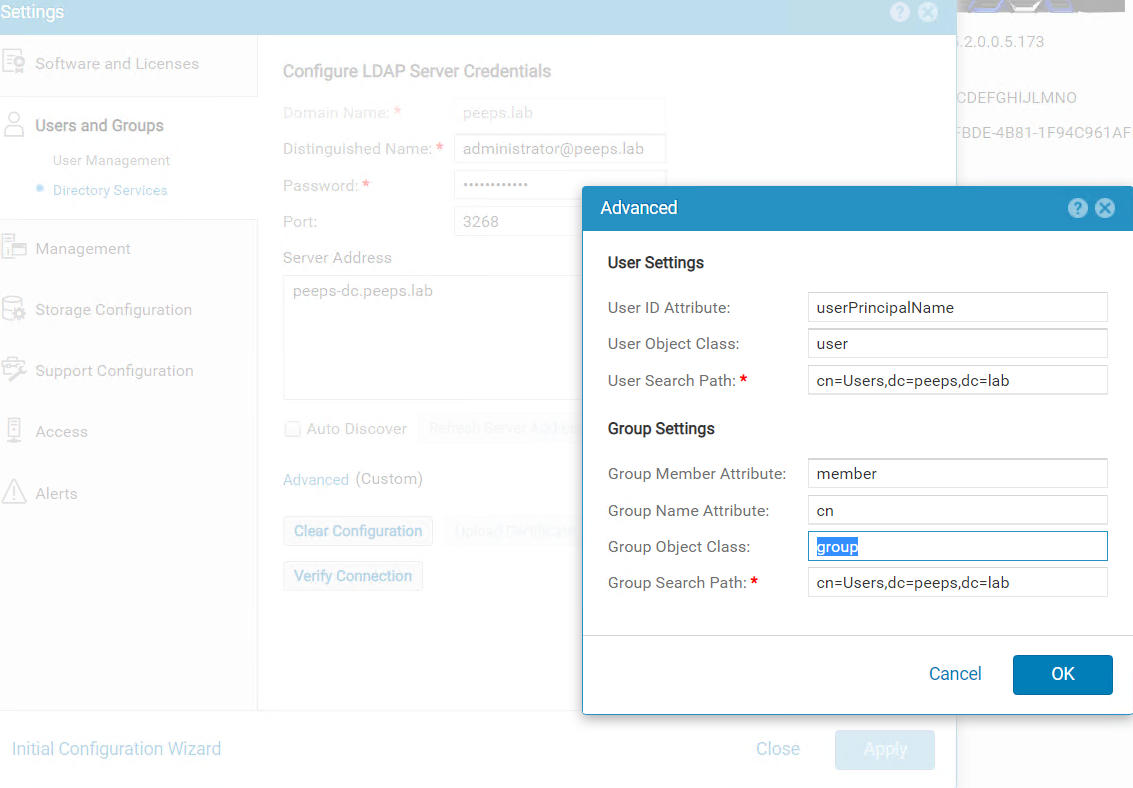
客户在 LDAP 服务器端口 3268 上为 Unisphere 管理配置了林级 LDAP 身份验证。客户按照《安全配置指南》在“高级”窗口的“用户 ID 属性”字段中指定了 userPrincipalName。
Dell EMC Unity 系列安全配置指南 (delltechnologies.com)
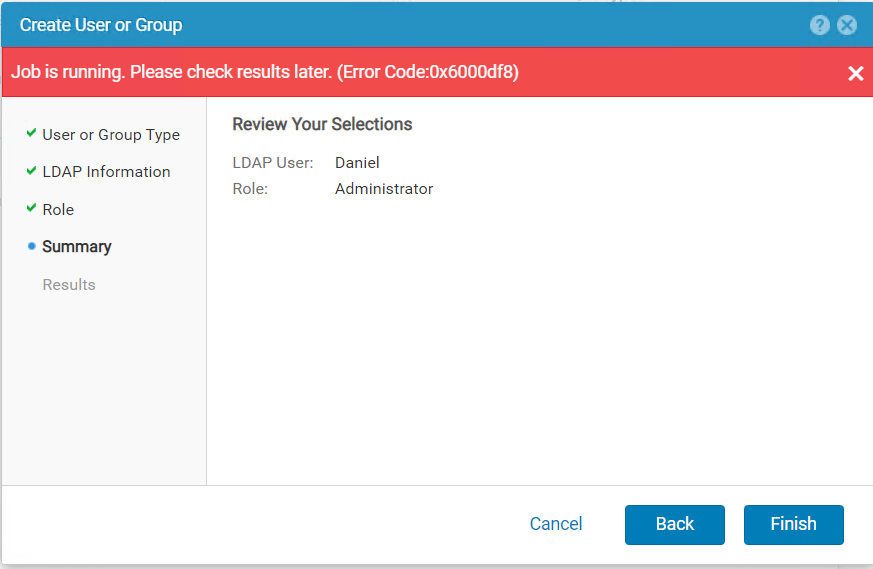
尝试在“用户和组”-“用户管理”-“>>管理用户和组”中添加LDAP用户时,收到以下错误。
Cause
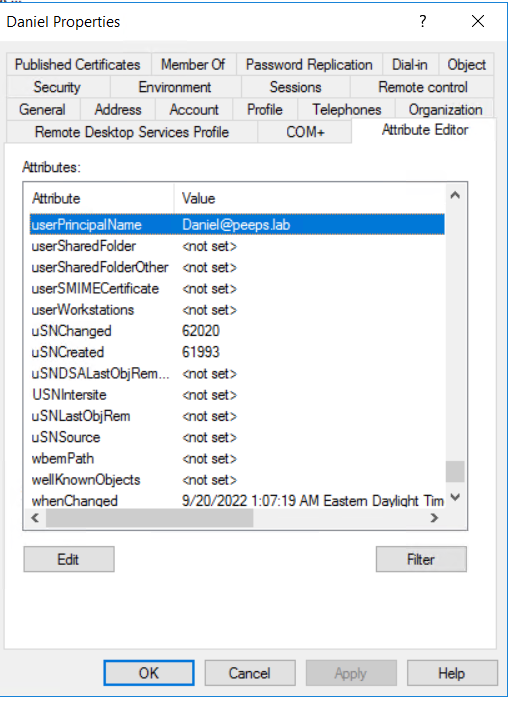
配置林级 LDAP 身份验证时,角色映射的 LDAP 用户的用户名应以 <username>@<domain> 格式进行配置,该格式与客户在 LDAP 服务器中为用户配置的 userPincipalName完全相同。
Resolution
如果 Windows 域控制器是 LDAP 服务器,则可以使用 Active Directory 用户和计算机从用户属性重试 userPrincipalName。
提醒:必须启用“视图”选项卡中的高级功能才能显示用户的属性编辑器。
Affected Products
Dell EMC UnityArticle Properties
Article Number: 000203550
Article Type: Solution
Last Modified: 03 Jun 2026
Version: 5
Find answers to your questions from other Dell users
Support Services
Check if your device is covered by Support Services.