安装 Windows 10 后安装英特尔芯片组设备软件后设备管理器中出现错误
Summary: 有关安装英特尔芯片组设备软件后设备管理器错误(黄色感叹号)的信息。
This article applies to
This article does not apply to
This article is not tied to any specific product.
Not all product versions are identified in this article.
Symptoms
在新安装 Windows 10 的系统上安装英特尔芯片组设备软件后,设备管理器中的“PCI 数据采集和信号处理控制器”中出现错误。
受影响系统:
- Latitude 5340
- Latitude 5440
- Latitude 7340
- Latitude 7440
- Latitude 7640
- Latitude 9440 二合一
- Precision 3580
- Precision 3581
- Precision 5480
- Precision 5680
- Precision 7680
- Precision 7780
Cause
无可用的原因信息。
Resolution
Intel芯片组设备软件驱动程序
可以使用以下两种方法来解决此问题。
- 将系统连接至互联网,然后执行“Windows Update” 以安装最新的驱动程序。
- 卸载英特尔芯片组驱动程序并安装较旧版本。
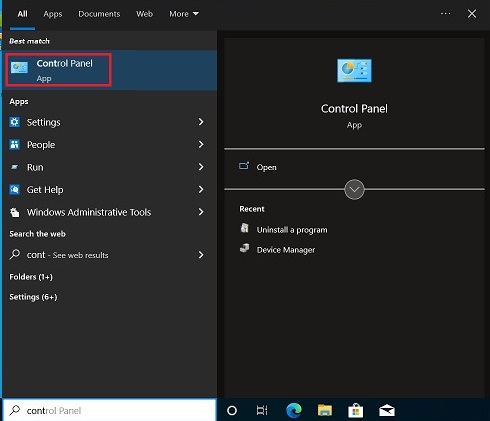
- 按“Windows”键,搜索并选择“控制面板”。
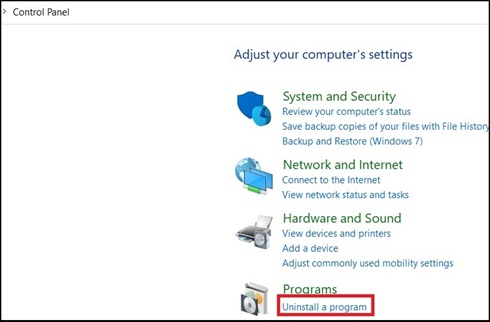
- 选择“卸载程序”。
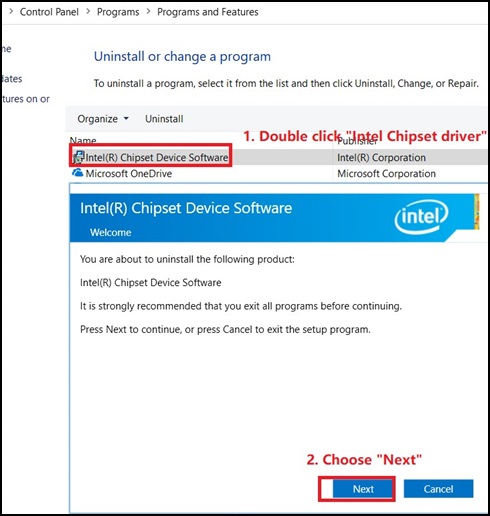
- 双击“Intel Chipset Device Software ”,然后在新窗口中选择“Next”以卸载芯片组驱动程序。
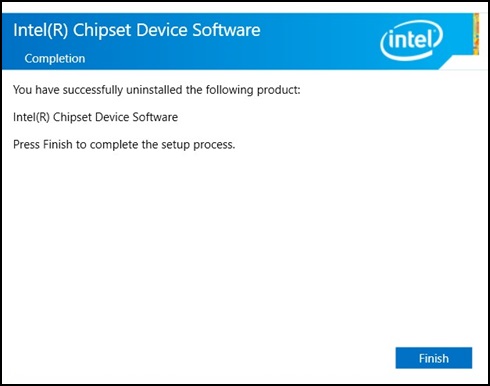
- 在“Intel Chipset Device Software”(英特尔芯片组设备软件)窗口中,单击“Finish”(完成)。
- 控制面板中不应显示“英特尔芯片组驱动程序”。

- 从以下链接下载旧芯片组驱动程序:英特尔芯片组
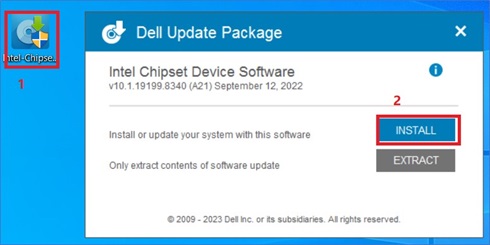
- 双击下载的软件包,然后单击“安装”,开始安装。
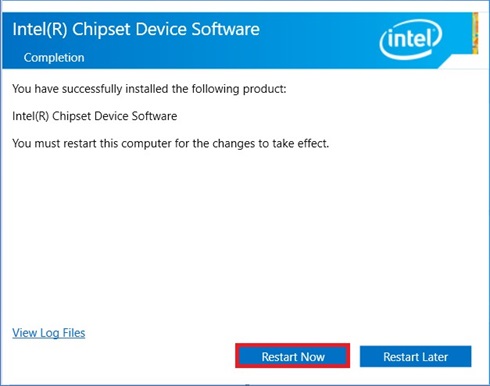
- 按照安装向导作,直到出现弹出的完成消息,然后选择“立即重新启动”。
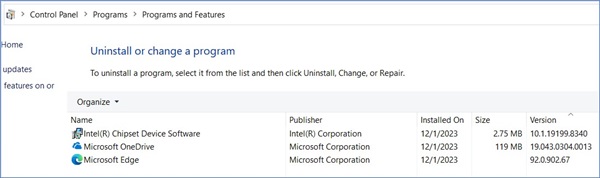
- 系统重新启动后,打开“控制面板”以检查是否安装了较旧的芯片组驱动程序。
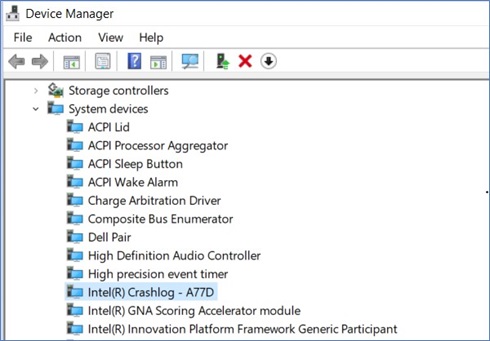
- 设备管理器中应该没有错误。
- 按“Windows”键,搜索并选择“控制面板”。
新的驱动程序版本 10.1.19600.8418 应该于 2024 年 1 月 16 日(待定)在戴尔驱动程序网站上提供。
Affected Products
Latitude 5340, Latitude 7340, Latitude 7440, Latitude 9440 2-in-1, Latitude 5540, Latitude 7640, Precision 5480, Precision 3580, Precision 3581, Precision 5680, Precision 7680, Precision 7780Article Properties
Article Number: 000220565
Article Type: Solution
Last Modified: 12 Jan 2026
Version: 3
Find answers to your questions from other Dell users
Support Services
Check if your device is covered by Support Services.