Dell EMC Unity: Error "Invalid credentials" is displayed on the login banner when a Unisphere login via LDAP is attempted (User Correctable)
This article applies to
This article does not apply to
This article is not tied to any specific product.
Not all product versions are identified in this article.
Symptoms
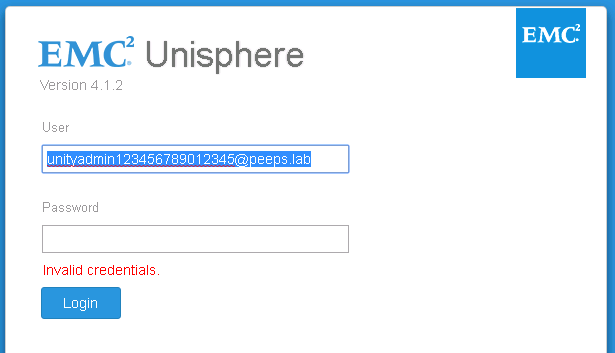
Error "Invalid credentials" is displayed on the login banner when a Unisphere login via LDAP is attempted for a user with a name exceeding 20 characters.
Cause
When the LDAP user is searched for in the directory, the shorter pre-Windows 2000 Username is matched (see Red oval). If the longer user logon name is used, login will fail with "Invalid credentials" displayed.

Resolution
Use the shortened pre-Windows 2000 user login name for the username portion of the UPN you provide to login to Unisphere via LDAP.

Login will succeed.
Login will succeed.
Affected Products
Dell EMC Unity FamilyProducts
Dell EMC Unity FamilyArticle Properties
Article Number: 000056927
Article Type: Solution
Last Modified: 11 Dec 2025
Version: 3
Find answers to your questions from other Dell users
Support Services
Check if your device is covered by Support Services.