如果 secadmin 密碼可用,如何重設遺失的 Cloudlink 主控台密碼
Summary: 文章說明使用 REST API 重設遺失的 Cloudlink 主控台密碼的方法。 可從 Cloudlink WebGUI 執行密碼重設。使用者必須能夠以「secadmin」身分登入 WebGUI。
This article applies to
This article does not apply to
This article is not tied to any specific product.
Not all product versions are identified in this article.
Instructions
1.打開左窗格中 的關於 部分。
2.選取 REST 說明文件 頁面
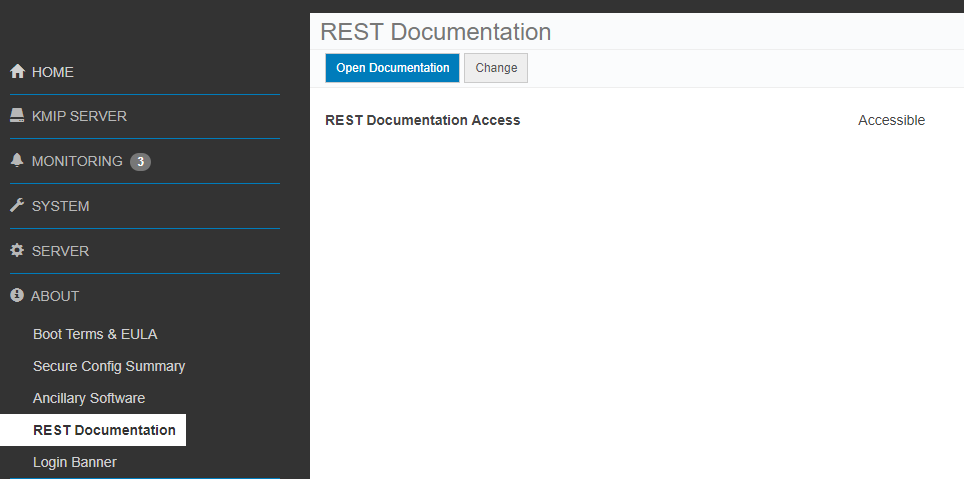
3.按 一下開啟文件 按鈕。
Cloudlink Center REST API 說明文件頁面會在新標籤上開啟。
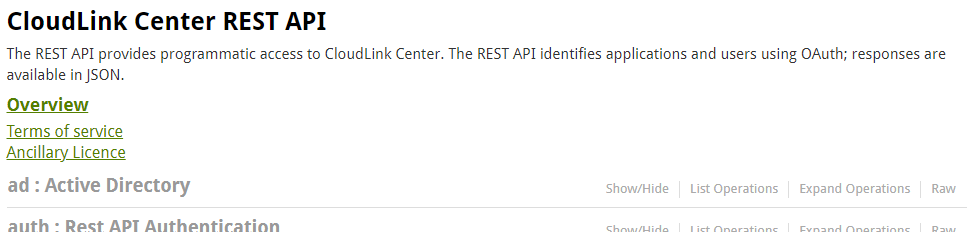
4.向下捲動至 伺服器:伺服器組態 一節。
5.按 一下顯示/隱藏 以展開區段。
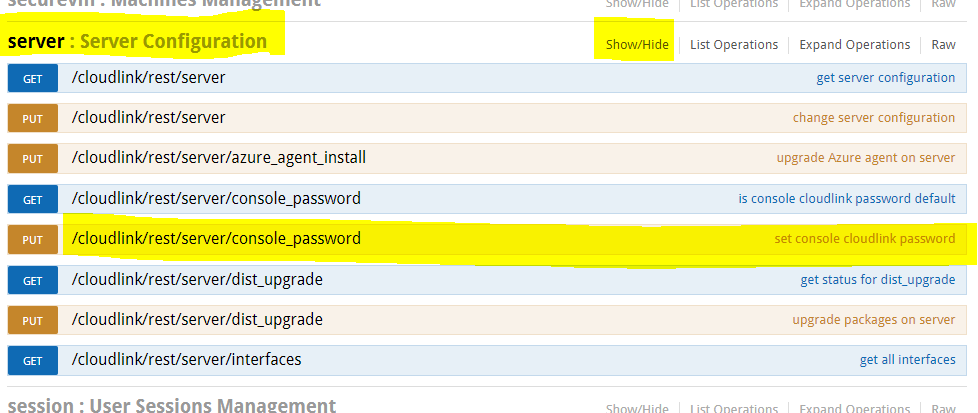
6.按一下 設定主控台 Cloudlink 密碼。
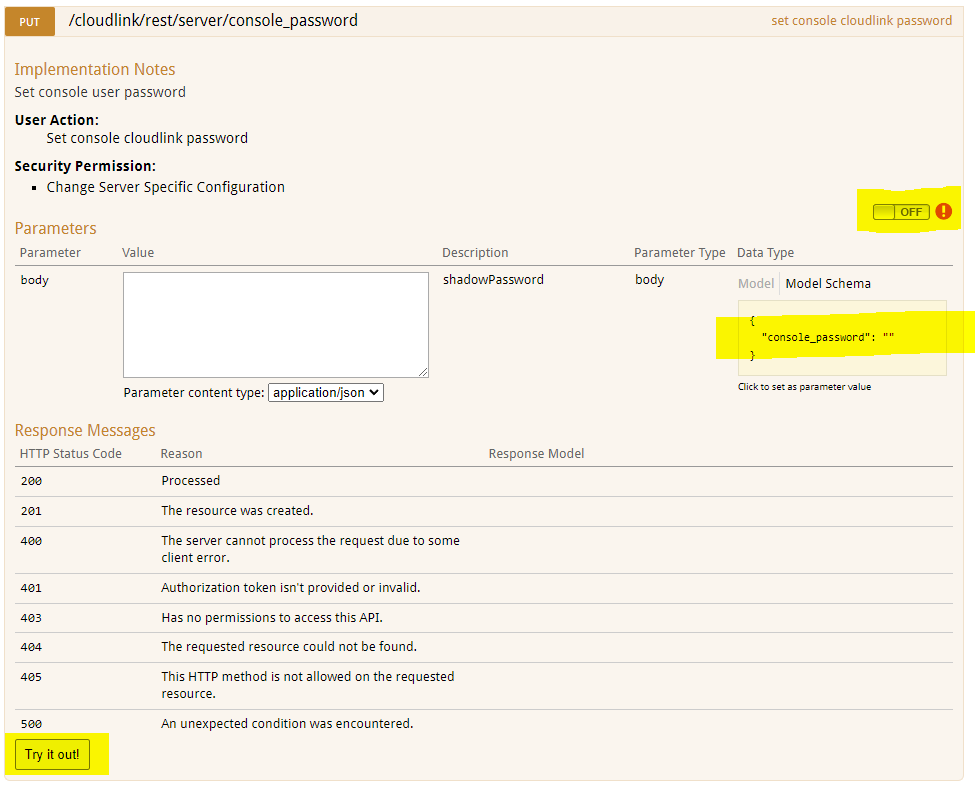
7.按一下 關閉 交換器以進行驗證。隨即會彈出 OAuth2.0 範圍選擇對話方塊。
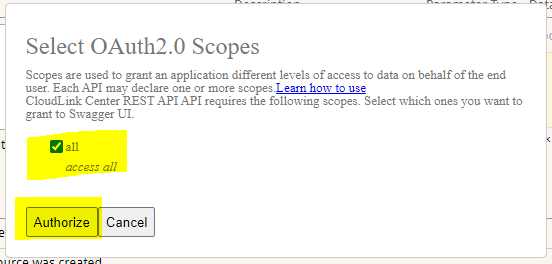
8.全選,按一下授權。
9.登入畫面隨即顯示。使用者需要輸入 secadmin 登入資料。(在 7.1.x 及更高版本中不存在。)
10.按一下 「模型架構 」黃色方塊。盒子的內容會複製到白色盒子 內文。
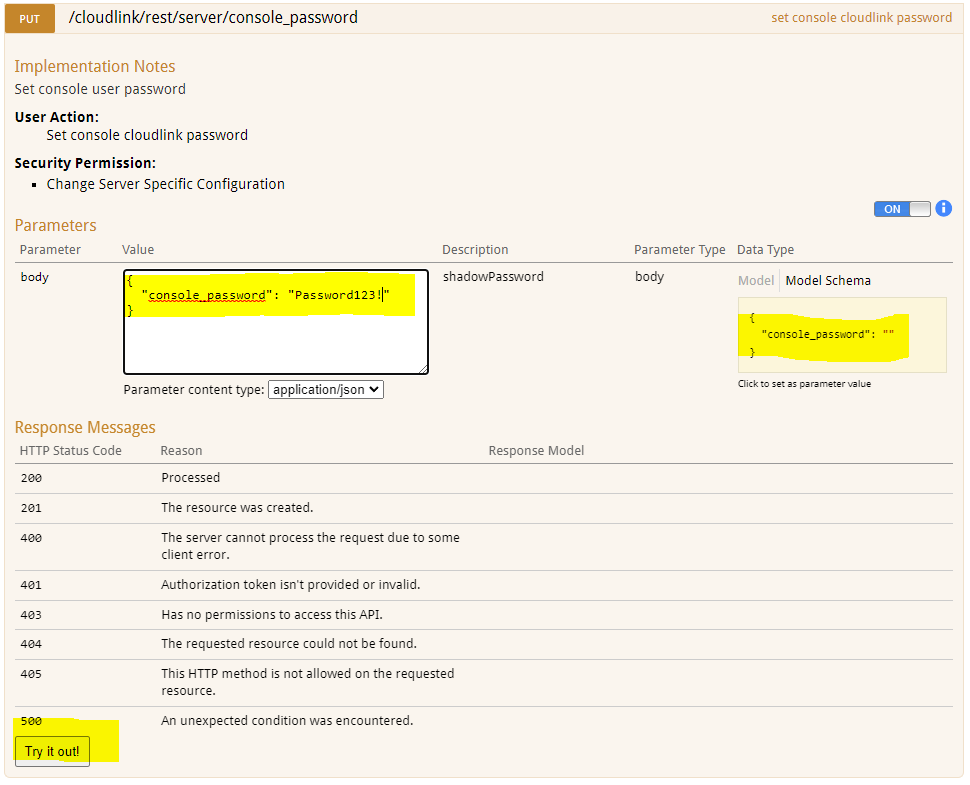
11.在 內文 方塊中輸入新的 Cloudlink 主控台密碼。
12.按一下 試用! 按鈕。
13.隨即會顯示動作的結果。
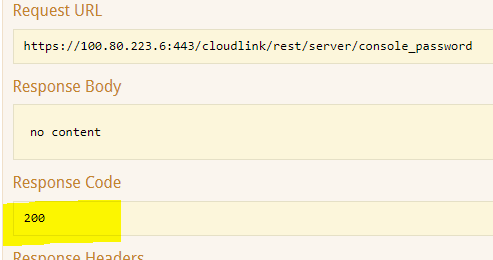
回應代碼 200 表示密碼變更成功。
2.選取 REST 說明文件 頁面
3.按 一下開啟文件 按鈕。
Cloudlink Center REST API 說明文件頁面會在新標籤上開啟。
4.向下捲動至 伺服器:伺服器組態 一節。
5.按 一下顯示/隱藏 以展開區段。
6.按一下 設定主控台 Cloudlink 密碼。
7.按一下 關閉 交換器以進行驗證。隨即會彈出 OAuth2.0 範圍選擇對話方塊。
8.全選,按一下授權。
9.登入畫面隨即顯示。使用者需要輸入 secadmin 登入資料。(在 7.1.x 及更高版本中不存在。)
10.按一下 「模型架構 」黃色方塊。盒子的內容會複製到白色盒子 內文。
11.在 內文 方塊中輸入新的 Cloudlink 主控台密碼。
12.按一下 試用! 按鈕。
13.隨即會顯示動作的結果。
回應代碼 200 表示密碼變更成功。
Affected Products
CloudLink SecureVM, CloudLinkArticle Properties
Article Number: 000203931
Article Type: How To
Last Modified: 23 Feb 2023
Version: 5
Find answers to your questions from other Dell users
Support Services
Check if your device is covered by Support Services.