PowerFlex TPM 2.0: デバイスは検出されましたが、接続を確立できません
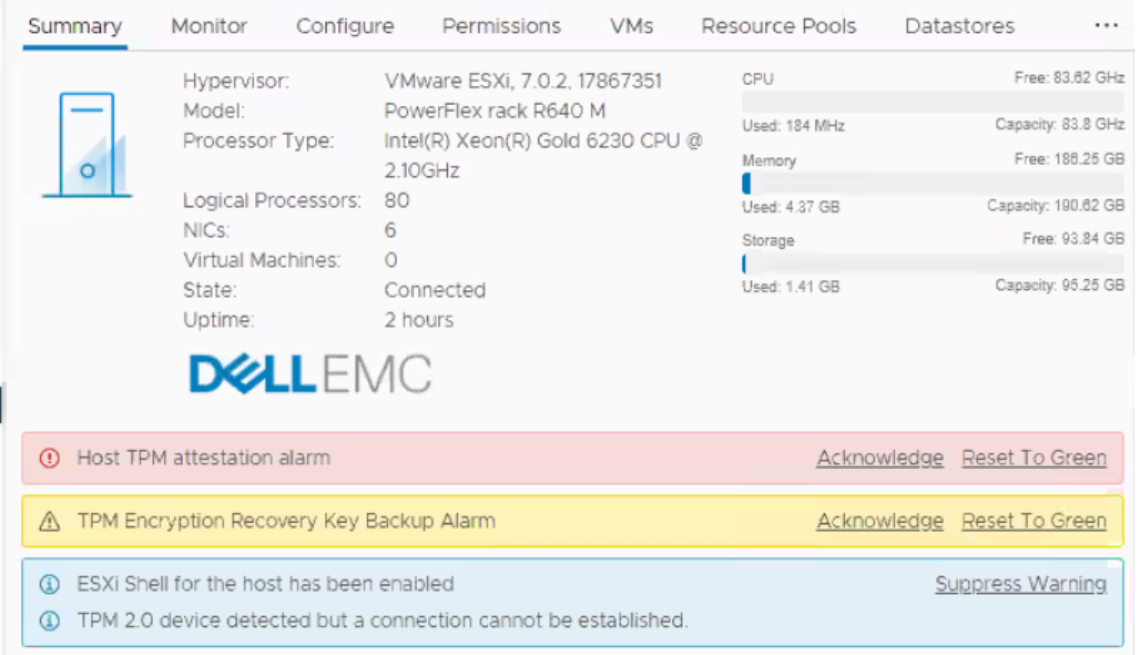
Summary: このメッセージは、新規導入、インストール、または拡張中に表示されることがあります。すべてのホストのvCenterに、「TPM 2.0デバイスが検出されましたが、接続を確立できません。 Warning: Host TPM attestation alarm.」
This article applies to
This article does not apply to
This article is not tied to any specific product.
Not all product versions are identified in this article.
Symptoms
vCenterのアラーム:

Cause
vCenter 6.7環境のTrusted Platform Module (TPM)バージョン2.0の詳細については、vSphere Security
ESXi vCenterがホストBIOSにクエリーを実行して、TPMチップがあるかどうかを確認します。存在する場合は、チップが存在し、有効になっていないために通信できないため、アラームが鳴ります。これは本質的に表面的なものであり、無視してかまいません。

Resolution
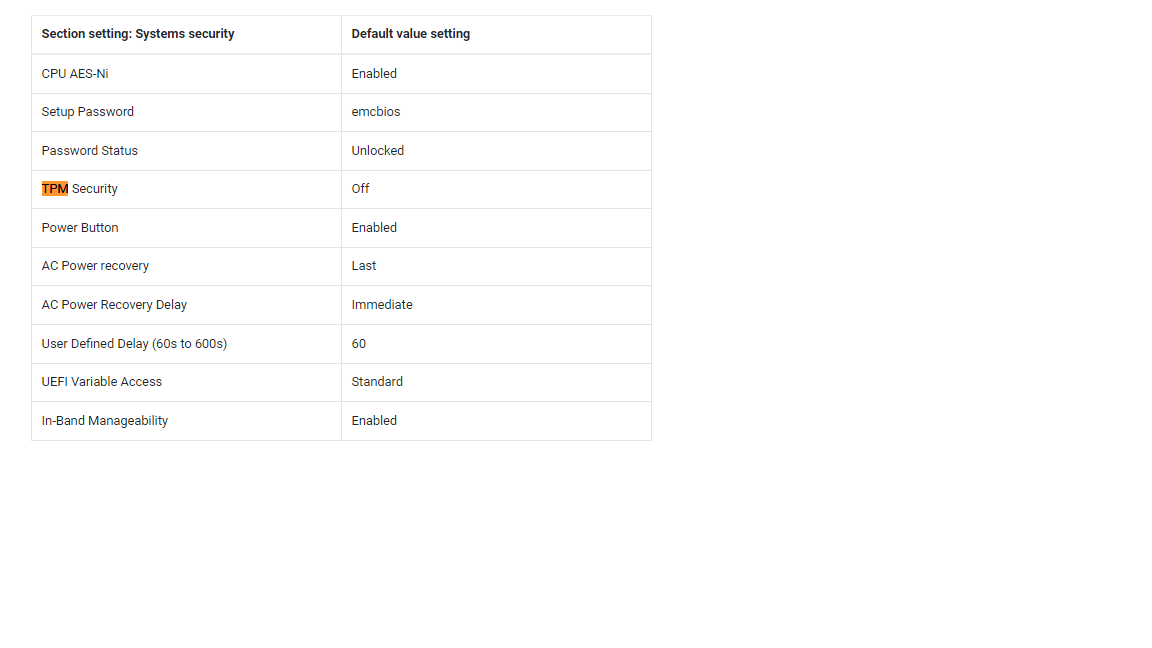
PowerFlexパーソナリティ モジュールは、デフォルトではTPMが無効になっています。この機能は適切にサポートされていませんが、今後のリリースで提供される予定です。
オプション1:
TPMを無効にして、このメッセージを無視しても問題ありません。エンジニアリング チームは、今後このメッセージが表示されないようにする最善の方法を調査中ですが、それまではTPMを無効にしてください。
オプション2:
RacADMを使用してTPMを安全に無効化するコマンド ラインの使用:
(#の後のスクリプト化されたメモはコメントであり、コマンドの一部ではありません)。
racadm -r <ip addr> -u root -p XXXXX get Bios.SysSecurity.TpmSecurity              # command to check effective value

racadm -r <ip addr> -u root -p XXXXX set Bios.SysSecurity.TpmSecurity Off          # command to disable it.

racadm -r <ip addr> -u root -p XXXXX get Bios.SysSecurity.TpmSecurity              # command to check the pending value

racadm -r <ip addr> -u root -p XXXXX jobqueue create BIOS.Setup.1-1 -r pwrcycle    # command soft-reboots the host immediately and applies
Affected Products
Converged Infrastructure, PowerFlex rackArticle Properties
Article Number: 000317199
Article Type: Solution
Last Modified: 05 Jun 2025
Version: 2
Find answers to your questions from other Dell users
Support Services
Check if your device is covered by Support Services.