PowerFlex TPM 2.0:检测到设备,但无法建立连接
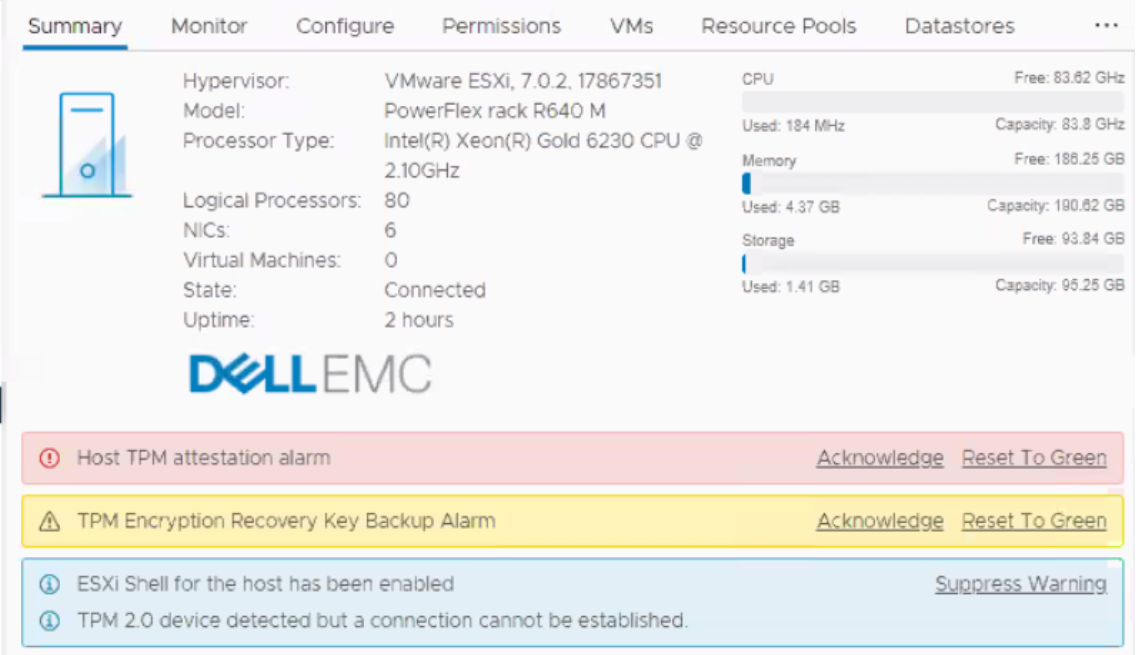
Summary: 在新部署、安装或扩展期间可能会出现此消息。所有主机都会在 vCenter 中显示警报,指出“检测到 TPM 2.0 设备,但无法建立连接。 警告:Host TPM attestation alarm.”
This article applies to
This article does not apply to
This article is not tied to any specific product.
Not all product versions are identified in this article.
Symptoms
vCenter 中的警报:

Cause
有关 vCenter 6.7 环境中的可信平台模块 (TPM) 版本 2.0 的详细信息,请参阅 vSphere 安全性
上的 VMware 文档 ESXi vCenter 查询主机 BIOS 以查看它是否具有 TPM 芯片。如果有,则会发出警报声,因为芯片存在且未启用,因此无法通信。这本质上是表面的,可以忽略不计。

Resolution
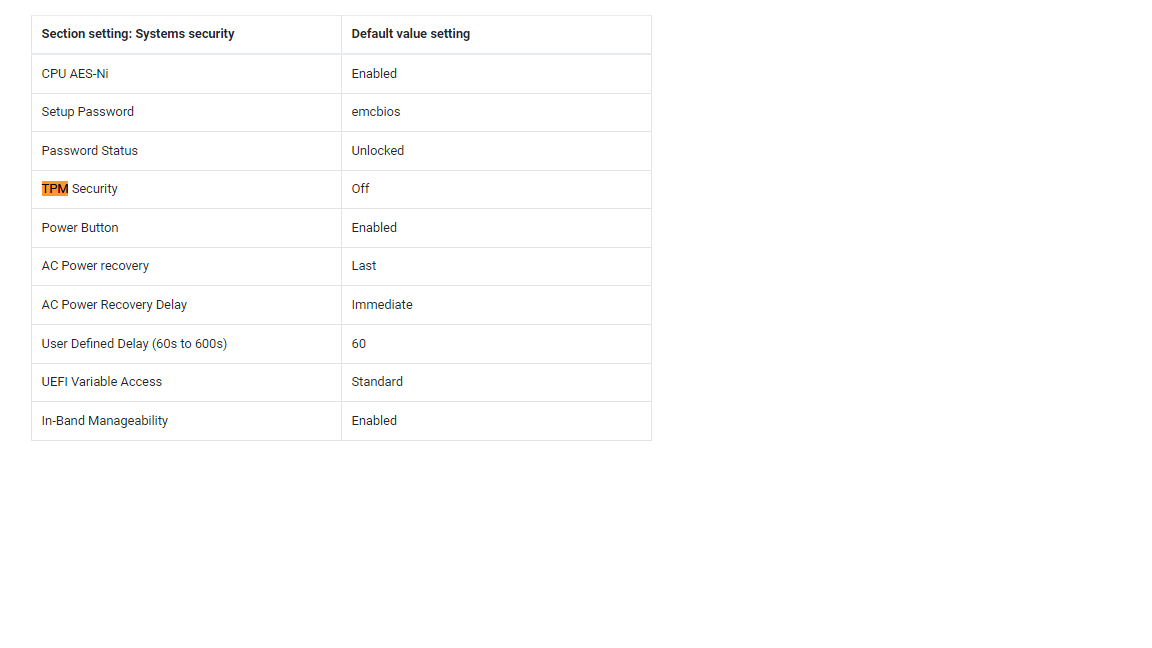
默认情况下,PowerFlex 个性化模块已禁用 TPM。该功能不受适当支持,但预计将在未来版本中提供。
选项 1:
禁用 TPM 并安全地忽略此消息。工程部门正在研究将来禁止显示此消息的最佳方法,但在此之前,请禁用 TPM。
选项 2:
通过命令行使用 RacADM 安全地禁用 TPM:
(# 后面的脚本注释是注释,不是命令的一部分。)
racadm -r <ip addr> -u root -p XXXXX get Bios.SysSecurity.TpmSecurity              # command to check effective value

racadm -r <ip addr> -u root -p XXXXX set Bios.SysSecurity.TpmSecurity Off          # command to disable it.

racadm -r <ip addr> -u root -p XXXXX get Bios.SysSecurity.TpmSecurity              # command to check the pending value

racadm -r <ip addr> -u root -p XXXXX jobqueue create BIOS.Setup.1-1 -r pwrcycle    # command soft-reboots the host immediately and applies
Affected Products
Converged Infrastructure, PowerFlex rackArticle Properties
Article Number: 000317199
Article Type: Solution
Last Modified: 05 Jun 2025
Version: 2
Find answers to your questions from other Dell users
Support Services
Check if your device is covered by Support Services.