RecoverPoint for VMs: Datastore space utilization issues when a protected Virtual Machine mounts several disks
Summary: Datastore space utilization issues when a protected VM mounts several disks.
This article applies to
This article does not apply to
This article is not tied to any specific product.
Not all product versions are identified in this article.
Symptoms
Datastore (DS) space utilization can be affected if a particular protected Virtual Machine (VM) mounts several disks.
Even if the "Replicate VM hardware changes" and "Automatically protect newly added VMDKs" are disabled, on the Target vCenter Datastore, attached disks are created.
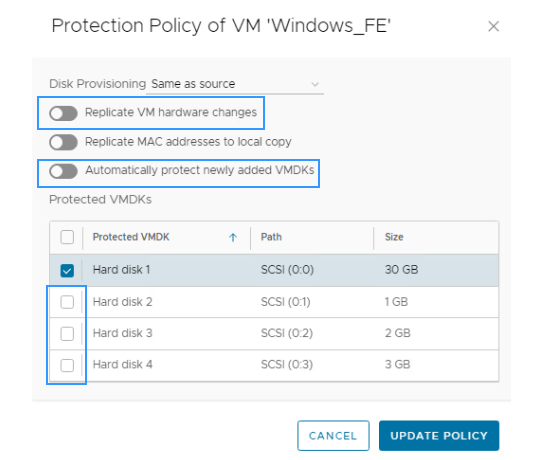
Even if the "Replicate VM hardware changes" and "Automatically protect newly added VMDKs" are disabled, on the Target vCenter Datastore, attached disks are created.
Cause
RecoverPoint for Virtual Machines, by design, protects the entire VM. Adding new disks in the replicated VM always adds the disks on the Target (Replica) VM.
Resolution
Workaround:
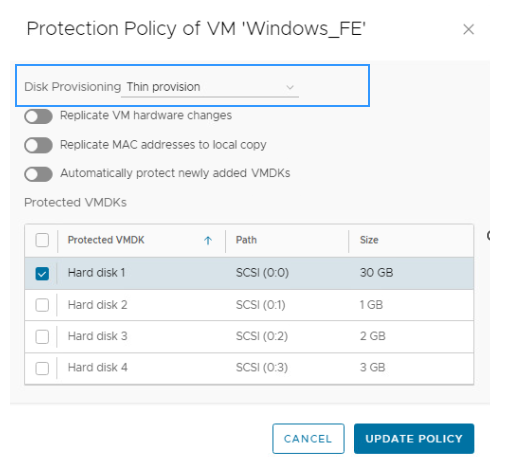
You may reduce the space utilization in the DS by changing the Consistency Group disk Provisioning to the THIN.
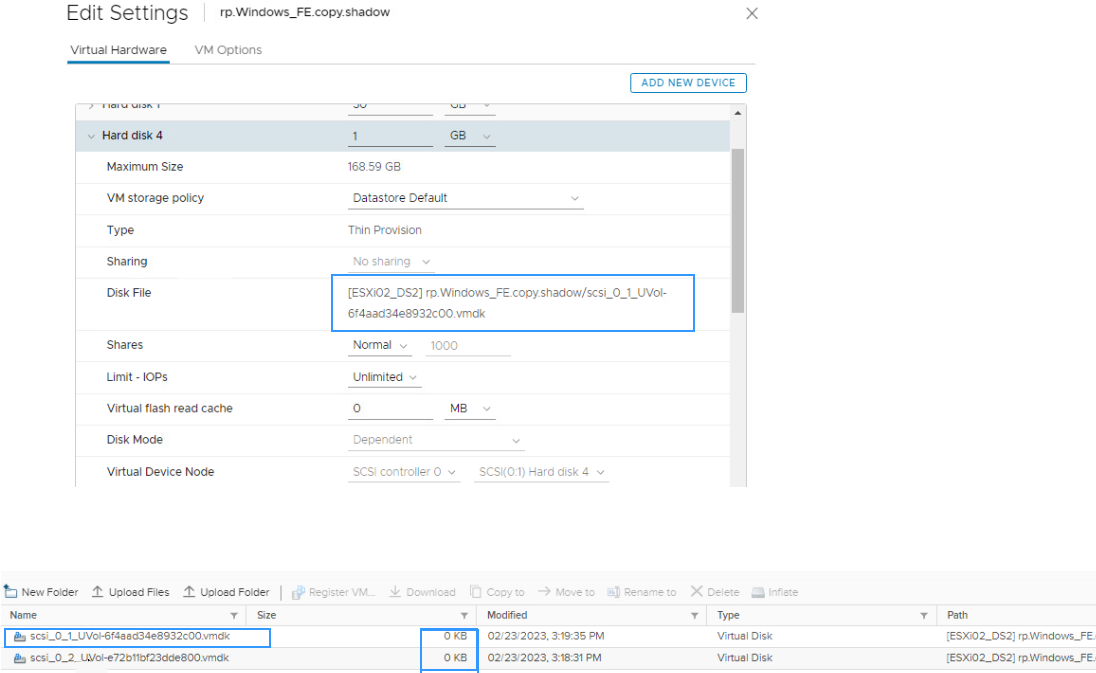
You see that the space on the Target DS with be zero for the added VMDKs.
Resolution:
RecoverPoint for Virtual Machines is working by design and there is no change needed.
You may reduce the space utilization in the DS by changing the Consistency Group disk Provisioning to the THIN.
You see that the space on the Target DS with be zero for the added VMDKs.
Resolution:
RecoverPoint for Virtual Machines is working by design and there is no change needed.
Products
RecoverPoint for Virtual MachinesArticle Properties
Article Number: 000210251
Article Type: Solution
Last Modified: 22 Apr 2025
Version: 5
Find answers to your questions from other Dell users
Support Services
Check if your device is covered by Support Services.