PowerEdge: How to identify a failed NVIDIA GPU (Slot) with Nvidia-SMI and a TSR/SupportAssist Collection
Summary: This how-to article should help engineers with the troubleshooting on how to find out which GPU causes an issue when only nvidia-smi data is available (software, DSS systems).
Instructions
When the customer provides nvidia-smi tool data proving that there is an issue with a GPU in the system, how do you identify the card slot when the hardware shows no physical issue?
So here are two example outputs that are expected of the customer to provide:
nvidia-smi tool see the "additional info" section.
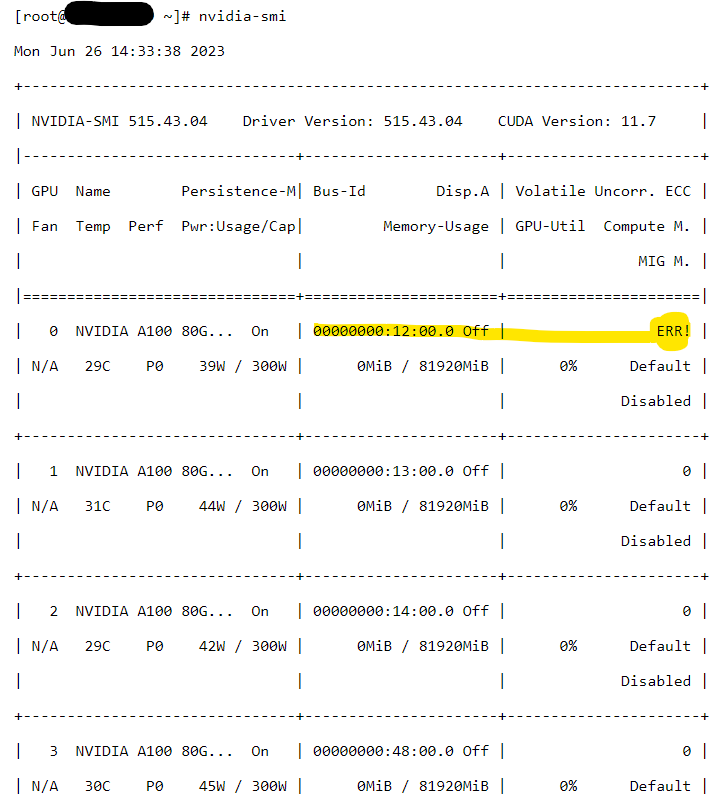
(Extract of the total output for demonstration purposes, total output would be 10 NVIDIA cards in this example system [DSS8440])
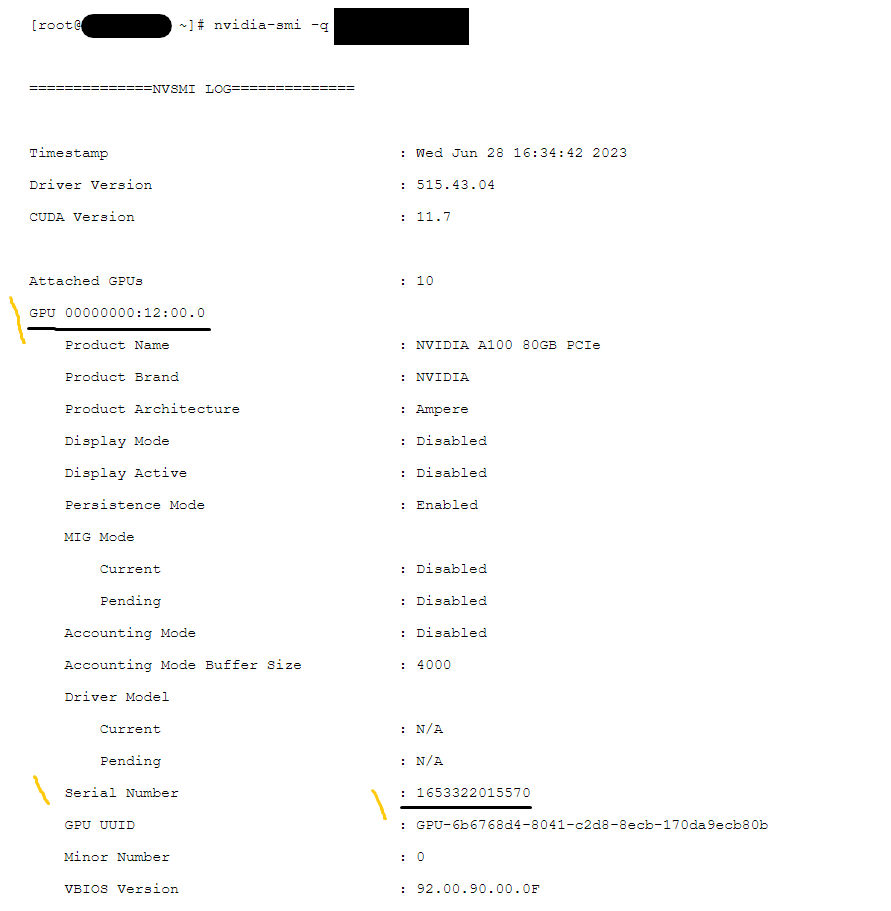
As we can see, there is only limited information available that can help us identify the right GPU to replace for ECC errors.
The TSR contains details in the Video Cards section:
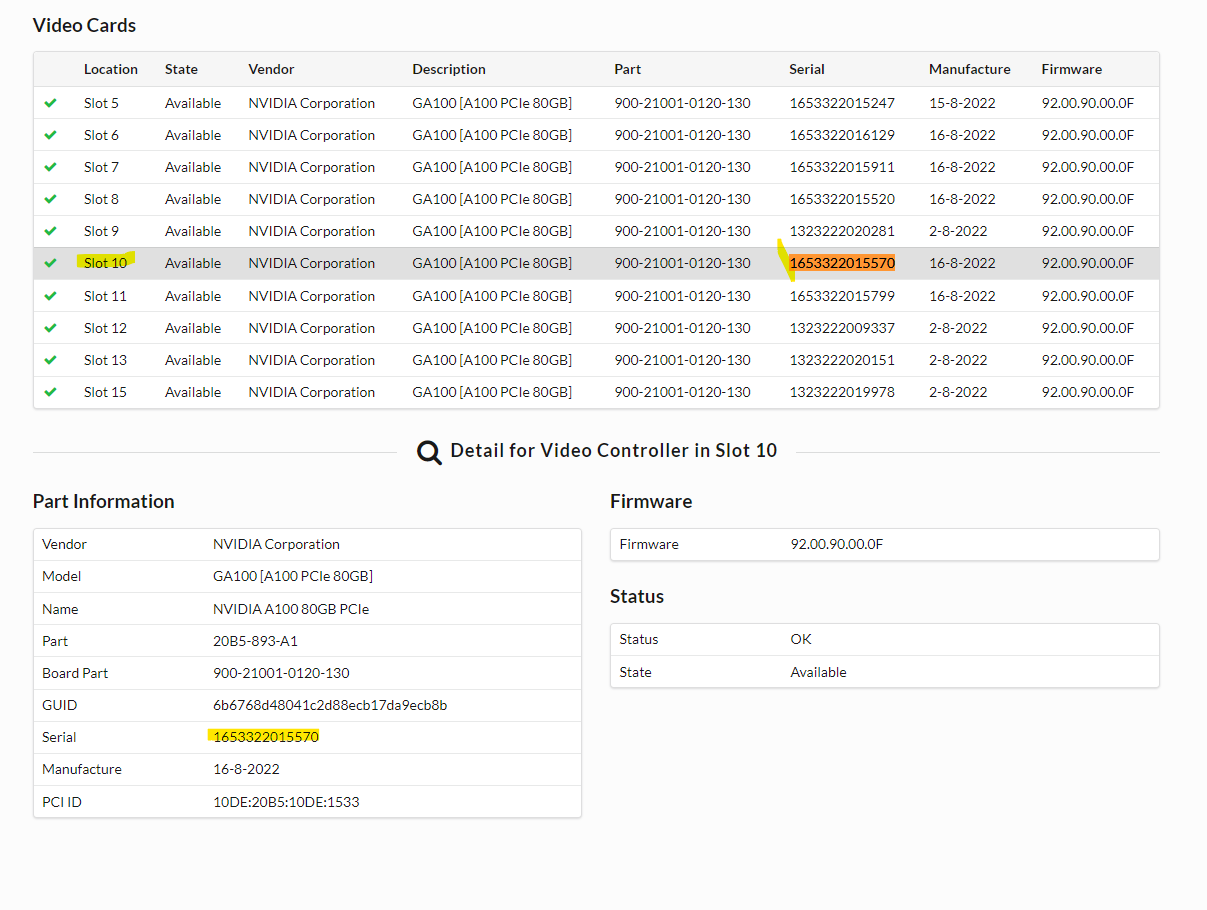
The GUID/GPU UUID can also be used to identify the part, but the serial number is easier to search for in any environment.
Additional Information
NVIDIA SMI tool article for troubleshooting: What are useful nvidia-smi queries for troubleshooting?
How to Export a SupportAssist Collection/TSR: PowerEdge: Export a SupportAssist Collection Using an iDRAC