Inspiron or Latitude Laptop with a Qualcomm Processor Does Not Detect Integrated Camera
Summary: Learn about the integrated camera detection issue seen on a Dell Qualcomm laptop.
This article applies to
This article does not apply to
This article is not tied to any specific product.
Not all product versions are identified in this article.
Symptoms
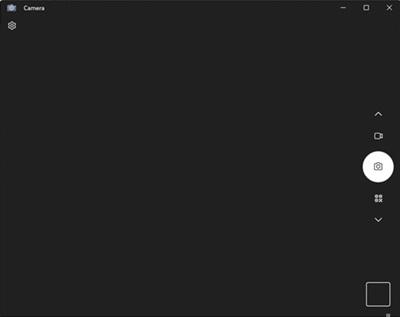
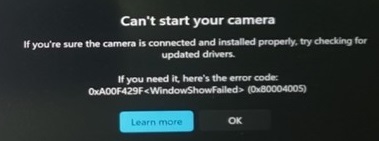
The camera application on a Dell Qualcomm laptop may display a black screen or prompt Can’t start your camera.
Affected Platforms:
- Inspiron 14 5441
- Inspiron 14 plus 7441
- Latitude 5455
- Latitude 7455
Cause
This is due to the error with camera preview start.
Resolution
Note: Before starting the update, perform the following:
- Back up all personal data. For more information, refer to Back Up and Recovery.
- Connect the AC adapter.
Updating the following version of the Qualcomm MIPI Camera Driver resolves the issue.
- Version 1.1.1.12 or later for Inspiron 14 5441 and Latitude 5455
- Version 1.1.0.54 or later for Inspiron 14 plus 7441 and Latitude 7455
To download and install the driver, refer to How to Download and Install Dell Drivers and Firmware.
Affected Products
Inspiron 14 5441, Inspiron 14 Plus 7441, Latitude 5455, Latitude 7455Article Properties
Article Number: 000226581
Article Type: Solution
Last Modified: 21 May 2026
Version: 5
Find answers to your questions from other Dell users
Support Services
Check if your device is covered by Support Services.