PowerStore:健全狀況檢查可偵測到缺少的 SSD 問題
Summary: 在健全狀況檢查套件中,SSD 偵測健全狀況檢查會偵測無訊息 SSD 問題是否存在。此檢查由系統檢查和 PUHC 執行。
This article applies to
This article does not apply to
This article is not tied to any specific product.
Not all product versions are identified in this article.
Symptoms
健全狀況檢查會偵測 SSD 磁片磁碟機是否已從動態彈性引擎群組 (DRE)、AKA RAID 中移除,但 PowerStore 未偵測到已移除 SSD。在 PowerStore 000216381知識庫文章中說明此問題:SSD 在未顯示
警示的情況下失敗健全狀況檢查會在下列情況下偵測到此問題:
警示的情況下失敗健全狀況檢查會在下列情況下偵測到此問題:
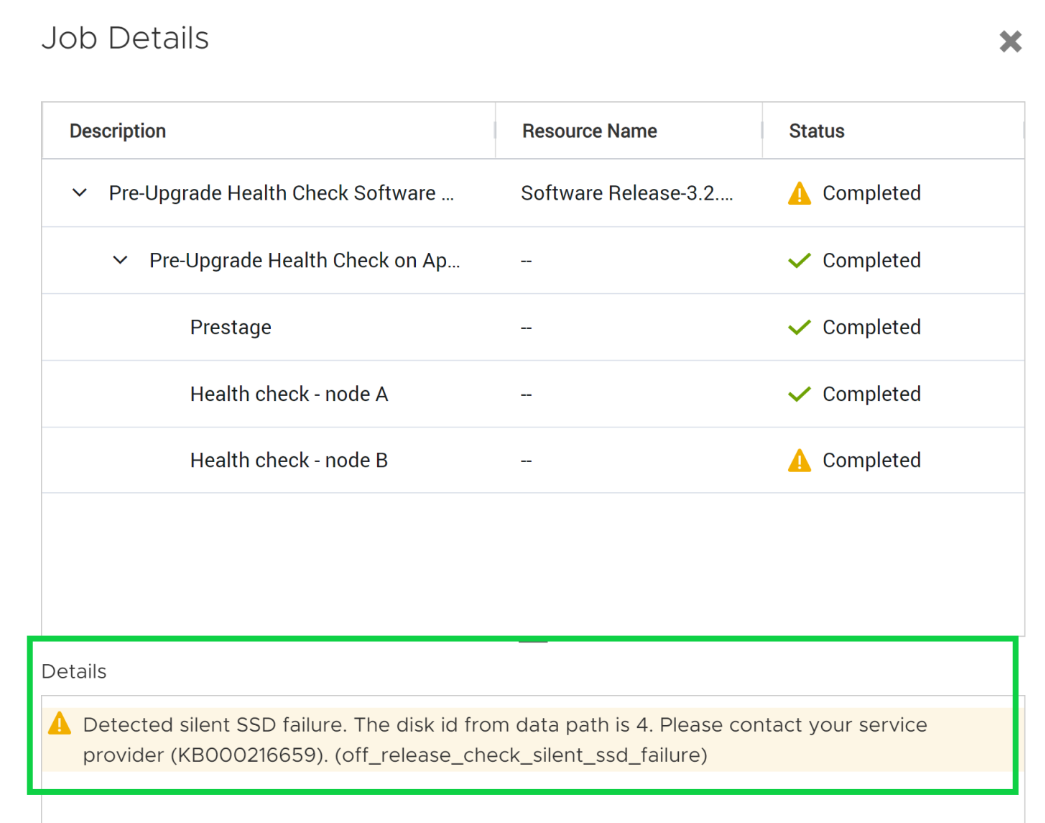
- 執行預升級健全狀況檢查 (PUHC)::
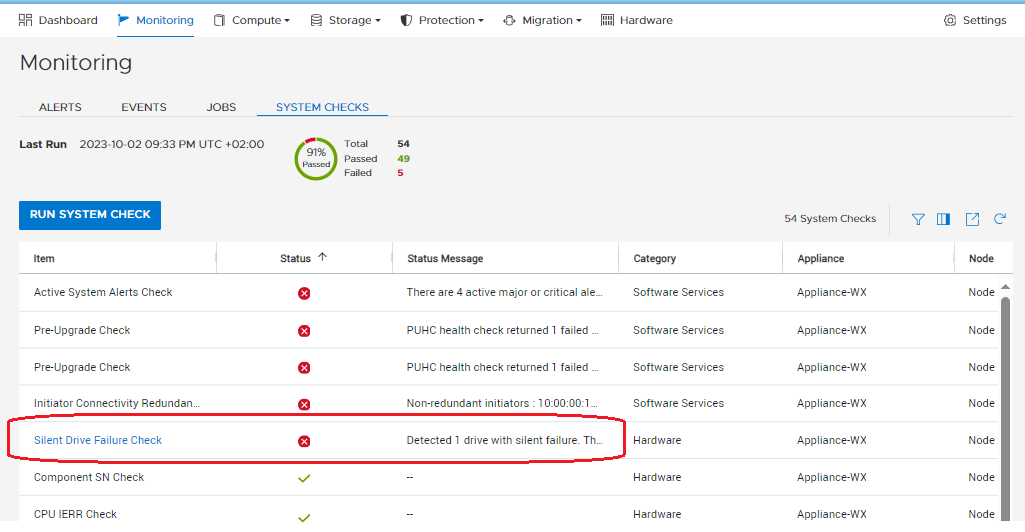
- 執行系統檢查:
- 使用 SSH 連線執行系統健全狀況服務腳本 (svc_health_check)。注意:為了圖解目的截斷輸出。
| [SVC:cyc@ABCDEF-A ~]$ svc_health_check執行 名稱位置狀態說明 I/O 埠node_a已通過 I/O 埠node_b傳遞 。 。 。 安全節點容錯移轉檢查node_b傳遞 無訊息磁片磁碟機故障檢查node_a偵測到無訊息故障的 1 個磁片磁碟機。資料路徑中的磁片 ID 為 8。(KB#000216659) <<<無訊息磁片磁碟機檢查 |
Cause
在極少數情況下,PowerStore 的控制模組不會偵測到 SSD 故障。這會導致已發出的 SSD 警示自動封裝,且不會傳送通知給 SupportAssist。
Resolution
Additional Information
如需系統健全狀況檢查的詳細資訊,請參閱PowerStore 000198084知識庫文章:如何使用 PowerStore 000192601系統檢查功能或 KB 文章:如何使用升級前健全狀況檢查和系統檢查,在軟體升級前檢查叢集的健全狀況。
000216381 PowerStore的知識庫文章:SSD 在未顯示警示的情況下失敗
000216381 PowerStore的知識庫文章:SSD 在未顯示警示的情況下失敗
Affected Products
PowerStoreArticle Properties
Article Number: 000216659
Article Type: Solution
Last Modified: 14 Jun 2025
Version: 3
Find answers to your questions from other Dell users
Support Services
Check if your device is covered by Support Services.