Dell NativeEdge: PowerProtect Data ManagerがIPベースのオーケストレーターをオンボードできない
Summary: PowerProtect Data Managerは、IPベースのDell Automation Platform Orchestratorをオンボードできません。
This article applies to
This article does not apply to
This article is not tied to any specific product.
Not all product versions are identified in this article.
Symptoms
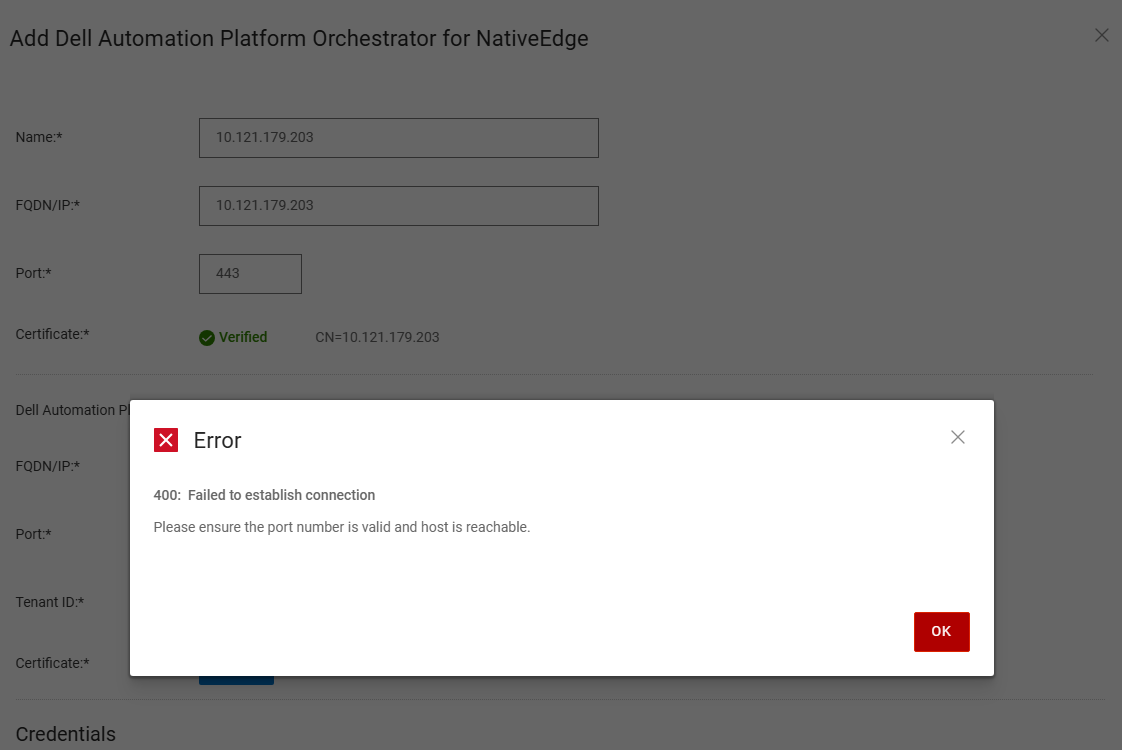
PowerProtect Data Managerとは、Dell PowerProtect Data Managerを指します。ユーザーがIPベースのDell Automation Platform OrchestratorをPowerProtect Data Managerにオンボードしようとすると、ユーザーにエラーが表示されます 400: fail to establish a connection.
Cause
NativeEdge v4.0.0.0リリースの時点では、PowerProtect Data ManagerはオンボードIPベースのDell Automation Platform Orchestratorをサポートしていません。
Resolution
回避策は、完全修飾ドメイン名を使用してオーケストレーターを導入することです。詳細については、『PowerProtect Data Manager導入ガイド』を参照してください。
Affected Products
Dell Automation Platform, NativeEdge Solutions, Dell Automation Platform Components, PowerProtect Data Domain Management Center, NativeEdgeArticle Properties
Article Number: 000382839
Article Type: Solution
Last Modified: 28 Nov 2025
Version: 1
Find answers to your questions from other Dell users
Support Services
Check if your device is covered by Support Services.