Dell Unity:透過 Unisphere 上傳 OE 映像時發生未知錯誤
Summary: UnityOS 映像上傳可能會因傳輸過程中的網路不穩定而失敗。本文件說明症狀、可能的原因和解決步驟。
This article applies to
This article does not apply to
This article is not tied to any specific product.
Not all product versions are identified in this article.
Symptoms
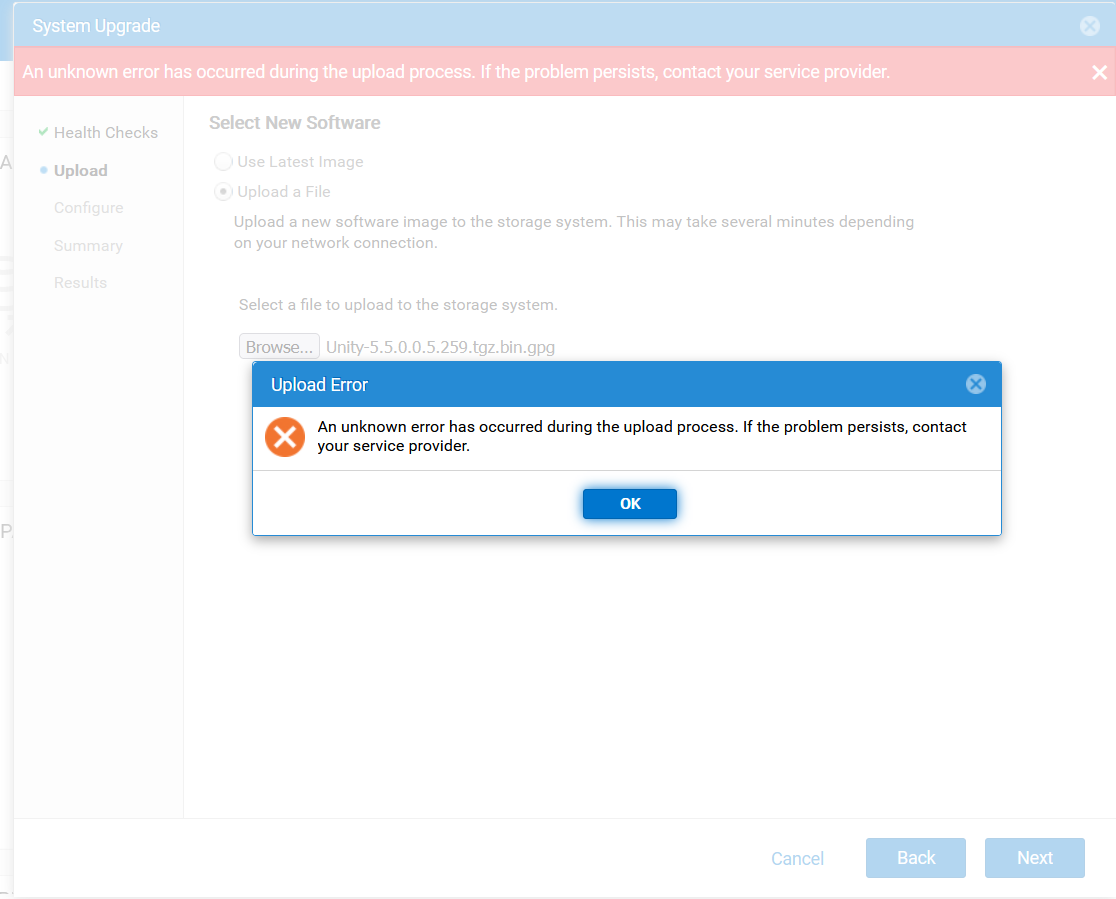
- 透過 Unisphere (UI) 上傳 UnityOS 映像失敗,並出現下列錯誤:
- 上傳程序期間發生未知錯誤。如果問題仍然存在,請聯絡您的服務提供者。
- 後續嘗試失敗,並顯示錯誤代碼
0x7d13165:- 系統正在處理升級映像上傳,因此暫時無法用於此作業,請稍後再試一次。」
- 在故障排除期間,UEMCLI 和 UI 工作階段會間歇性中斷連線。
- 透過 WinSCP 上傳 UnityOS 映像也會因工作階段中斷連線而失敗。
Cause
這些問題可能是因為用戶端系統和 Unity 陣列之間的網路連線不穩定所導致。
Resolution
- 請確定用於升級的用戶端系統具有穩定可靠的網路連線。
- 從穩定的網路環境重新連線至 Unity UI,然後重試上傳。
- 上傳完成後,請繼續升級程序。
Additional Information
故障診斷:
- 驗證目錄中是否有足夠的空間。
- 檢查舊版升級映像是否導致新的 UnityOS 映像無法上傳。
- 確認升級檔案的檢查總和是否正確,如 Dell Unity 中所述:升級 上傳的檔案格式不正確 (錯誤代碼:0x6000cc4) (使用者可修正)
- 使用 UEMCLI 上傳記錄,如 Dell Unity 中所述:如何升級 Unity 作業環境 (OE) (使用者可修正)
Affected Products
Dell EMC Unity, Dell Unity 450F DC, Dell Unity 300, Dell Unity 300 DC, Dell Unity 350F DC, Dell Unity 400 DC, Dell EMC Unity Family |Dell EMC Unity All Flash, Dell EMC Unity Hybrid, Dell Unity Operating Environment (OE)Article Properties
Article Number: 000412686
Article Type: Solution
Last Modified: 29 Jan 2026
Version: 3
Find answers to your questions from other Dell users
Support Services
Check if your device is covered by Support Services.