Dell Unity:UI 中显示缺少 ESRS(集中式配置)状态
Summary: UI 中显示缺少 ESRS(集中式配置)状态。
This article applies to
This article does not apply to
This article is not tied to any specific product.
Not all product versions are identified in this article.
Symptoms
Unity UI 中缺少 ESRS 状态。
ESRS 页面中缺少 ESRS 设备状态。
Cause
用户进行了影响一个或多个设备与网关之间连接的网络更改。
存在影响设备的硬件/软件问题,从而导致了连接问题。
端口(80、443、8443、9443)被阻止。
Resolution
按照以下步骤对 ESRS 缺失问题进行故障处理:
- 从 ESRS 页面验证 ESRS 设备和网关状态。(esrs3.emc.com)
- 从 ESRS 页面将设备设置为脱机/联机。
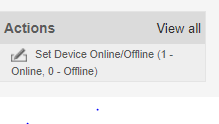
- 重新启动 ESRS 网关的连接并监视设备的状态。

- 重新启动 ESRS 网关并等待时间。在此期间监视状态。
- 如果状态仍然缺失,请卸下设备并将设备重新添加回 ESRS 网关。
- 一段时间后,从 UI 配置 ESRS,如果状态更改为“validating”,它将在 16 分钟内进入联机状态。
如果上述过程不起作用,请尝试执行清理并再次配置 ESRS。
Affected Products
Dell EMC Unity FamilyProducts
Secure Remote Services, EMC Secure Remote Services Gateway Configuration, Dell EMC Unity FamilyArticle Properties
Article Number: 000053000
Article Type: Solution
Last Modified: 16 Dec 2025
Version: 5
Find answers to your questions from other Dell users
Support Services
Check if your device is covered by Support Services.