Wyse Management Suite Software Repositoryのバージョンを確認する方法
Summary: 次の手順に従って、Wyse Management Suite Software Repositoryのバージョンを確認する方法について説明します。
This article applies to
This article does not apply to
This article is not tied to any specific product.
Not all product versions are identified in this article.
Instructions
Wyse Management Suite Software Repositoryのバージョンを把握していると、管理者は次のことが可能になります。
- 既知の問題の確認
- ワークフローの変更の理解
- システム要件の確認
対象製品:
- Wyse Management Suite Software Repository
バージョン管理は、製品ユーザー インターフェイス(UI)、製品[Installer]、[Repository Registration]のいずれかによって決定できます。詳細については、該当するオプションをクリックしてください。
UI
- Wyse Management Suiteにサイン インします。
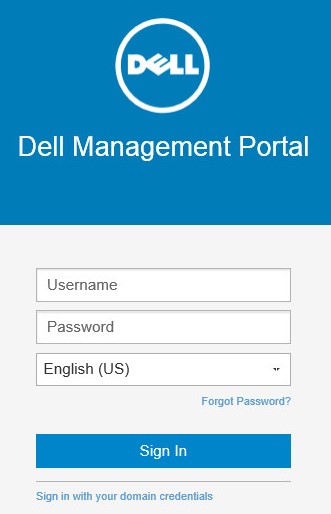 注:[Wyse Management Suite]の管理コンソールにアクセスする方法については、「Wyse Management Suite管理コンソールにアクセスする方法」を参照してください。
 - [Portal Administration(ポータル管理)]をクリックします。

- [File Repository]をクリックします。
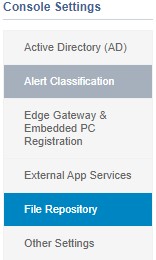
- リストされた[Version]を記録します。画像の例では、1.4.0がバージョンです。
 注:バーションは、上記のスクリーンショットと異なる場合があります。
インストーラ
- 右クリックして、
WMS_Repo.exeをクリックし、[ プロパティ] を選択します。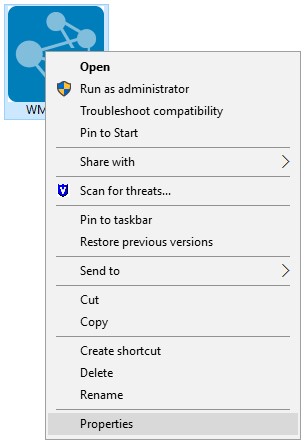
- [Details](詳細)タブをクリックします。

- 製品のバージョンを記録します。最初の3つのベクトルは、記録するべき最も重要な数字です。この例の画像では、2.0.0 が最初の 3 つのベクトルです。
 注:製品バージョンは、上記のスクリーンショットと異なる場合があります。
リポジトリー登録
- Webブラウザーを開き、
https://<servername>.<domain>.com/wms-repoの詳細を確認してください。 注:
注:<servername>サーバーの名前を表します。<domain>はドメイン名を表します。https://<servername>.<domain>.comは、完全修飾ドメイン名 (FQDN) を表します。FQDNの例は、ご使用の環境内のサーバーとは異なります。
- バージョンは、登録ペインの下部に表示されます。
 注:バーションは、上記のスクリーンショットと異なる場合があります。
Affected Products
Wyse Management SuiteArticle Properties
Article Number: 000125950
Article Type: How To
Last Modified: 27 Oct 2025
Version: 8
Find answers to your questions from other Dell users
Support Services
Check if your device is covered by Support Services.