MHC Azure -pino: OEM-tyyppi: laiteohjelmistoCheckHealth, roolin OEM, nosti esiin poikkeuksen
Summary: Roolin tyyppi FirmwareCheckHealth, OEM nosti esiin poikkeuksen Virhe suoritettaessa testi-OEMFirmwareHealth iDRACissa on kriittinen Laiteohjelmistopäivityksen merkittävät viat eivät voineet jatkua. ...
This article applies to
This article does not apply to
This article is not tied to any specific product.
Not all product versions are identified in this article.
Symptoms
OEM:n esitarkistus epäonnistuu Virheet:
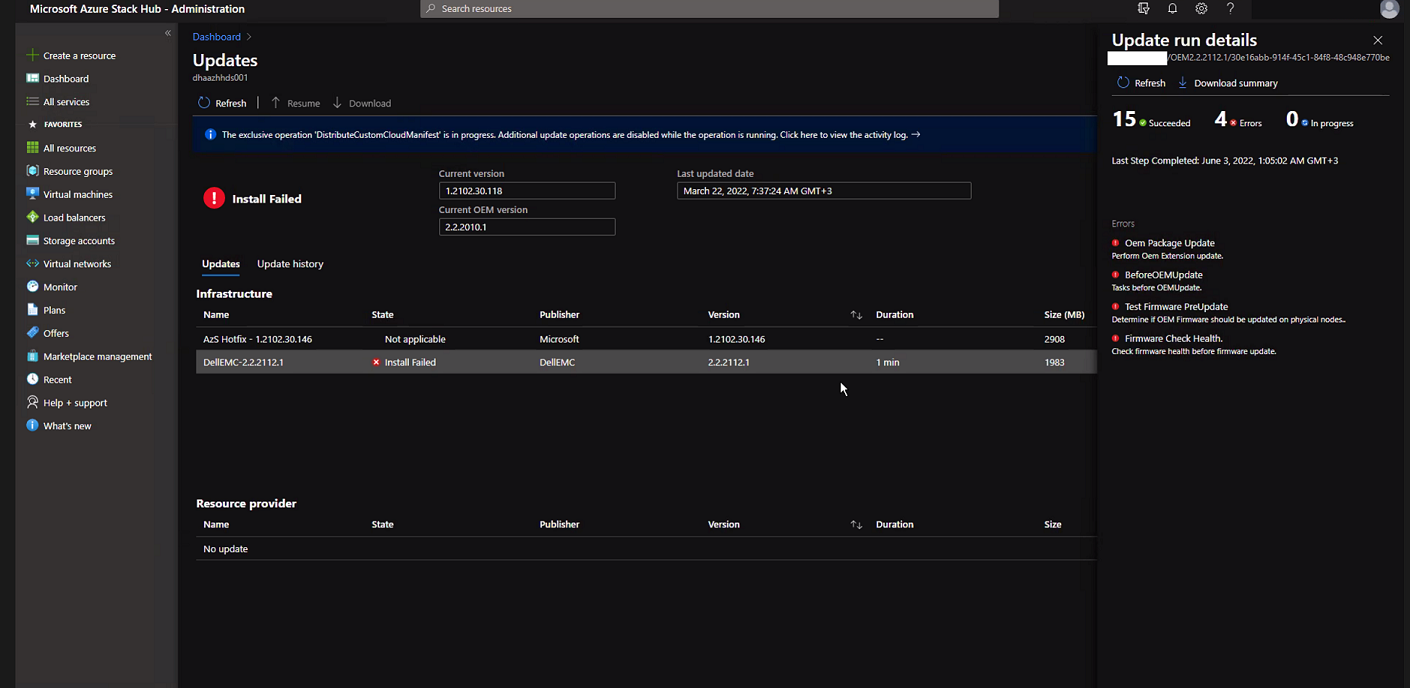
Valitse Download Summary.
Error.json:
Oem Package Update
Perform Oem Extension update.

BeforeOEMUpdate
Tasks before OEMUpdate.

Test Firmware PreUpdate
Determine if OEM Firmware should be updated on physical nodes.

Firmware Check Health.
Check firmware health before update.
Valitse Download Summary.
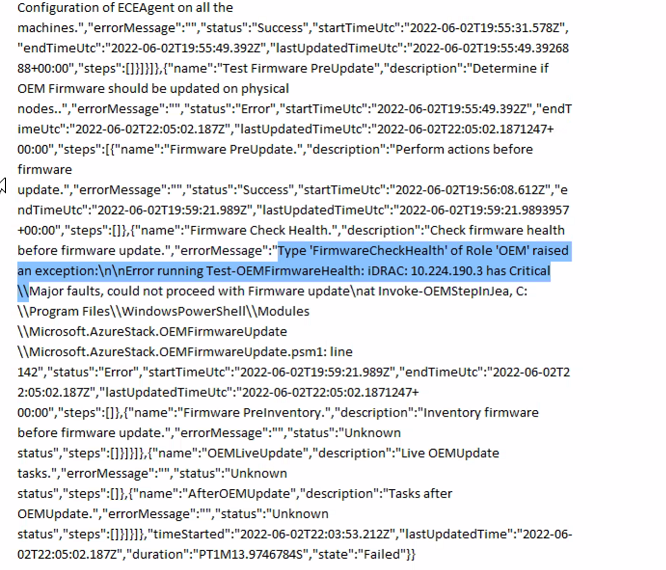
Error.json:
Type ‘FirmwareCheckHealth’ of Role ‘OEM’ raised an exception:\n\nError running Test-OEMFirmwareHealth: iDRAC: 10.224.190.3 has Critical Major faults, could not proceed with Firmware update….
Cause
Kolmessa neljästä palvelimesta oli muistivirheitä. Nämä on ratkaistava ennen jatkamista.
The memory health monitor feature has detected a degradation in the DIMM installed in DIMM_A6. Reboot system to initiate self-heal process.
Resolution
Voit ratkaista tämän ongelman korjaamalla muistivirheet.
- Tyhjennä solmu niin, että iDRAC näyttää vioittuneen muistin.
- Kun akku on tyhjennetty, suorita seuraavat komennot PEP PowerShell -ikkunassa.
get-virtualdisk -cimsession "s-cluster"
get-virtualdisk -cimsession "s-cluster" | get-storagejob
- Kun kaikki tallennustyöt on tehty, käynnistä palvelin kylmäkäynnistyksellä iDRACista
- Varmista, että DIMM-moduuli on parantunut:
The self-heal operation successfully completed at DIMM DIMM_A6.
- Käynnistä solmu Azure Stack -ikkunassa.
- Jatka solmun toimintaa Azure Stack -ikkunassa.
Affected Products
Integrated System for Microsoft Azure Stack Hub, Integrated System for Microsoft Azure Stack Hub 14GArticle Properties
Article Number: 000200301
Article Type: Solution
Last Modified: 08 Sept 2025
Version: 3
Find answers to your questions from other Dell users
Support Services
Check if your device is covered by Support Services.