Unable to Boot to Extensible Firmware Interface (EFI) Shell from SD Card
Summary: This article explains why EFI Shell does not boot from SD Card on Inspiron 14 3420.
This article applies to
This article does not apply to
This article is not tied to any specific product.
Not all product versions are identified in this article.
Symptoms
Booting to EFI shell from an external device
When using the option to boot to EFI shell from an external device, you may experience that it does not boot from SD card. Using SD card through media card reader to boot to EFI shell does not work either.
Cause
Qualcomm Snapdragon 8180 processor does not support boot from SD card.
Resolution
The Qualcomm Snapdragon 8180 processor supports boot from SSDs and USB drives. You can use either one to boot to EFI Shell.
NOTE: USB 3.x over Type-A interface is unsupported. It can still be used with USB 2.0 bandwidth (480 Mbps).

Figure 1: USB Type-A 3.0
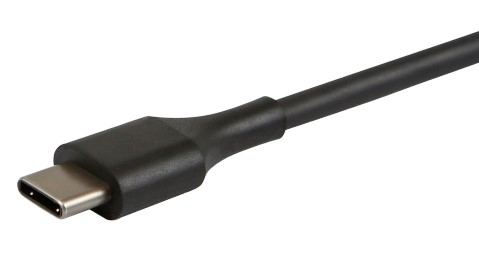
Figure 2: USB Type-C
Affected Products
Inspiron 14 3420Article Properties
Article Number: 000205765
Article Type: Solution
Last Modified: 01 Oct 2025
Version: 3
Find answers to your questions from other Dell users
Support Services
Check if your device is covered by Support Services.