S4100 스위치에서 ONIE, 펌웨어 업데이트 프로그램, SSD 펌웨어 및 OS10을 새로 설치하는 방법
Summary: 이 문서에서는 USB에서 ONIE, 펌웨어 업데이트 프로그램, SSD 펌웨어 및 OS10에 대한 새로 설치를 수행하는 절차에 대해 설명합니다 이는 출하 시 설치된 펌웨어 또는 이전 펌웨어에서 스위치를 업그레이드할 때 유용합니다. Dell SmartFabric OS10 설치, 업그레이드, 다운그레이드 가이드에 따라 OS10을 제거하고 10.4.2.x 이하 릴리스에서 실행 중인 스위치를 새로 설치해야 합니다. ...
This article applies to
This article does not apply to
This article is not tied to any specific product.
Not all product versions are identified in this article.
Instructions
- USB 펜 드라이브를 FAT32 형식으로 포맷하고 필요한 모든 파일을 USB 폴더의 루트로 이동합니다.
- 스위치(
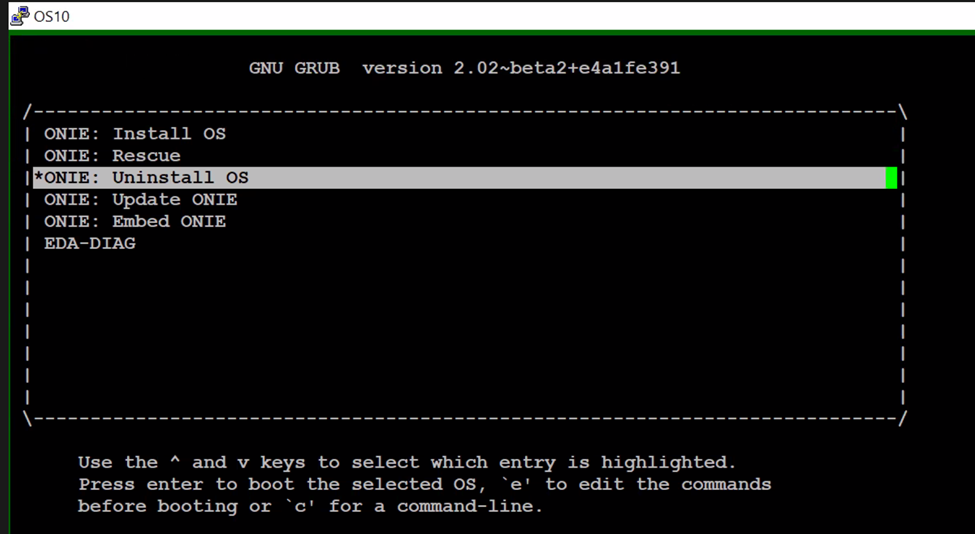
show running-configuration)를 다시 로드합니다. 일반적으로 xml 백업이 이전 펌웨어에서 수행된 경우 startup.xml 복원이 작동하지 않습니다. 명령의 출력을 메모장에 복사하거나 붙여 넣을 수 있습니다. - 스위치의 전원을 껐다 켜거나 재부팅하고 ONIE를 선택한 다음 OS 제거를 선택합니다.

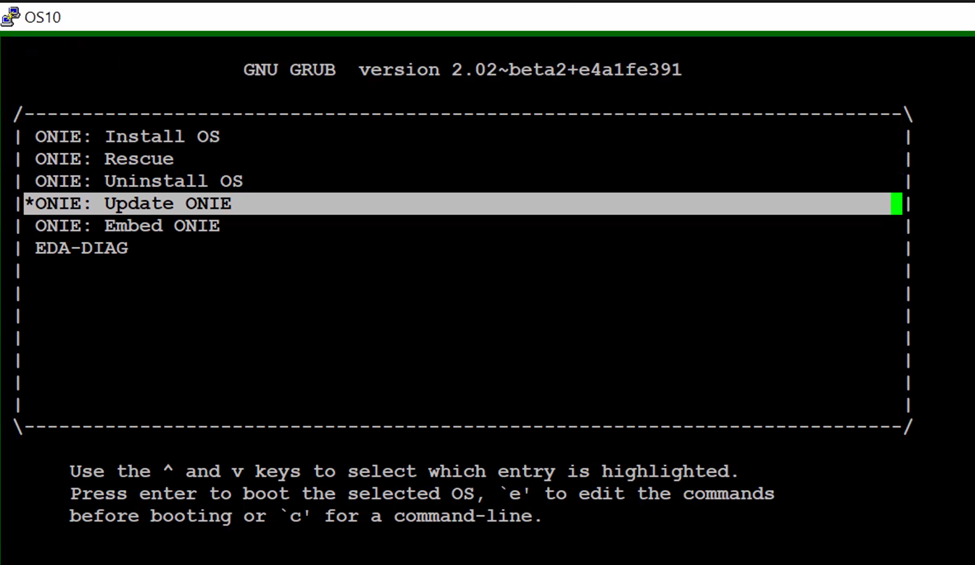
4. 스위치가 기존 OS를 제거하고 전원을 껐다 켭니다. ONIE 메뉴에서 "ONIE 업데이트"를 선택하여 ONIE 소프트웨어를 업데이트합니다.
5. ONIE 프롬프트로 부팅되면 아래 절차를 따릅니다.
onie-discovery-stop  <------------------------- stop discovery messages
fdisk -l                     <------------------------- See the list of partitions
mkdir /mnt/usb    <------------------------- Create a directory for the USB to mount to
mount -t vfat /dev/sdb1 /mnt/usb  <------------------------- Mount the USB to the newly created directory
cd /mnt/usb             <------------------------- Navigate to the directory that we just mounted the USB drive
ls -al                             <------------------------- list the contents of USB

6. "onie-self-update <onie filename>" 명령을 실행합니다.
onie-self-update onie-updater-x86_64-dellemc_s4100_c2338-r0.3.33.1.1-10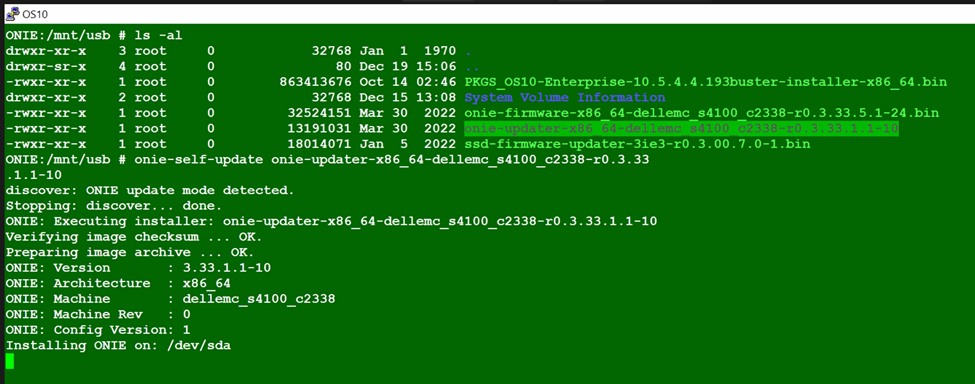
7. 스위치는 ONIE 소프트웨어를 업데이트하고 전원을 껐다 켭니다. ONIE 메뉴에서 ONIE-Rescue를 선택합니다.
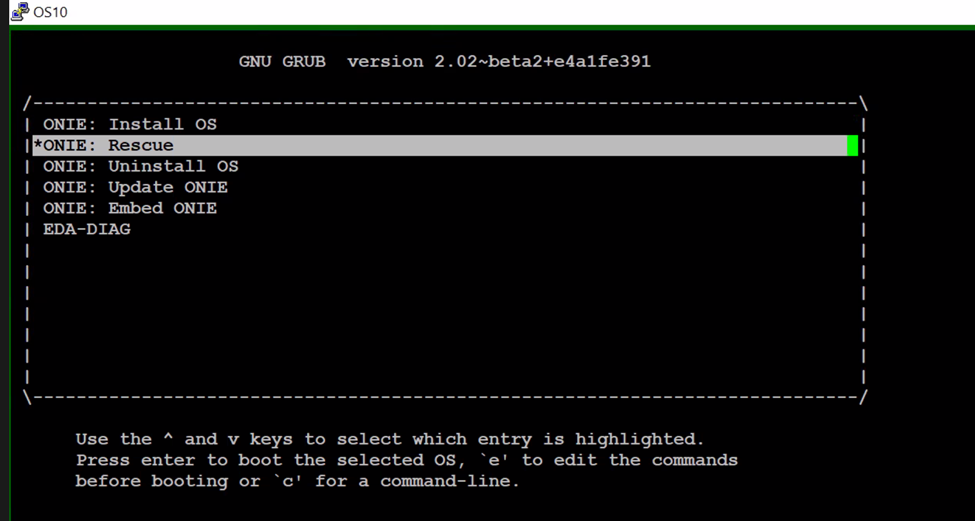
8. 5단계를 다시 수행합니다. ONIE 프롬프트가 표시되면
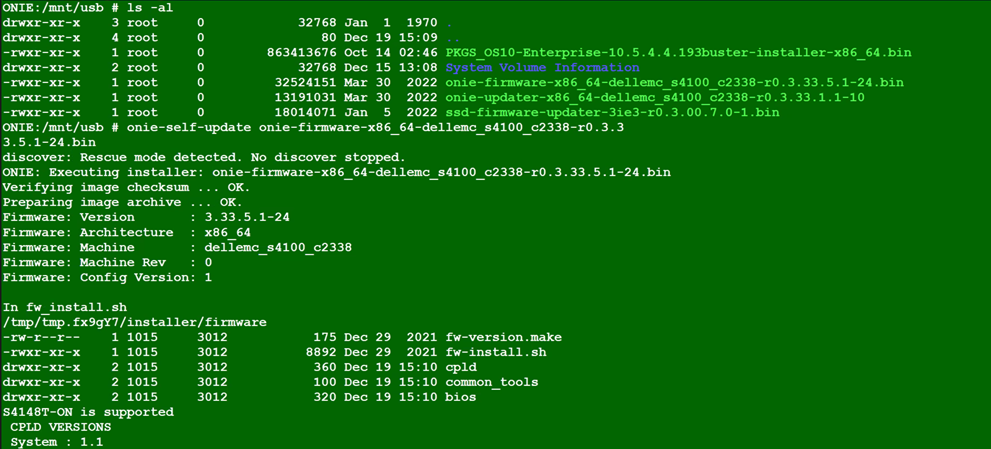
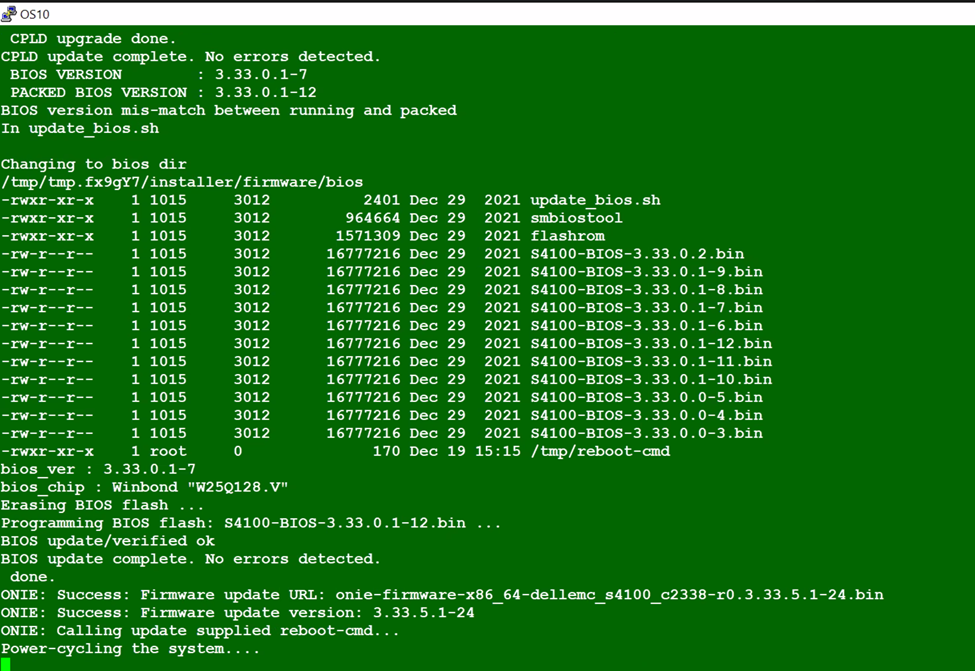
9. 전원을 껐다 켭니다. ONIE 메뉴에서 ONIE-Rescue를 선택하고 5단계를 다시 수행합니다.
onie-self-update <firmware updater file >
10. 명령 실행
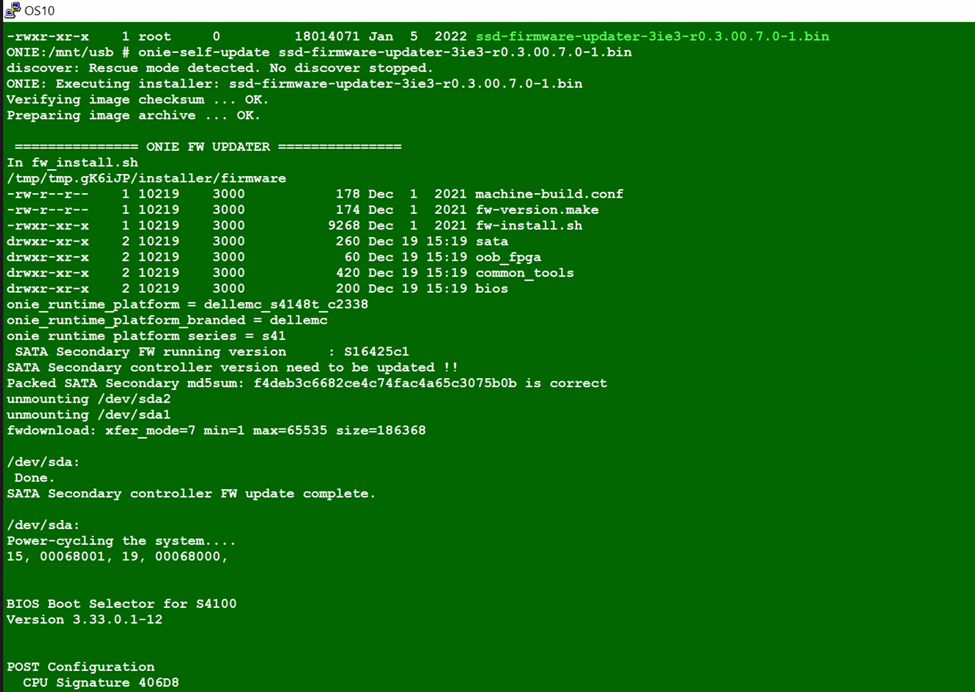
11. 전원 주기를 전환합니다. ONIE-Rescue를 다시 선택하고 아래 두 명령을 사용하여 SSD 펌웨어가 업데이트되었는지 확인합니다.
 onie-self-update <ssd firmware>
example :  onie-self-update ssd-firmware-updater-3ie3-r0.3.00.7.0-1.bin
dmesg | grep "3IE3" | sed -n '1p' | cut -d ',' -f2 | sed "s/ //g"
dmesg | grep 3IE3

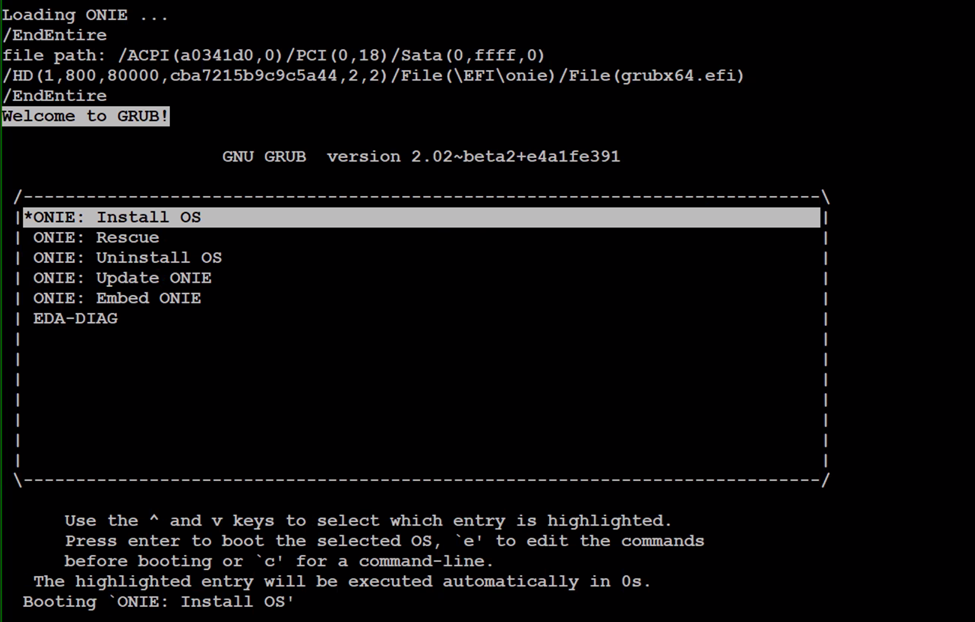
onie-nos-install <OS10 file>
example :onie-nos-install PKGS_OS10-Enterprise-10.5.6.1.100buster-installer-x86_64.bin

14. 이전에 수행한 백업에서 세그먼트로 구성된 구성을 복원하고 저장합니다.
15. 이전 구성과 새 구성을 비교합니다.
15. 이전 구성과 새 구성을 비교합니다.
Additional Information
해당 없음
Affected Products
Operating Systems, Switches, SmartFabric OS10 SoftwareArticle Properties
Article Number: 000206589
Article Type: How To
Last Modified: 09 Jun 2025
Version: 4
Find answers to your questions from other Dell users
Support Services
Check if your device is covered by Support Services.