「VxRail:7.0または8.0のアップグレード エラー: 複合バンドル ファイルの抽出中にエラーが発生しました
Summary: VxRail 7.0または8.0からのアップグレード中に、複合バンドルを抽出しようとするとアップグレードが失敗します。
This article applies to
This article does not apply to
This article is not tied to any specific product.
Not all product versions are identified in this article.
Symptoms
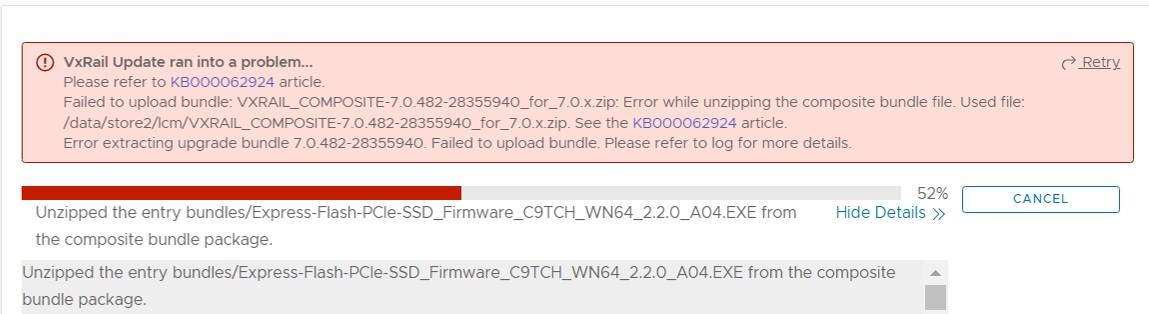
7.0または8.0 VxRailクラスターのアップグレード中に次のエラーが発生します。
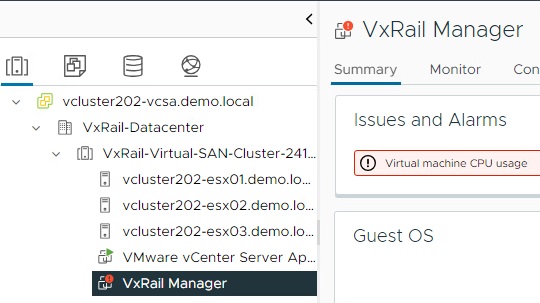
このイベントが発生する前と発生時に、VxRail Manager仮想マシン(VM)の「仮想マシンのCPU使用率」に関するアラートが定期的に表示されます
VxRail ManagerにSSHで接続し、topコマンドを実行します。
VxRail Update ran into a problem...
Please refer to KB000062924 article
Failed to upload bundle: VXRAIL_COMPOSITE-7.0.482-28355940_for_7.0.x.zip: Error while unzipping the compostie bundle files. Used file:
/data/store2/lcm/VXRAIL_COMPOSITE-7.0.482-28355940_for_7.0.x.zip. See the KB000062924 article.
Error extracting upgrade bundle 7.0.482-28355940. Failed to upload bundle/ Please refer to log for more details.
このイベントが発生する前と発生時に、VxRail Manager仮想マシン(VM)の「仮想マシンのCPU使用率」に関するアラートが定期的に表示されます
VxRail ManagerにSSHで接続し、topコマンドを実行します。
top
top  -  21:25:12 up 16 min,    1 user,    load average:  280.35,  175.40,  79.56
Tasks: 465 total,   83 running,  377 sleeping,     0 stopped,    5 zombie
%Cpu(s):   0.6 us, 96.1 sy,   0.0 ni,   0.0 id, 0.1 wa,    0.0 hi,    3.2 si,    0.0  st
Notice for the %Cpu(s): The first two items are us and sy.
The us means User CPU time.
The sy means System CPU time.
In this scenario, we see that the sy continues to jump above 90% and the us is staying under 20%.
Cause
CPUとメモリーが、VxRail Manager VMで想定される標準に合わせて構成されていません。
これにより、VxRail Manager VMプロセスでメモリーとCPUの大部分が使用されることになります。
これにより、ユーザー プロセスでバンドルの抽出を完了することはできません。
これにより、VxRail Manager VMプロセスでメモリーとCPUの大部分が使用されることになります。
これにより、ユーザー プロセスでバンドルの抽出を完了することはできません。
Resolution
この問題を解決するには、VM構成を変更します。
VxRail Managerをシャットダウンするには、2つのオプションがあります。
1. SSHセッションから:
2. vSphere Clientで、VxRail Manager VMを右クリックし、[Power]をクリックしてから、[Shut Down guest OS]をクリックします。
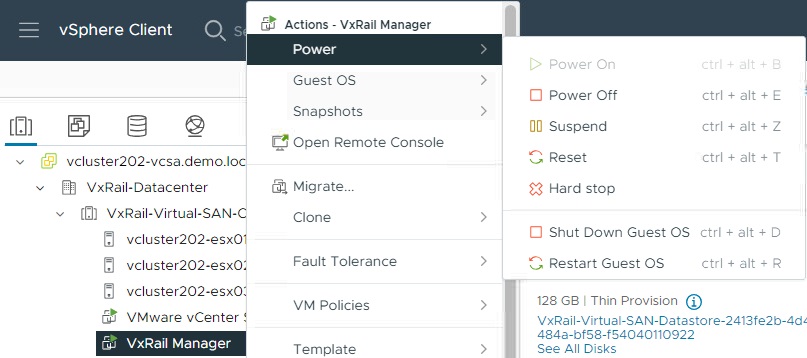
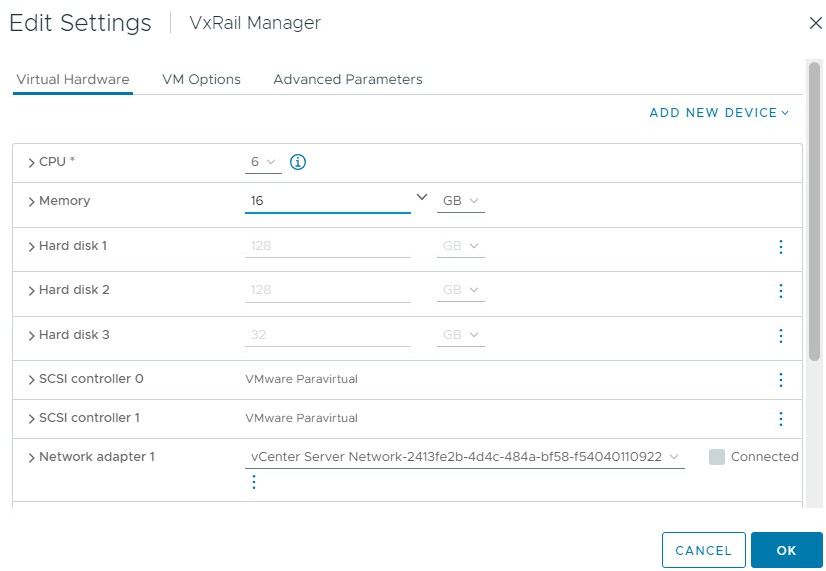
VxRail Managerをシャットダウンするには、2つのオプションがあります。
1. SSHセッションから:
shutdown -P
2. vSphere Clientで、VxRail Manager VMを右クリックし、[Power]をクリックしてから、[Shut Down guest OS]をクリックします。
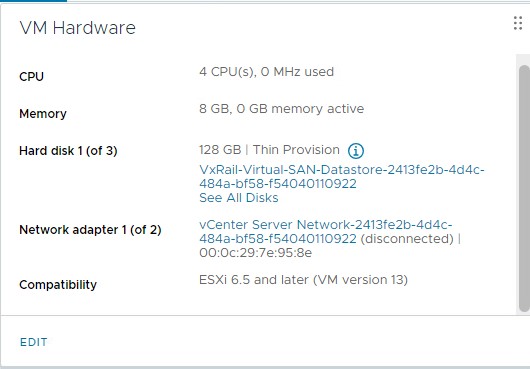
- VMがシャットダウンしたら、[VM Hardware]セクションで[EDIT]をクリックします。
- [Hardware Settings]画面で、[CPU]を「6」に、[Memory]を「16 GB」に変更します。
- [OK]をクリックして、VMの電源をオンにします。
- アップグレードを再試行します。
Additional Information
このエラーのその他の原因については、以下を参照してください。「VxRail:4.0以降へのプレアップグレード中の障害
Article Properties
Article Number: 000223349
Article Type: Solution
Last Modified: 22 Oct 2025
Version: 5
Find answers to your questions from other Dell users
Support Services
Check if your device is covered by Support Services.