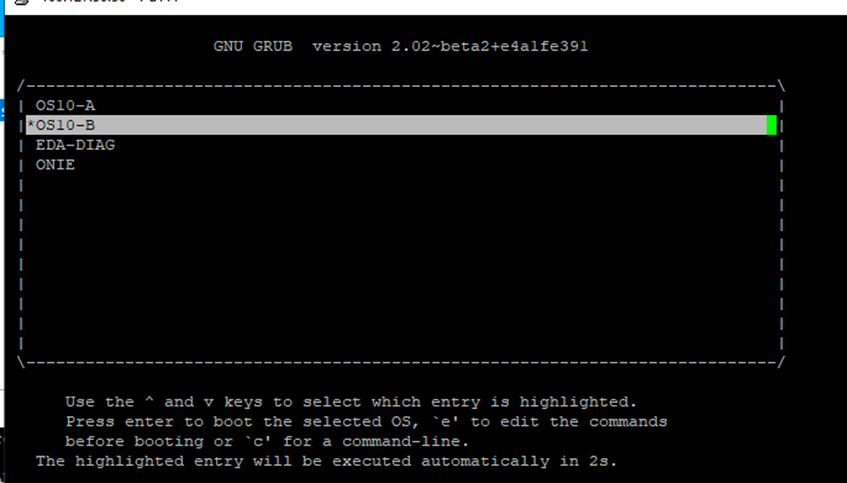
Change switch S-Series Boot order if OS10 partitions are not visible at booting
Summary: Change switch boot order
Symptoms
When the switch boots, OS10 partitions are not available, and it enter directly to ONIE grub.
Cause
When enter to ONIE: Install OS, the switch automatically changes the boot order to ONIE as first option, causing that the next boot it cannot show the OS10 partitions.
Resolution
When the switch boots, it gets into the ONIE GRUB.
1. Select the ONIE: Rescue option.

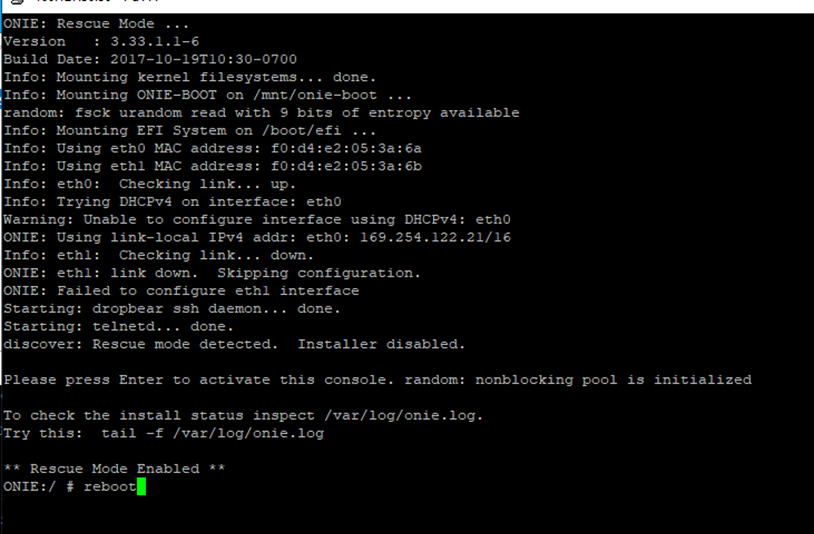
2. Reboot the switch, enter to rescue mode and run the reboot command.
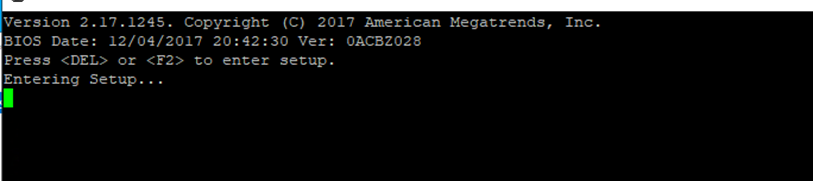
3. During the boot, it is going to show the Bios options, press the mentioned keys to get into the setup: Press <DEL> or <F2> to enter setup.
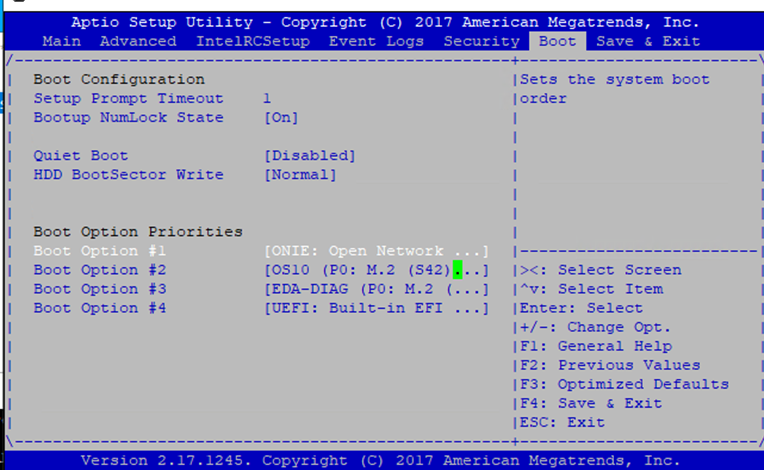
4. The Switch's Bios look like this:
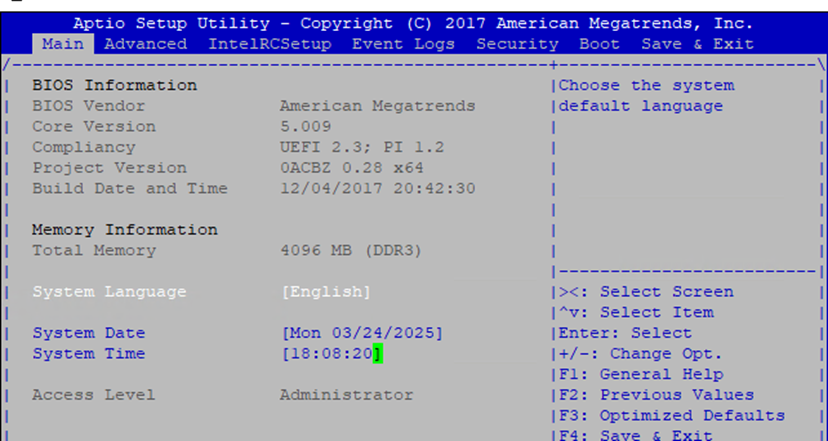
5. Use the → key to move to the right and select the Boot option; then use the ↓ key to move down and select Boot option #1 (in this case the first option is ONIE: Open Networking, and OS10 is the second option). then press enter
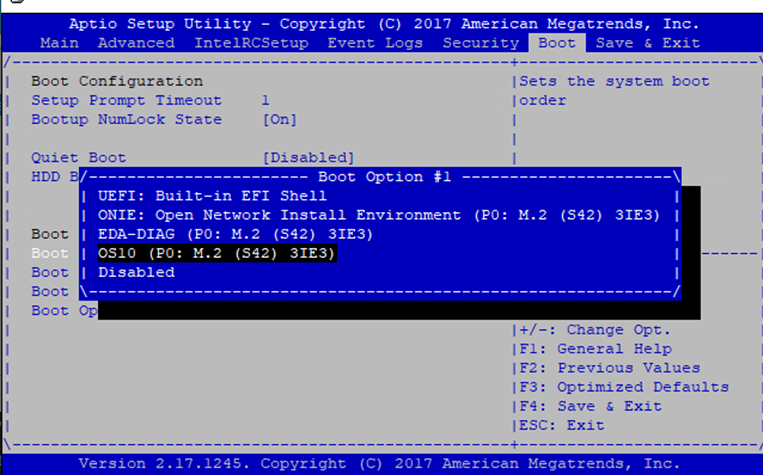
6. Press enter and select the OS10 option, then press enter.
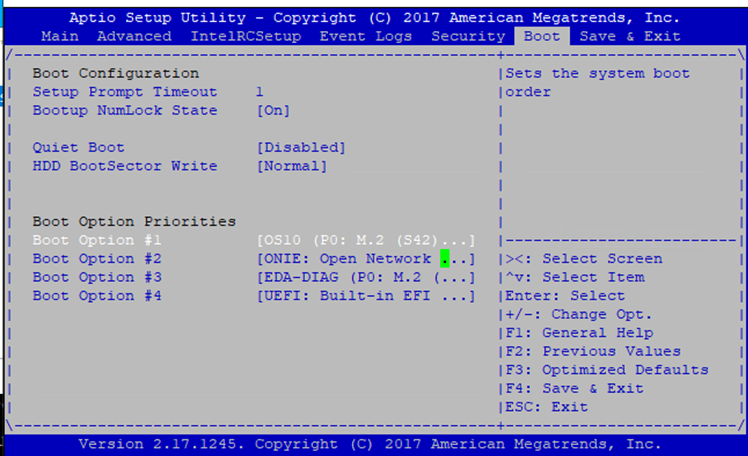
7. This is the correct order with OS10 as first option and ONIE as second option.
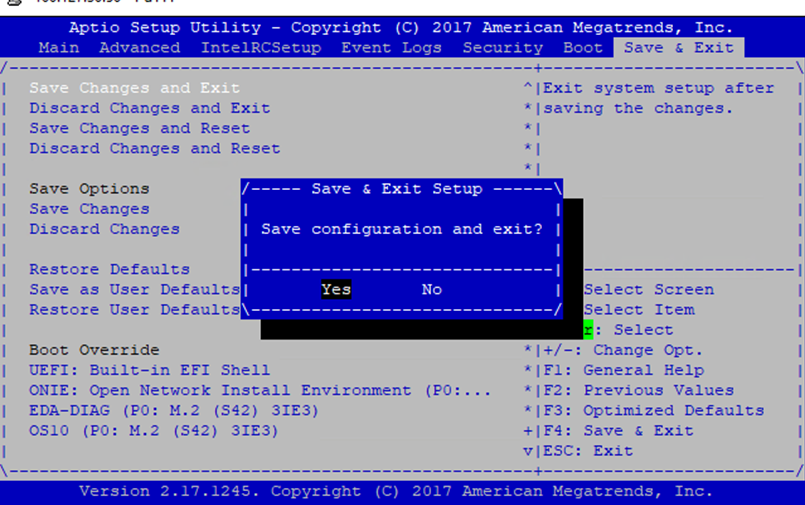
8. Use the → key to move to the right until the Save & exit. Then use the ↓ key to move to Save changes and Exit. Press enter and select Yes.
9. The switch is going to reboot, and the OS10 partitions into grub are going to be available again.