交流适配器未正确插入导致 Latitude 无法充电或无法通电
Summary: 本文提供有关交流适配器未完全插入充电端口导致 Latitude 无法充电和不能通电的详细信息。
This article applies to
This article does not apply to
This article is not tied to any specific product.
Not all product versions are identified in this article.
Symptoms
受影响的平台:
- Latitude 3450
- Latitude 3550
- Latitude 3440
- Latitude 3540
未正确插入交流适配器时:
- LED 指示灯保持亮起
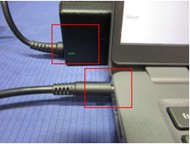
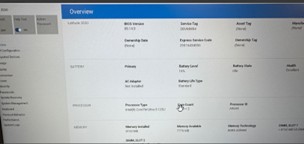
- BIOS 中存在警报

- 电池状态在 BIOS 中为空闲
Cause
交流适配器未正确插入
Resolution
要解决此问题,请拔下交流适配器并将其重新插入充电端口,并确保圆筒完全插入端口。
交流适配器未正确插入: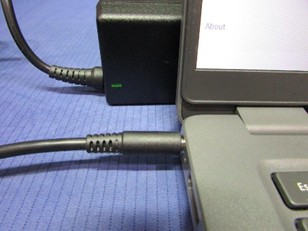
交流适配器正确插入:
正确插入时,BIOS 会显示电池状态为 正在充电。
Affected Products
Latitude 3440, Latitude 3450, Latitude 3540, Latitude 3550Article Properties
Article Number: 000355513
Article Type: Solution
Last Modified: 15 Sept 2025
Version: 2
Find answers to your questions from other Dell users
Support Services
Check if your device is covered by Support Services.