PowerStore: False Trial License Alert
Summary: This article describes a PowerStore False Trial License Alert.
Symptoms
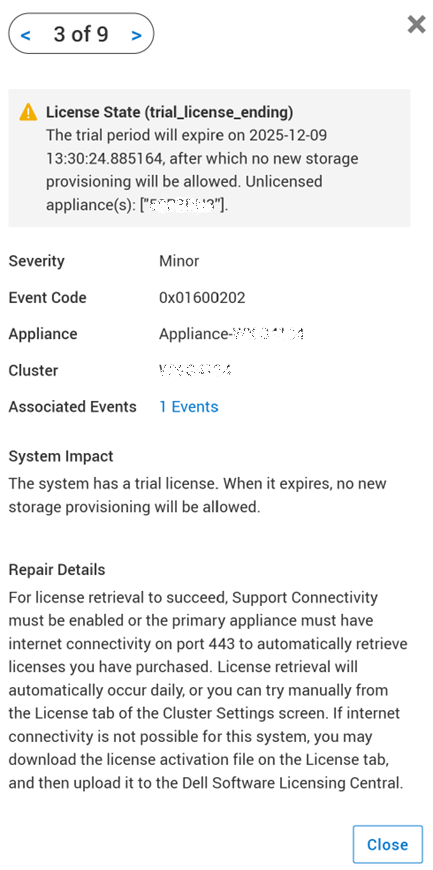
Alert 0x03700102 was raised for: "A trial license alert is raised, even though PowerStore already has a permanent license installed."

Cause
A code change in the logic associated with handling of the Trial License Alert on PowerStoreOS 4.0 can result in failure to clear the Trial License Alert, specifically, if the permanent license is applied within 24 hours of a the last Non-Disruptive Upgrade (NDU).
Resolution
This Alert notification includes Auto-Repair capabilities that can be enabled or disabled from PowerStore Manager (GUI) -> Settings -> Support -> Auto-Repair
If Auto-Repair is already enabled:
- PowerStore will automatically fix the problem and clear the alert if the remediation is successful.
If Auto-Repair is disabled:
- Auto-Repair can be enabled from PowerStore Manager (GUI) -> Settings -> Support -> Auto-Repair → Toggle to "Auto-Repair" mode from "Alert Only" mode
- Manually initiate the repair process for this alert from PowerStore Manager -> Monitoring -> Health Checks -> False Trial License Alert Check -> Repair

Additional Information
See KB 000193518 PowerStore: RxDefinitions Issues Landing Page for more information of the health check mechanism, the RxDefinitions package, and a complete list of RxDefinitions alerts.