ViPR SRM Unable to start theTopology Mapping Service
This article applies to
This article does not apply to
This article is not tied to any specific product.
Not all product versions are identified in this article.
Symptoms
Upgraded from ViPR SRM 4.0
Unable to start Topology Mapping Service on Collector.
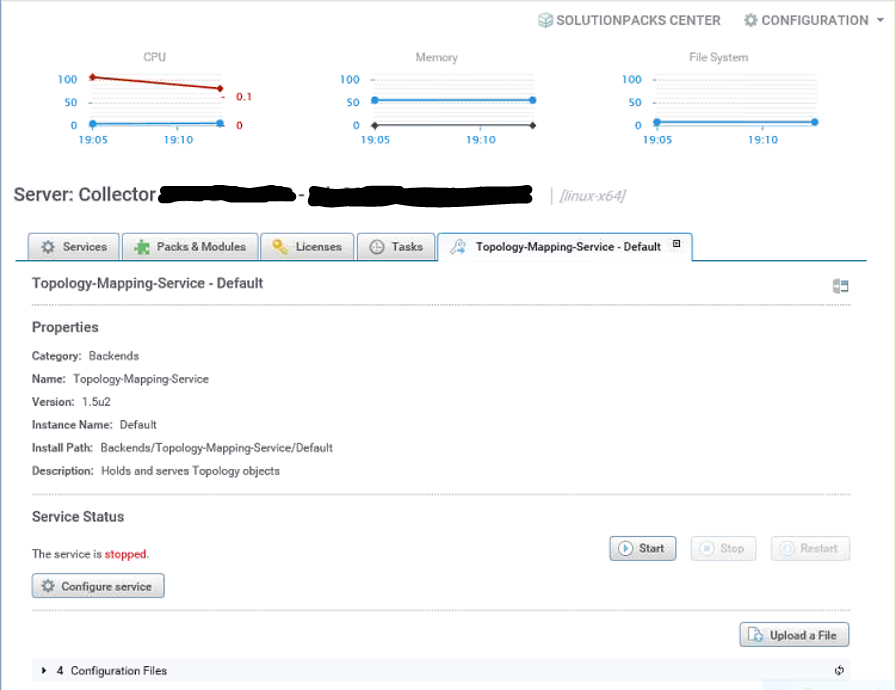
Unable to start Topology Mapping Service on Collector.
Cause
The tmsconfig.xml file on Collector pointed to a different host instead of the primary backend
Steps to reveal the issue:
1. Go to "opt/APG/Backends/Topology-Mapping-Service/Default/Conf"
2. more tmsconfig
3. The highlighted hostname is not the primary backend
Illustration:
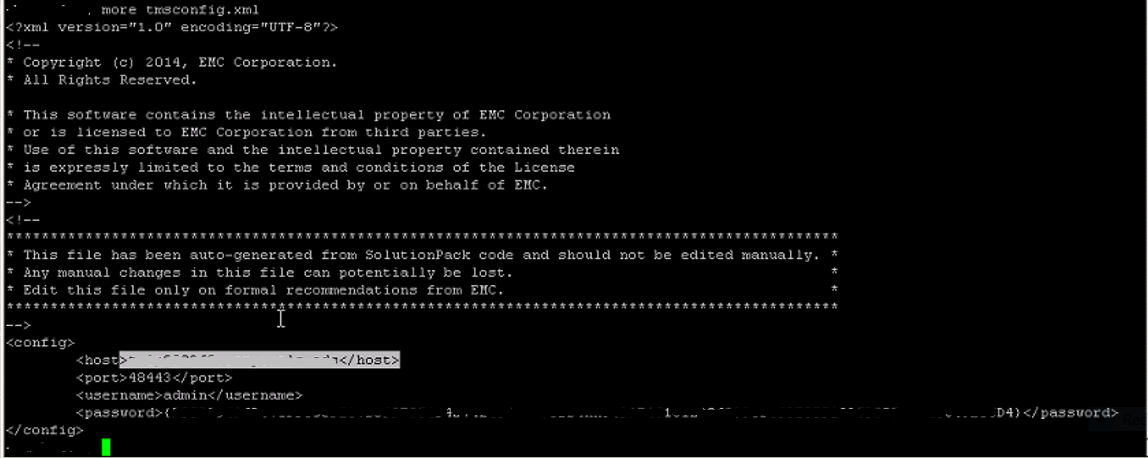
Steps to reveal the issue:
1. Go to "opt/APG/Backends/Topology-Mapping-Service/Default/Conf"
2. more tmsconfig
3. The highlighted hostname is not the primary backend
Illustration:
Resolution
Perform the following steps to resolve the issue:
1. Log on to the Collector in question
2. Go to "opt/APG/Backends/Topology-Mapping-Service/Default/Conf"
3. Ensure that tmsconfig.xml points to the primary backend
3. Go to "opt/APG/Backends/Topology-Mapping-Service/Default/data"
4. Renamed the Data directory (mv data data-backupcopy)
5. Go back to the ViPR SRM GUI to start the Topology Mapping Service
1. Log on to the Collector in question
2. Go to "opt/APG/Backends/Topology-Mapping-Service/Default/Conf"
3. Ensure that tmsconfig.xml points to the primary backend
3. Go to "opt/APG/Backends/Topology-Mapping-Service/Default/data"
4. Renamed the Data directory (mv data data-backupcopy)
5. Go back to the ViPR SRM GUI to start the Topology Mapping Service
Affected Products
Storage SoftwareArticle Properties
Article Number: 000057350
Article Type: Solution
Last Modified: 25 Apr 2025
Version: 3
Find answers to your questions from other Dell users
Support Services
Check if your device is covered by Support Services.