PowerEdge: How to locate the Microsoft OEM Windows Server COA Label
Summary: This article provides information about the Microsoft OEM Windows Server Certificate of Authenticity (COA) label on Dell PowerEdge servers. Learn about different COA versions, anti-counterfeit features, proper COA usage, and the location of the COA label. ...
Instructions
Certificate of Authenticity (COA)
The COA is a sticker or a label that helps identify genuine Microsoft Windows software, often attached to the chassis of the server. All OEM Windows Server operating system (OS) orders must contain a COA label providing a legal license to run the OS. The COA label also contains the operating system's product key. The product key may be needed if the OS must be reinstalled or for activating virtual machines.
Standalone COAs
Definition: Standalone COAs are COAs sold by themselves, without the accompanying software they authenticate. They are often branded as "excess inventory" or "unused labels" and are often counterfeit COAs. Purchasing standalone COAs and passing them off to unsuspecting customers is a form of piracy.
How to Avoid: COAs should never be sold, shipped, or purchased on their own, without being affixed to a system or sold with related Microsoft software (either full packaged product or Microsoft OEM software acquired by system builders). Do not fall victim to standalone COAs.
For additional details, see Microsoft personal computer Purchase. How to Tell.
Versions of COAs
-
In February 2021, Microsoft released an updated version of the COA label with revised anti-counterfeit features. On systems preinstalled with or licensed for Windows after February 01, 2021, the COA may feature the product name on the label and anti-counterfeit security features.
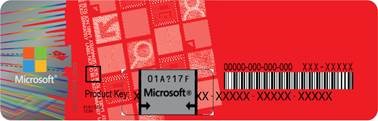
Figure 1: A sample COA label -
Introduced in February 2020, a polymer substrate replaced the paper-based substrate. The artwork and anti-piracy features were also updated.
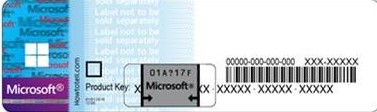
Figure 2: A sample of an older style COA label -
For COAs affixed to systems preinstalled with or licensed for versions of Windows, the COA may feature the product name printed on the label and also contains anti-counterfeit security features such as:
- An interwoven security thread is built into the paper, and random paper fibers are visible at the surface.
- A color-shifting ink edge changes from green to magenta when viewed from different angles.
- Moiré Image: Within the red area on the left side of the label is a feature to help prove that the label is genuine. Hold the label horizontally at arm's length and eye level. Look straight at the label and then move to a shallow viewing angle, for example by tilting the label away from you. A series of zig-zag lines and squares become visible where previously there appeared to be none.
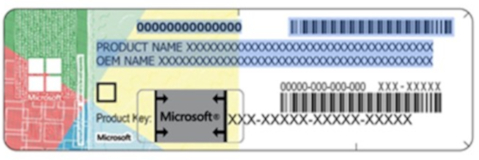
Figure 3: Another older sample COA label
Product Key Concealment
The concealment panel consists of a small clear label with removable silver scratch-off material that has been applied to conceal a portion of the product key. This concealment panel is designed to protect the product key from unauthorized use. When a product key is required for use by the rightful owner, the silver scratch-off material should be carefully removed with a fingernail or coin.
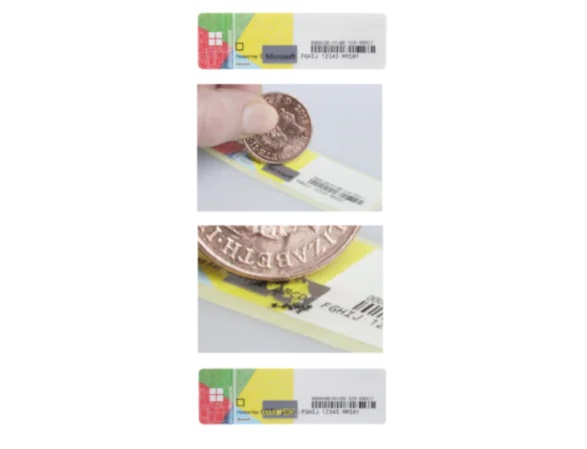
Figure 4: Removal of the concealment layer
Location of COA
The COA label is affixed by Dell to the servers at the factory for preinstalled Windows Server operating systems. A COA label may also be applied to a server by a Dell channel partner as part of a Reseller Option Kit (ROK).
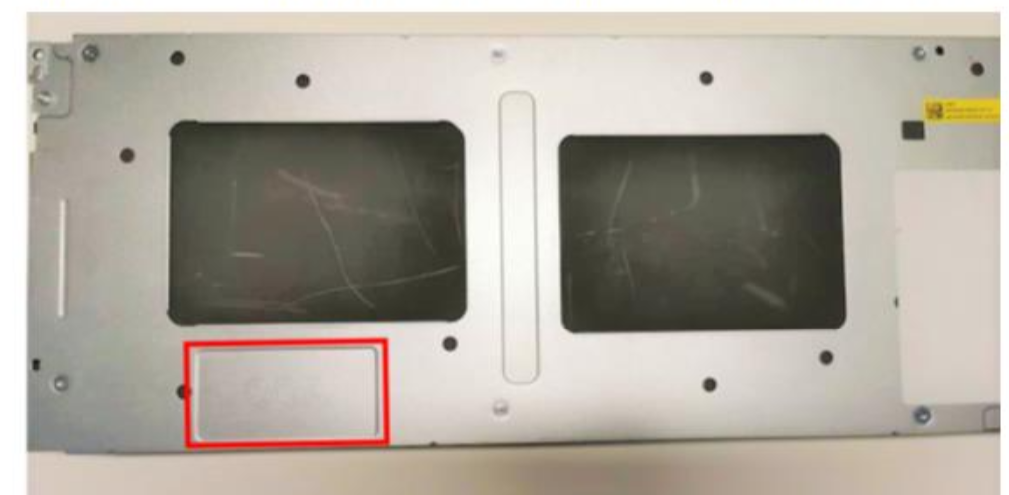
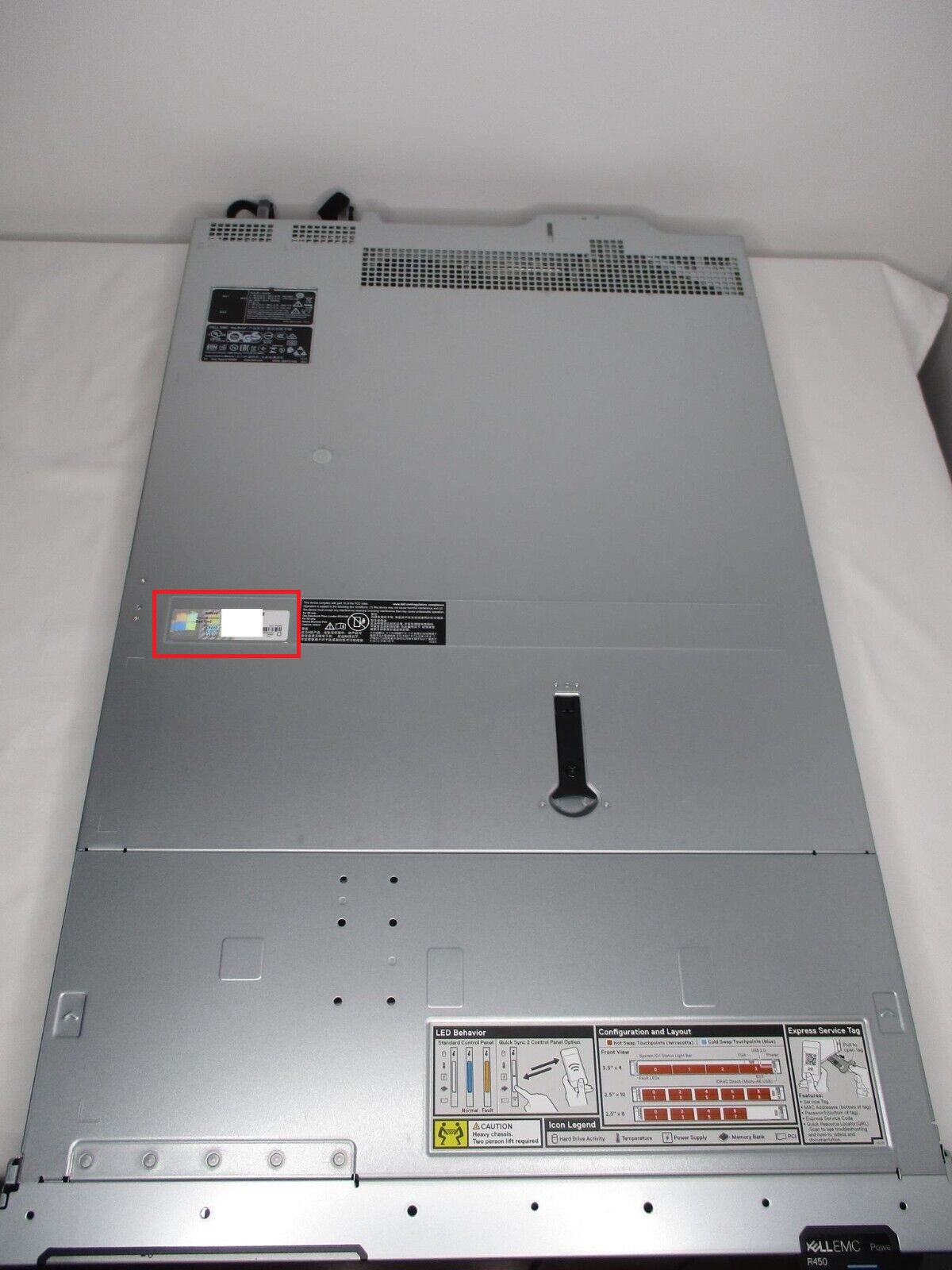
To locate your OEM Windows Server COA, look in the following locations:Rack server: The COA is adhered to the top of the server chassis.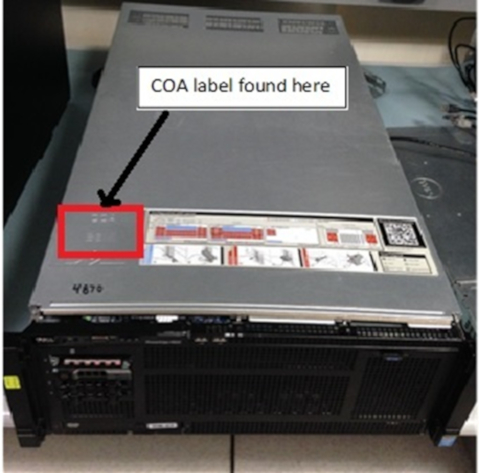 Figure 5: The COA location on the top panel of a rack-mounted server |
|
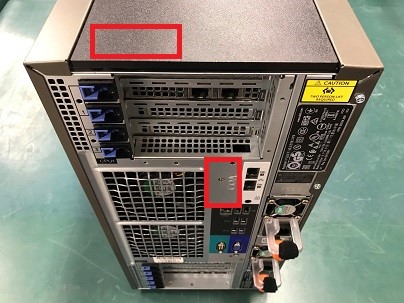
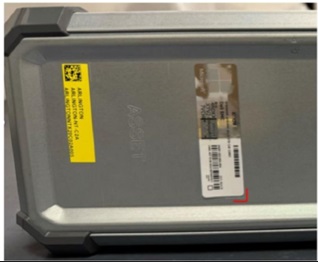
Tower server: The COA is adhered to the top, bottom or back of the server chassis.
|
|
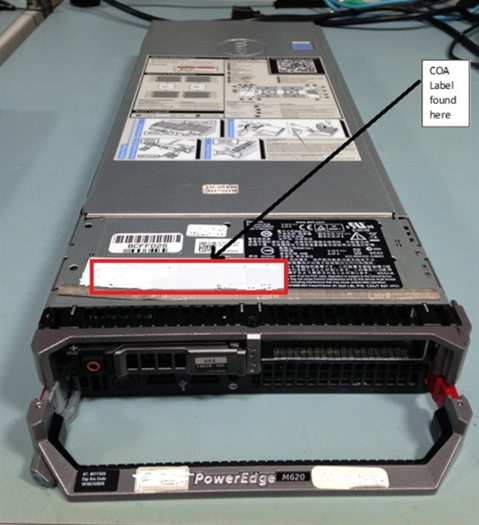
Blade or modular server: The COA is adhered to the top of the server blade.
|
|
On 15th and 16th-generation rack-mounted servers, the COA is located closer to the middle of the server. Locating it may require pulling the server out of the rack.
|