PowerEdge:M1000e - CMCを使用して電源冗長性モードの変更を確認する方法
Summary: この記事では、CMC Webインターフェイスを使用してM1000eの電源冗長性モードを確認および変更する方法について説明します。
This article applies to
This article does not apply to
This article is not tied to any specific product.
Not all product versions are identified in this article.
Instructions
- CMC Webインターフェイスにログインします。

- [シャーシ]を選択し 電源管理]をクリックします。
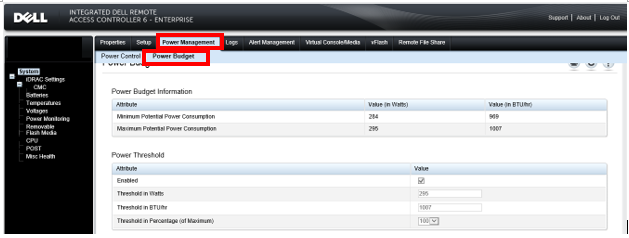
- [Configuration]をクリックすると、[Budget/Redundancy Configuration]が表示されますここで電源冗長性モードを確認して変更します。
PowerEdge M1000eの電源冗長性モードの詳細については、「Dell M1000eブレード配電システム」を参照してください。
メモ:
1. 電源冗長性モードには、次の3つがあります。AC 冗長性、電源装置冗長性、非冗長性 詳細については、「Dell M1000eブレード配電システム」を参照してください
2.To この機能を使用するには、シャーシの管理者権限が必要です。
1. 電源冗長性モードには、次の3つがあります。AC 冗長性、電源装置冗長性、非冗長性 詳細については、「Dell M1000eブレード配電システム」を参照してください
2.To この機能を使用するには、シャーシの管理者権限が必要です。
Affected Products
Dell Chassis Management Controller Version 6.21 For Dell PowerEdge M1000e, PowerEdge M1000EArticle Properties
Article Number: 000135717
Article Type: How To
Last Modified: 15 Apr 2025
Version: 6
Find answers to your questions from other Dell users
Support Services
Check if your device is covered by Support Services.