PowerEdge: M1000e - CMC를 통해 전원 이중화 모드 변경을 확인하는 방법
Summary: 이 문서에서는 CMC 웹 인터페이스를 사용하여 M1000e의 전원 이중화 모드를 확인하고 변경하는 방법을 제공합니다.
This article applies to
This article does not apply to
This article is not tied to any specific product.
Not all product versions are identified in this article.
Instructions
- CMC 웹 인터페이스에 로그인합니다.
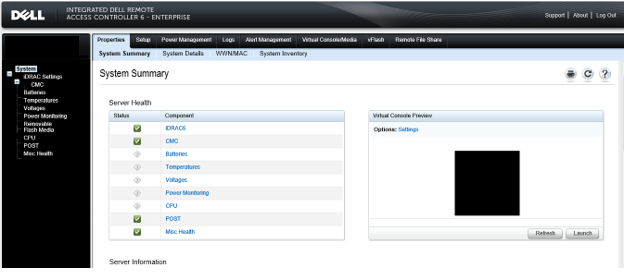
- "Chassis" 를 선택하고 "Power Management"를 클릭합니다.
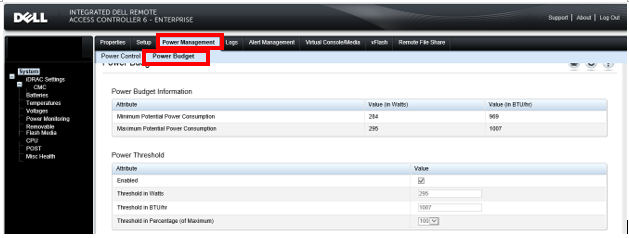
- "Configuration"을 클릭하면 "Budget/Redundancy Configuration"이 표시됩니다. 여기에서 전원 이중화 모드를 확인하고 변경합니다.
PowerEdge M1000e의 전원 이중화 모드에 대한 자세한 내용은 Dell M1000e 블레이드 전원 분배 시스템을참조하십시오.
메모:
1. 세 가지 전원 이중화 모드가 있습니다. AC 이중화, 전원 공급 장치 이중화, 비이중화 이에 대한 자세한 내용은 Dell M1000e 블레이드 전원 분배 시스템을
참조하십시오. 이 기능을 사용하려면 섀시 2.To 관리자 권한이 필요합니다.
1. 세 가지 전원 이중화 모드가 있습니다. AC 이중화, 전원 공급 장치 이중화, 비이중화 이에 대한 자세한 내용은 Dell M1000e 블레이드 전원 분배 시스템을
참조하십시오. 이 기능을 사용하려면 섀시 2.To 관리자 권한이 필요합니다.
Affected Products
Dell Chassis Management Controller Version 6.21 For Dell PowerEdge M1000e, PowerEdge M1000EArticle Properties
Article Number: 000135717
Article Type: How To
Last Modified: 15 Apr 2025
Version: 6
Find answers to your questions from other Dell users
Support Services
Check if your device is covered by Support Services.