Powerscale OneFS:非系统分区中的 HTTP 文件访问返回 403 禁止错误。
Summary: 使用 HTTP 文件访问非系统分区 IP 时,在系统分区中的访问按预期方式工作时,您会收到“403 禁止访问错误”。
This article applies to
This article does not apply to
This article is not tied to any specific product.
Not all product versions are identified in this article.
Symptoms
使用 HTTP 文件访问非系统分区 IP 时,在系统分区中的访问按预期方式工作时,您会收到“403 禁止访问错误”。 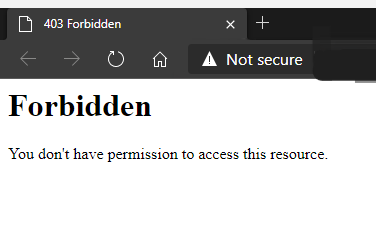
本知识库文章仅适用于 HTTP 文件访问,与 OneFS WebUI 的任何问题无关。
Cause
默认情况下,仅允许在系统分区中访问 HTTP 文件。
Resolution
要允许访问非系统分区,必须更改以下值。
要查看当前值(默认为 false),请执行以下操作:
# isi_gconfig -t http-config http_multi_zone
将值设置为 true:
# isi_gconfig -t http-config http_multi_zone=true
现在,在尝试访问非系统分区 IP 时,HTTP 文件访问应该可以正常工作。
提醒:可能需要清除浏览器高速缓存。
Affected Products
PowerScale OneFSArticle Properties
Article Number: 000231970
Article Type: Solution
Last Modified: 30 Dec 2025
Version: 2
Find answers to your questions from other Dell users
Support Services
Check if your device is covered by Support Services.