Skærmindstillingerne på NVIDIA-kontrolpanelet kan ikke tilpasses, hvis computeren ikke understøtter Dynamic Display Switch
Summary: Denne artikel indeholder oplysninger om, hvordan skærmindstillingerne i NVIDIA-kontrolpanelet ikke kan justeres, hvis computeren ikke understøtter DDS (Dynamic Display Switch).
This article applies to
This article does not apply to
This article is not tied to any specific product.
Not all product versions are identified in this article.
Symptoms
Berørte platforme:
- Dell 16 Premium DA16250
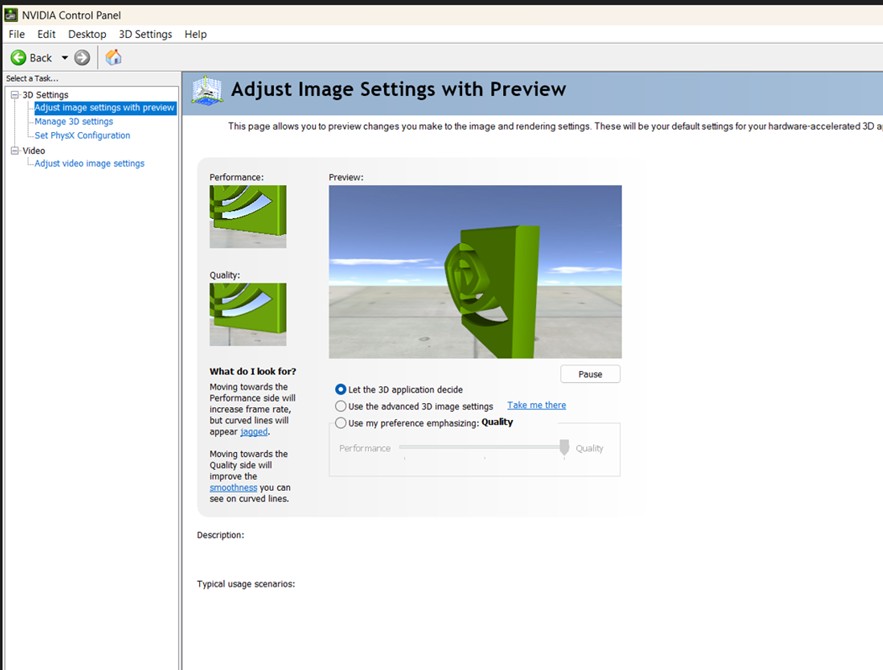
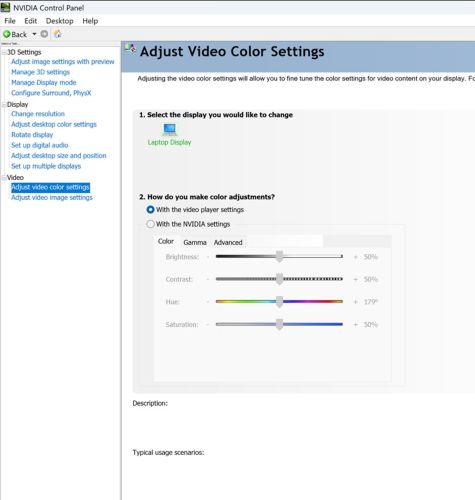
NVIDIA-kontrolpanelet uden DDS-understøttelse, som kun har fire menuer.
- Dell 16 Premium DA16250 med RTX 5050/RTX 5060 understøtter ikke DDS
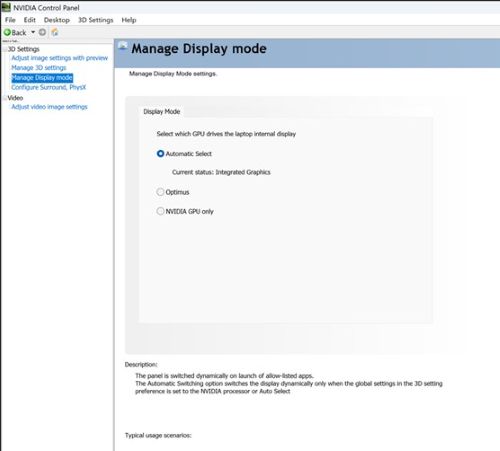
NVIDIA-kontrolpanelet med DDS-understøttelse, der har fem menuer som standard.
- Dell 16 Premium DA16250 RTX 5070 understøtter DDS
Cause
Computeren skal understøtte DDS og skifte til NVIDIA GPU kun for at understøtte skærmindstillinger.
Resolution
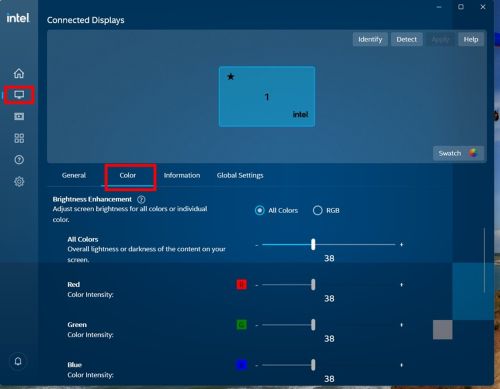
Dell 16 Premium DA16250 NV 5050/NV 5060 understøtter ikke DDS.
Bemærk: Brugere kan justere skærmindstillingerne i Intel Graphics Command Center-programmet.
Dell 16 Premium DA16250 NV 5070 understøtter DDS.
Skift til NVIDIA GPU afslører kun yderligere skærmmuligheder (for eksempel kan anvendelser justere kontrast og vibrance).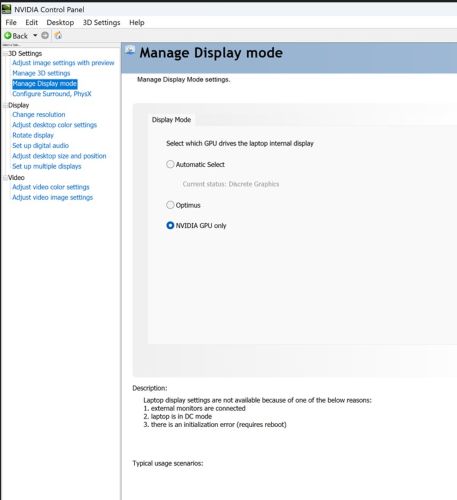
Affected Products
Dell 16 Premium DA16250Article Properties
Article Number: 000358429
Article Type: Solution
Last Modified: 15 Sept 2025
Version: 2
Find answers to your questions from other Dell users
Support Services
Check if your device is covered by Support Services.