Sistema Dell AX: Driver non firmato per Intel Data Stream Accelerator
Summary: I sistemi Dell AX con sistema operativo (OS) Azure Stack HCI 23H2 segnalano driver non firmato per Intel Data Stream Accelerator "PCI\VEN_8086&DEV_0825"
This article applies to
This article does not apply to
This article is not tied to any specific product.
Not all product versions are identified in this article.
Symptoms
Messaggio di avvertenza riportato di seguito nel report di convalida del cluster Windows:

Get-WindowsDriver -All -Online | Where-Object OriginalFileName-like *dsa.inf

Driver: dsa.inf
OriginalFileName: C:\Windows\System32\DriverStore\FileRepository\dsa.inf_amd64_add6b6518c9f6a5d\dsa.inf
Inbox: True
ClassName: Dsa
BootCritical: False
ProviderName: Microsoft
Date: 2006-06-21 12:00:00 AM
Version: 10.0.25398.1
Cause
In base a Microsoft Engineering, questo driver non è destinato a essere fornito con Azure Stack HCI 23H2.
Resolution
Disinstallare il driver.
Procedura per disinstallare il driver:
- Eseguire il comando:
Get-PnpDevice -FriendlyName "*streaming*" | Select-Object Name, InstanceId, Status

- Individuare le informazioni sul driver.
Get-PnpDeviceProperty -InstanceId "PCI\VEN_8086&DEV_0B25&SUBSYS_00008086&REV_00\3&3CD80BA&0&08" -KeyName DEVPKEY_Device_DriverInfPath,DEVPKEY_Device_DriverVersion,DEVPKEY_Device_DriverProvider,DEVPKEY_Device_DriverDesc

- Disinstallare il driver.
Pnputil /delete-driver dsa.inf /uninstall

- Controllare nuovamente le informazioni sul dispositivo,
Get-PnpDeviceProperty -InstanceId "PCI\VEN_8086&DEV_0B25&SUBSYS_00008086&REV_00\3&3CD80BA&0&08" -KeyName DEVPKEY_Device_DriverInfPath,DEVPKEY_Device_DriverVersion,DEVPKEY_Device_DriverProvider,DEVPKEY_Device_DriverDesc

Notare la modifica del driver e del nome.
- Il driver corretto viene ora visualizzato in Gestione dispositivi.
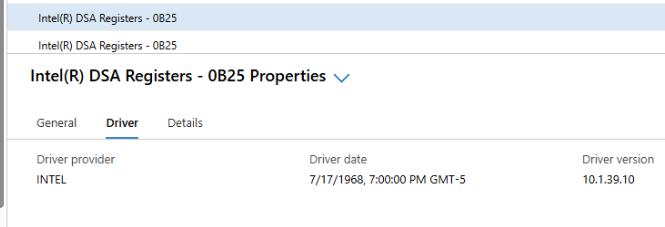
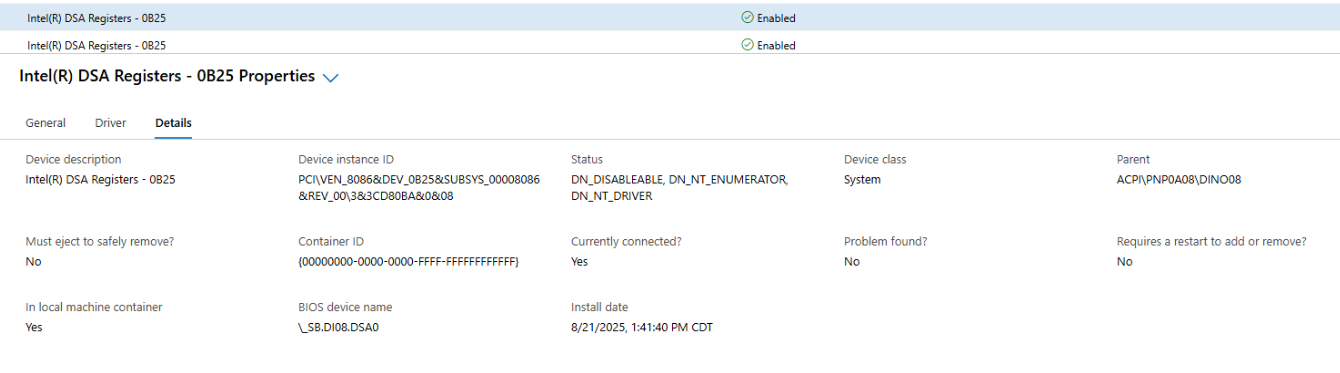
- Generare la convalida del cluster.

Tutti i driver sono ora firmati.
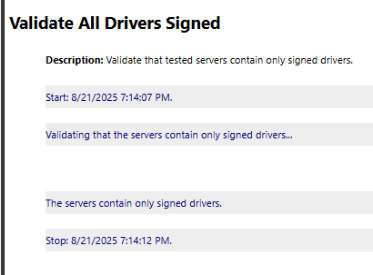
Nota: Questi passaggi devono essere eseguiti su ogni nodo del cluster locale di Azure.
Affected Products
AX-660, AX-760Article Properties
Article Number: 000359860
Article Type: Solution
Last Modified: 04 Dec 2025
Version: 2
Find answers to your questions from other Dell users
Support Services
Check if your device is covered by Support Services.