Dell AXシステム: インテルData Stream Accelerator用の署名されていないドライバー
Summary: Azure Stack HCI 23H2オペレーティング システム(OS)を搭載したDell AX Systemsで、インテル データ ストリーム アクセラレーター「PCI\VEN_8086&DEV_0825」用の署名されていないドライバーが報告される
This article applies to
This article does not apply to
This article is not tied to any specific product.
Not all product versions are identified in this article.
Symptoms
Windowsクラスター検証レポートの警告メッセージは次のとおりです。

Get-WindowsDriver -All -Online | Where-Object OriginalFileName-like *dsa.inf

Driver: dsa.inf
OriginalFileName: C:\Windows\System32\DriverStore\FileRepository\dsa.inf_amd64_add6b6518c9f6a5d\dsa.inf
Inbox: True
ClassName: Dsa
BootCritical: False
ProviderName: Microsoft
Date: 2006-06-21 12:00:00 AM
Version: 10.0.25398.1
Cause
Microsoftエンジニアリングにより、このドライバーはAzure Stack HCI 23H2に同梱されることを意図していません。
Resolution
ドライバーをアンインストールします。
ドライバーをアンインストールする手順:
- 次のコマンドを実行します:
Get-PnpDevice -FriendlyName "*streaming*" | Select-Object Name, InstanceId, Status

- ドライバー情報を検索します。
Get-PnpDeviceProperty -InstanceId "PCI\VEN_8086&DEV_0B25&SUBSYS_00008086&REV_00\3&3CD80BA&0&08" -KeyName DEVPKEY_Device_DriverInfPath,DEVPKEY_Device_DriverVersion,DEVPKEY_Device_DriverProvider,DEVPKEY_Device_DriverDesc

- ドライバーをアンインストールします。
Pnputil /delete-driver dsa.inf /uninstall

- デバイス情報をもう一度確認し、
Get-PnpDeviceProperty -InstanceId "PCI\VEN_8086&DEV_0B25&SUBSYS_00008086&REV_00\3&3CD80BA&0&08" -KeyName DEVPKEY_Device_DriverInfPath,DEVPKEY_Device_DriverVersion,DEVPKEY_Device_DriverProvider,DEVPKEY_Device_DriverDesc

ドライバーと名前が変更されていることに注目してください。
- これで、適切なドライバーがデバイス マネージャーに表示されます。
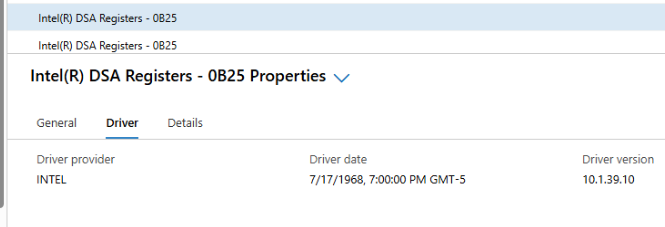
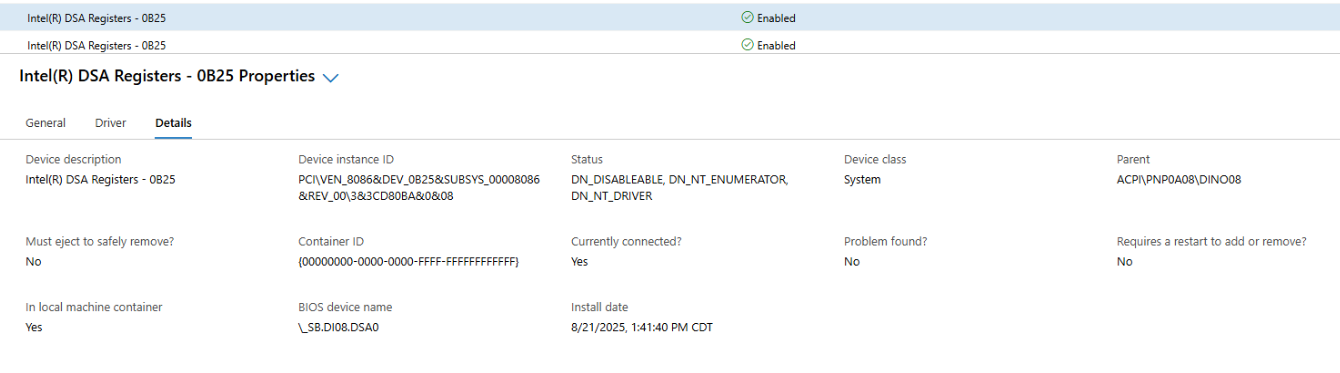
- クラスター検証を生成します。
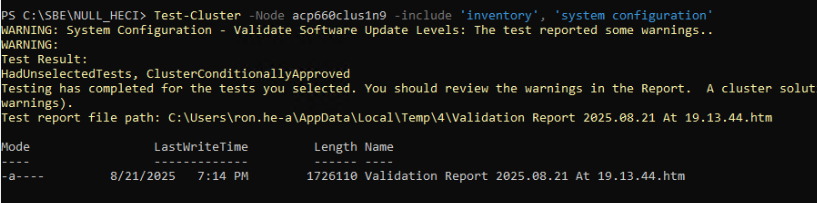
これで、すべてのドライバーが署名されました。
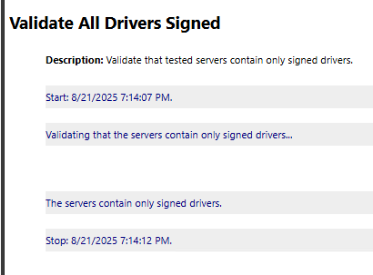
注:これらの手順は、Azureローカル クラスター内の各ノードで実行する必要があります。
Affected Products
AX-660, AX-760Article Properties
Article Number: 000359860
Article Type: Solution
Last Modified: 04 Dec 2025
Version: 2
Find answers to your questions from other Dell users
Support Services
Check if your device is covered by Support Services.