Dell AX-system: Osignerad drivrutin för Intel Data Stream Accelerator
Summary: Dell AX-system med operativsystemet Azure Stack HCI 23H2 (OS) rapporterar osignerad drivrutin för Intel Data Stream Accelerator "PCI\VEN_8086&DEV_0825"
This article applies to
This article does not apply to
This article is not tied to any specific product.
Not all product versions are identified in this article.
Symptoms
Nedanstående varningsmeddelande i valideringsrapporten för Windows-kluster:

Get-WindowsDriver -All -Online | Where-Object OriginalFileName-like *dsa.inf

Driver: dsa.inf
OriginalFileName: C:\Windows\System32\DriverStore\FileRepository\dsa.inf_amd64_add6b6518c9f6a5d\dsa.inf
Inbox: True
ClassName: Dsa
BootCritical: False
ProviderName: Microsoft
Date: 2006-06-21 12:00:00 AM
Version: 10.0.25398.1
Cause
Enligt Microsoft Engineering är den här drivrutinen inte avsedd att levereras med Azure Stack HCI 23H2.
Resolution
Avinstallera drivrutinen.
Steg för att avinstallera drivrutinen:
- Kör kommandot:
Get-PnpDevice -FriendlyName "*streaming*" | Select-Object Name, InstanceId, Status

- Hitta informationen om drivrutinen.
Get-PnpDeviceProperty -InstanceId "PCI\VEN_8086&DEV_0B25&SUBSYS_00008086&REV_00\3&3CD80BA&0&08" -KeyName DEVPKEY_Device_DriverInfPath,DEVPKEY_Device_DriverVersion,DEVPKEY_Device_DriverProvider,DEVPKEY_Device_DriverDesc

- Avinstallera drivrutinen.
Pnputil /delete-driver dsa.inf /uninstall

- Kontrollera enhetsinformationen igen,
Get-PnpDeviceProperty -InstanceId "PCI\VEN_8086&DEV_0B25&SUBSYS_00008086&REV_00\3&3CD80BA&0&08" -KeyName DEVPKEY_Device_DriverInfPath,DEVPKEY_Device_DriverVersion,DEVPKEY_Device_DriverProvider,DEVPKEY_Device_DriverDesc

Lägg märke till drivrutinen och namnändringen.
- Rätt drivrutin visas nu i enhetshanteraren.
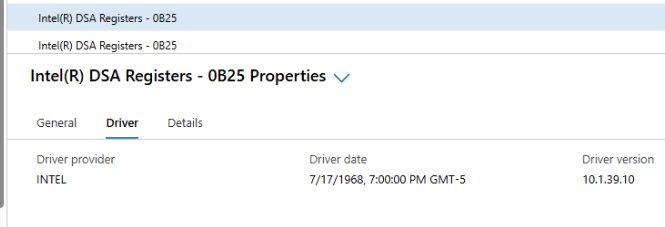
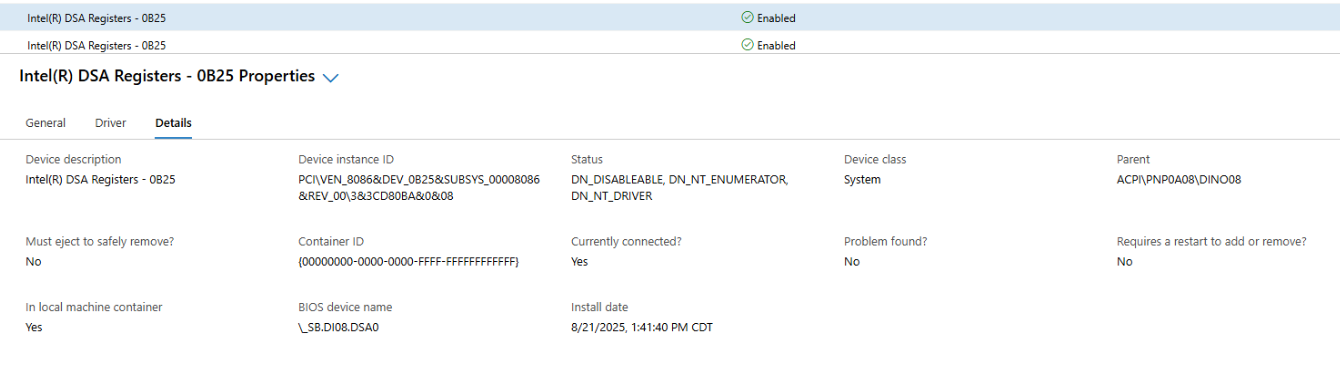
- Generera klustervalidering.
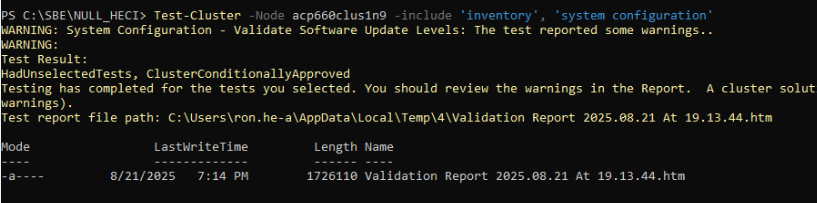
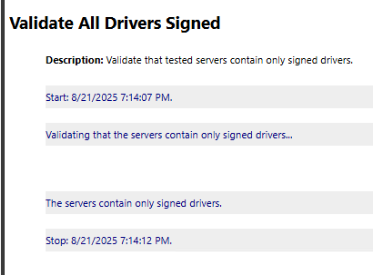
Alla förare är nu signerade.
Obs! De här stegen måste utföras på varje nod i det lokala Azure-klustret.
Affected Products
AX-660, AX-760Article Properties
Article Number: 000359860
Article Type: Solution
Last Modified: 04 Dec 2025
Version: 2
Find answers to your questions from other Dell users
Support Services
Check if your device is covered by Support Services.