NetWorker: Runtime Environment (NRE) Releases
Summary: NetWorker Runtime Environment (NRE) Releases.
This article applies to
This article does not apply to
This article is not tied to any specific product.
Not all product versions are identified in this article.
Instructions
NOTE: Only the latest release of NetWorker Runtime Environment (NRE) is available on the Dell NetWorker downloads page. It is recommended to upgrade NRE to the latest version supported by your NetWorker release. To ensure current security standards, the backup or system administrator must maintain updated NRE versioning on each system. See the Additional Information section for more details.
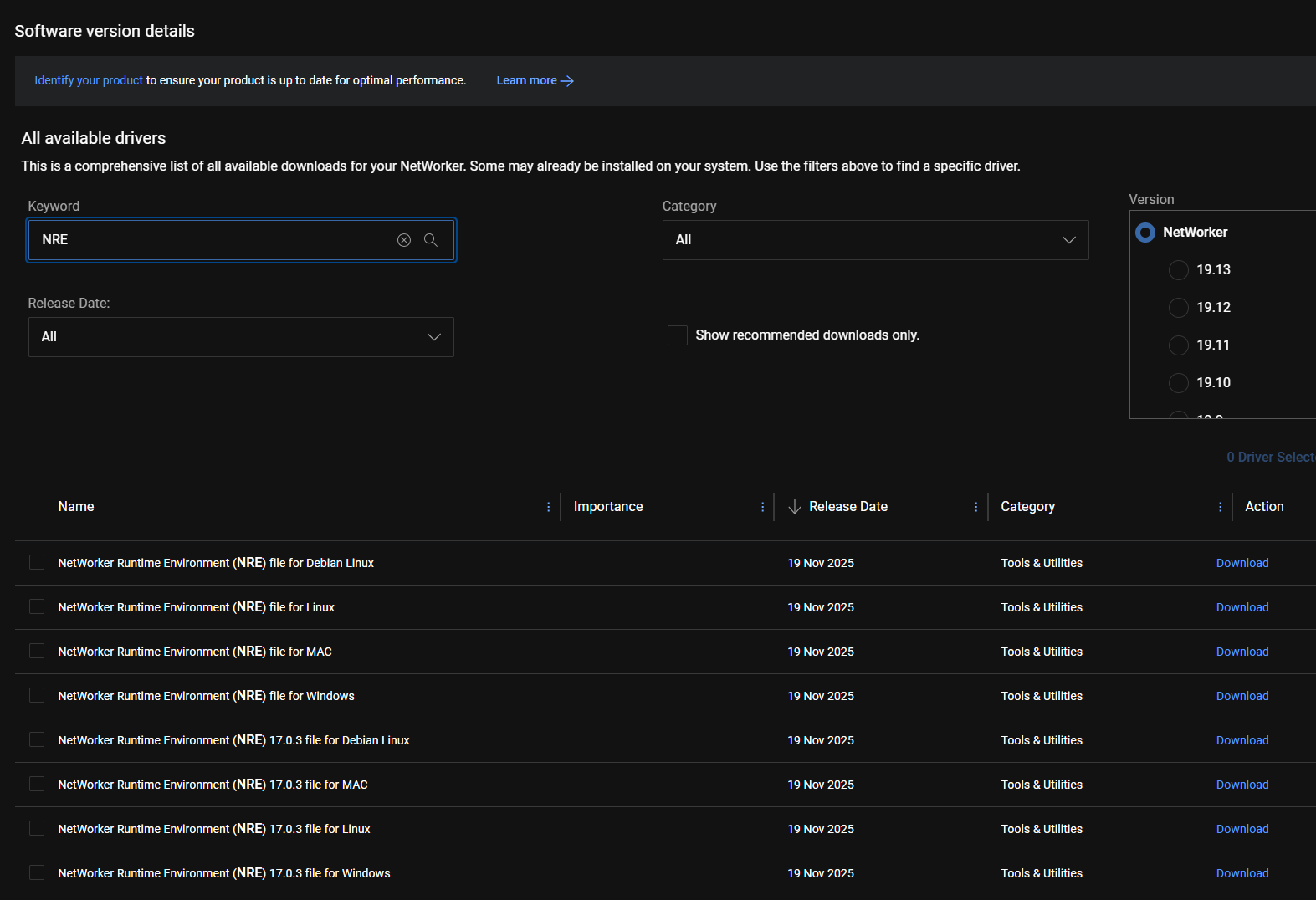
NRE is available for download from the Dell support site: Support for NetWorker | Drivers & Downloads (requires Dell support account sign-in). Search NRE in the Keyword field of the NetWorker Drivers & Downloads page:
NOTE: The below tables only show current release and three prior releases.
NetWorker 19.12 and prior:
| NRE Version | Release Date | Java Build | Dell Security Advisory (DSA) |
| 8.0.26 | 2025-08-18 | jre1.8.0_461 | N/A |
| 8.0.27 | 2025-11-19 | jre1.8.0_471 | DSA-2025-438: Security Update for Dell NetWorker Runtime Environment Multiple Third-Party Component Vulnerabilities |
| 8.0.28 | 2026-02-27 | jre1.8.0_481 | DSA-2026-101: Security Update for Dell NetWorker Runtime Environment Multiple Third-Party Component Vulnerabilities |
| 8.0.29 | 2026-06-22 | jre1.8.0_491 | DSA-2026-269: Security Update for Dell NetWorker Runtime Environment Multiple Third-Party Component Vulnerabilities. |
NetWorker 19.13 and later:
| NRE Version | Release Date | Java Build | Dell Security Advisory (DSA) |
| 17.0.3 | 2025-11-19 | jdk-17.0.17 | DSA-2025-438: Security Update for Dell NetWorker Runtime Environment Multiple Third-Party Component Vulnerabilities |
| 17.0.4 | 2026-02-27 | jdk-17.0.18 | DSA-2026-101: Security Update for Dell NetWorker Runtime Environment Multiple Third-Party Component Vulnerabilities |
| 17.0.5 | 2026-06-22 | jdk-17.0.19 | DSA-2026-269: Security Update for Dell NetWorker Runtime Environment Multiple Third-Party Component Vulnerabilities. |
| 17.0.6 | 2026-09-15 | jdk-17.0.20 | N/A |
Additional Information
NetWorker Virtual Edition (NVE):
NetWorker Runtime Environment (NRE) updates are in the NVE OsRollup packages: How to Install Platform Security Rollup for NetWorker Virtual Edition
Ensure that your NVE has the latest OsRollup packages applied. If the latest OsRollup package is applied, you can also follow the below Linux installation instructions and update NRE separately from the OsRollup workflow.
Linux Hosts:
- Download the appropriate NRE package for your NetWorker version and OS platform from the NetWorker Downloads page Support for NetWorker | Drivers & Downloads.
- If the Linux host does not have a UI desktop, download the package from another host and copy the package to the Linux host in a location of your choosing. NetWorker (Linux): How to Copy Files to or from a Linux NetWorker Server
- Install or upgrade NRE:
- Red Hat, Oracle Linux, SLES:
rpmfile:- Install:
sudorpm -ivh nre-linux-x.x.x.rpm - Update:
sudo rpm -Uvh nre-linux-x.x.x.rpm - Post install or upgrade, run:
sudo /opt/nre/nreconfig.sh
- Install:
- Debian, Ubuntu:
debfile:- Install or update:
sudo dpkg -i nre-linux-x.x.x.deb - Post install or upgrade, run:
sudo /opt/nre/nreconfig.sh
- Install or update:
- Mac:
pkgfile:- Open the software package and then run through the installation wizard.
Windows Hosts:
- Download the appropriate "NRE for Windows" package for your NetWorker version from the NetWorker Downloads page Support for NetWorker | Drivers & Downloads
- Right-click the
nre-win-x.x.x.msiand select Install. - Accept the Licensing Agreement then click Next.
- Use the default installation location or specify a location of your choosing, then click Next.
- Follow through the prompts, you may be instructed to reboot the system after the upgrade.
For more information regarding NRE, see:
- How to receive Dell Technical Advisories and Dell Security Advisories
- NetWorker Runtime Environment (NRE): Introduction and Installation
- NRE 8.x: How to clear Java Cache, enable Java Console and Debugging.
- NRE 17.x: How to Clear Java Cache, Enable Java Console, and Debugging
- NetWorker: How to Access NMC After Upgrading To 19.13
Affected Products
NetWorker, NetWorker Management ConsoleProducts
NetWorker FamilyArticle Properties
Article Number: 000174067
Article Type: How To
Last Modified: 22 Sept 2026
Version: 20
Find answers to your questions from other Dell users
Support Services
Check if your device is covered by Support Services.