Avamar: How to Perform Table Level Recoveries from Hyper V SQL Virtual Machine
Summary: This document summarizes the procedure of performing Table Level Recoveries from a Backed up Hyper-V SQL Virtual Machine with Screenshots.
This article applies to
This article does not apply to
This article is not tied to any specific product.
Not all product versions are identified in this article.
Instructions
This document summarizes the procedure of performing Table Level Recoveries from a Backed up Hyper-V SQL Virtual Machine with Screenshots.
Section 1: Setup Pre-requisites and Installation Steps:
Setup Pre-Requisites:
- Hyper Node with Avamar Client, Hyper-V Plug-in with granular level recovery (GLR) installed
- Note: GLR Target server can be a different node or proxy server. Install Avamar Client and Hyper-V plug-in with GLR option checked on that node
- Virtual Machine with Microsoft Apps (SQL)
- Recovery Target VM(can be original VM or new VM)
- Recovery Target VM with Avamar Client, SQL Plug-in with table level recovery (TLR) option and DELL ItemPoint Installed
Steps to install the pre-requisite software:
- Log in to the Hyper-V Node and install the Avamar Client, Hyper-V Plug-in with GLR using the MSI Packages. Registration of this node is mandatory with Avamar Server either as a single node, proxy node, or federated node.
Package names:
- AvamarClient-windows-x86_64-7.5.100-XXX.msi (where XXX denotes the build minor version number)
- AvamarHypervVSS-windows-x86_64-7.5.100-XXX.msi(where XXX denotes the build minor version number)
Log in to the Virtual Machine with Microsoft Apps(SQL) and install Avamar Client and Avamar SQL Package(SQL Plug-in with TLR + DELL ItemPoint). Registration of this client with Avamar is not mandatory and can be skipped.
Package names:
- AvamarClient-windows-x86_64-7.5.100-XXX.msi (where XXX denotes the build minor version number)
- AvamarSQL-windows-x86_64-7.5.100-XXX.exe

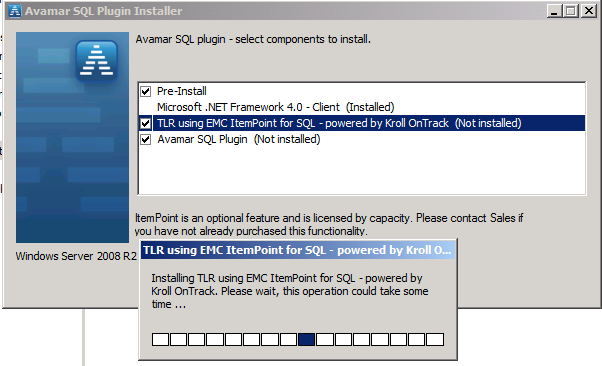
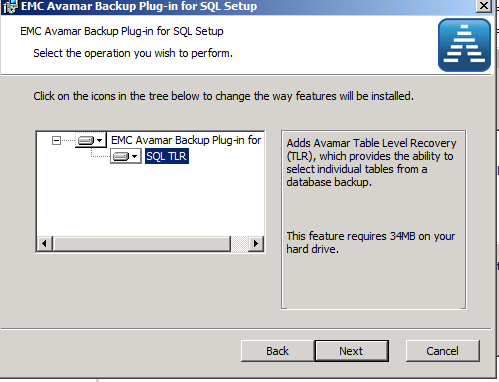
Your setup is ready to perform Granular Recoveries.
Section II: GLR Pre-requisites and Recoveries:
- GLR Pre-requisites
- Have a valid backup of the Virtual machine which contains SQL
- Setup Pre-requisites are completed
- Steps to perform SQL Table Level Recovery:
- Log in to the Avamar Administrator UI and select the backup of Hyper-V client
- Click the GLR button to start the GLR recovery mount process for the wanted VM. Next, click the expand button and it should display as message "Mount it might take longer, continue."
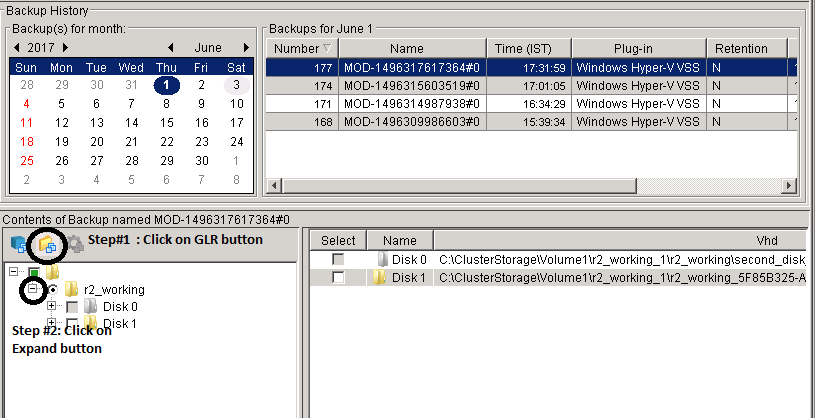
Confirm that the VM path is available on the Hyper-V node Var Directory. (default: C:\program files\avs\var)
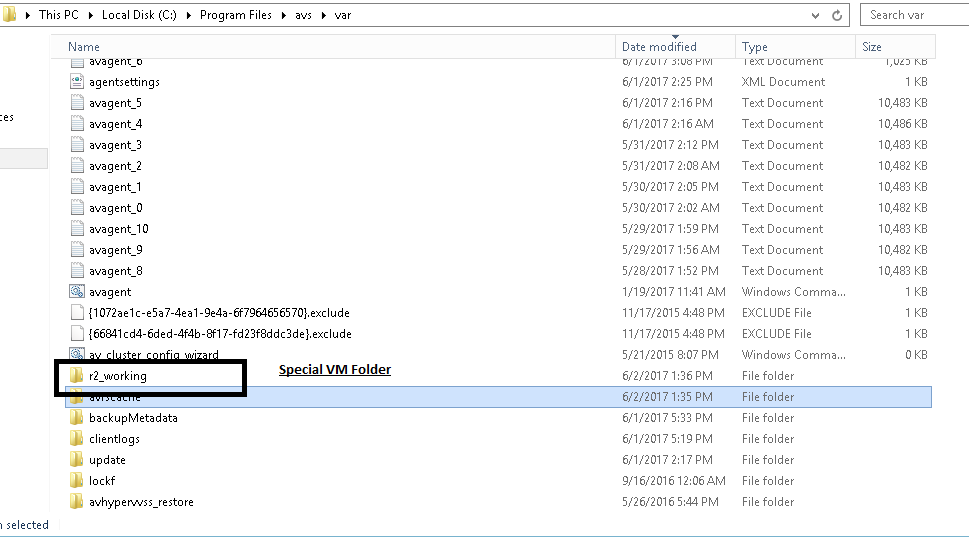
Once the mount is complete, login to the SQL VM and Launch Dell ItemPoint for Microsoft SQL Server from ALL PROGRAMS. The wizard screen displays the following:
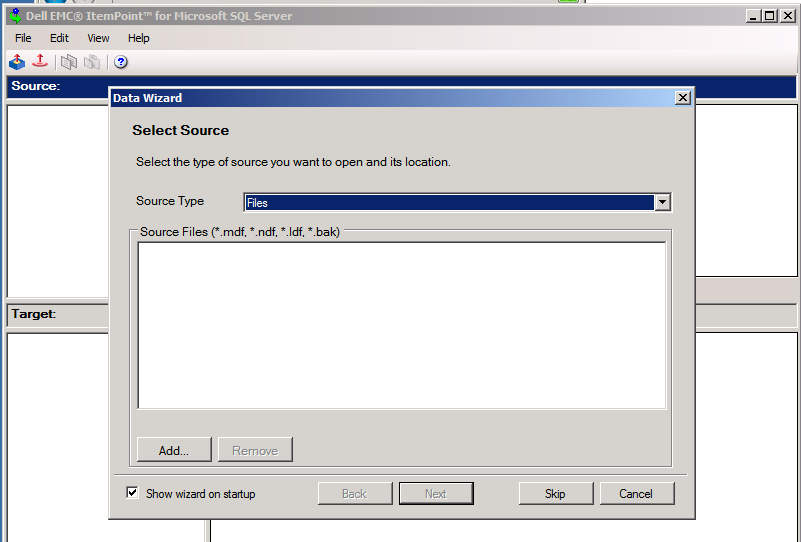
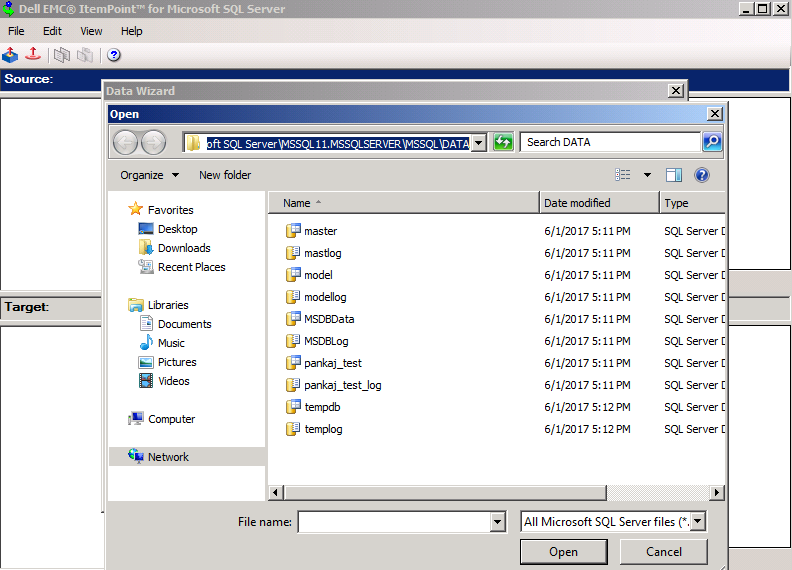
In the first column, select the path of SQL Server datafile (MDF and LDF) from the mount location on Hyper-V node or Proxy node. For example: C:\Program Files\avs\var\r2_working\Disk 1\Partition 1\Program Files\Microsoft SQL Server\MSSQL11.MSSQLSERVER\MSSQL\DATA
Where, <path_to_avamar_var_on_hyperv_node>\<virtual_machine_name>\<disk_number>\<partition_number>\<location of the MS SQL files>
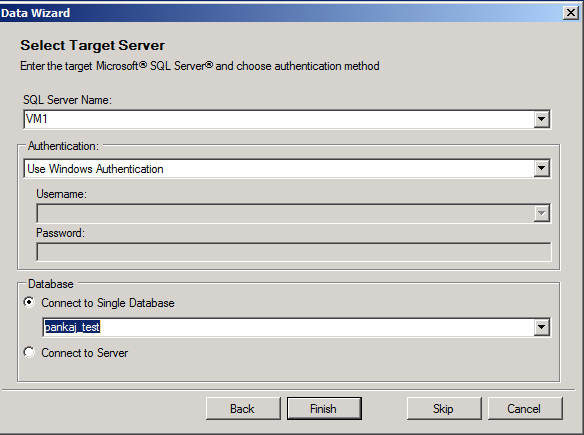
Select the Target SQL Server and database to perform recovery and Click Finish.
If everything is correct, the Source and Target SQL servers with Database Tables are listed.
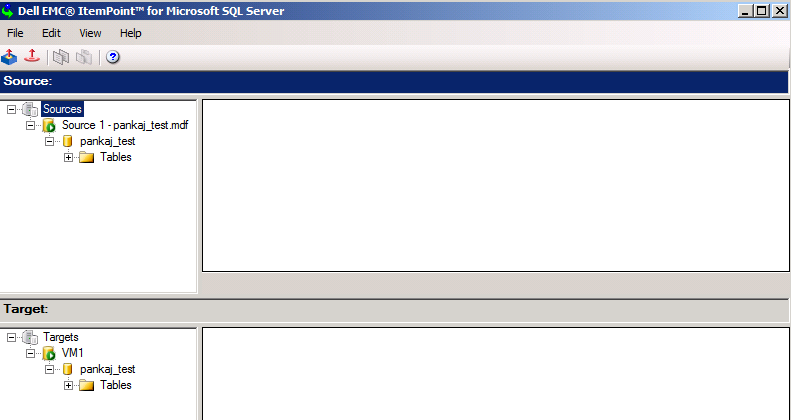
Drag and drop the Table from Source to Target Server and restore should be completed.
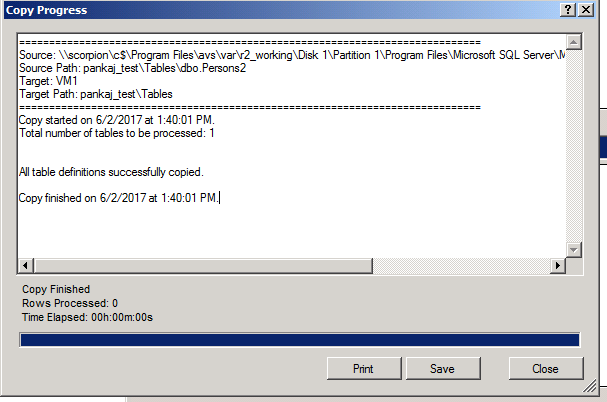
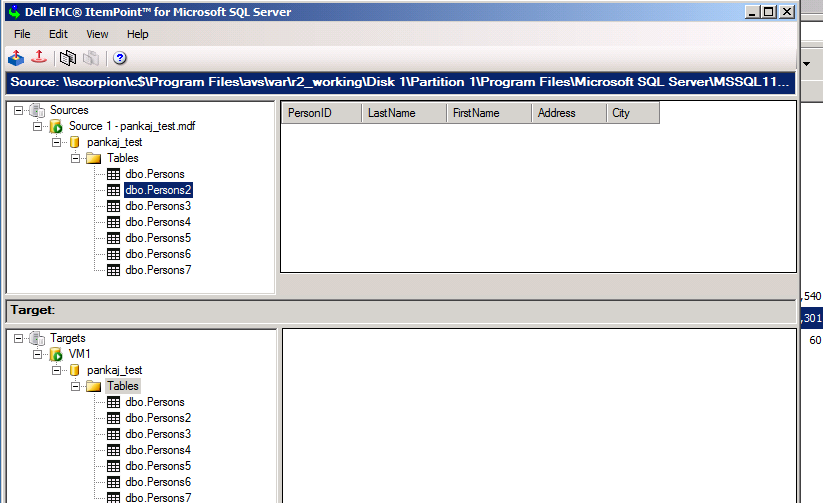
SQL Studio view after successful restore:
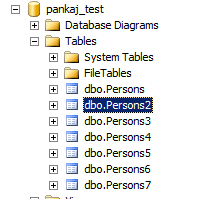
This completes your Table Level Recovery.
Additional Information
FAQs
Question: Installed DELL ItemPoint on SQL Machine and it s giving the License Error.
Answer: Install the Avamar Client and SQL Plug-in before using ItemPoint.
Question: Does installing SQL TLR feature or DELL ItemPoint require a Reboot?
Answer: No, it does not.
Question: Is it necessary to register an SQL VM with Avamar?
Answer: No, it s not mandatory for recoveries.
Question: Is it necessary to have SQL Plug-in installed before performing ItemPoint Recoveries?
Answer: Yes, both Avamar Client and SQL Plug-in with TLR should be installed.
Question: How do remove the Mount location from the Hyper-V node?
Answer: Stop the DELL GLR service from the Services Console.
Question: Getting the message that it is necessary to install the client first during SQL Plug-in Installation.
Answer: Install the Avamar client first before installing SQL Plug-in and ItemPoint.
Question: Installed DELL ItemPoint on SQL Machine and it s giving the License Error.
Answer: Install the Avamar Client and SQL Plug-in before using ItemPoint.
Question: Does installing SQL TLR feature or DELL ItemPoint require a Reboot?
Answer: No, it does not.
Question: Is it necessary to register an SQL VM with Avamar?
Answer: No, it s not mandatory for recoveries.
Question: Is it necessary to have SQL Plug-in installed before performing ItemPoint Recoveries?
Answer: Yes, both Avamar Client and SQL Plug-in with TLR should be installed.
Question: How do remove the Mount location from the Hyper-V node?
Answer: Stop the DELL GLR service from the Services Console.
Question: Getting the message that it is necessary to install the client first during SQL Plug-in Installation.
Answer: Install the Avamar client first before installing SQL Plug-in and ItemPoint.
Affected Products
Avamar, Avamar Plug-in for Exchange VSS, Avamar Plug-in for Hyper-V VSS, Avamar Plug-in for SQLArticle Properties
Article Number: 000019706
Article Type: How To
Last Modified: 19 Sept 2025
Version: 4
Find answers to your questions from other Dell users
Support Services
Check if your device is covered by Support Services.