PowerFlex 사용 방법 enable_background_device_scanner
Summary: 방법: 지정된 스토리지 풀의 디바이스에서 백그라운드 디바이스 스캐너를 활성화하여 오류를 확인합니다(미세 세분성 스토리지 풀에서는 지원되지 않음). 및 사용자 인터페이스에서 오류가 보고되는 방법
This article applies to
This article does not apply to
This article is not tied to any specific product.
Not all product versions are identified in this article.
Instructions
단계
신고 및 수정
아래 명령을 사용하여 백그라운드 디바이스 스캐너를 실행할 수 있습니다.
scli --enable_background_device_scanner --protection_domain_name pd1 --storage_pool_name 풀 --scanner_mode device_only --report_and_fix
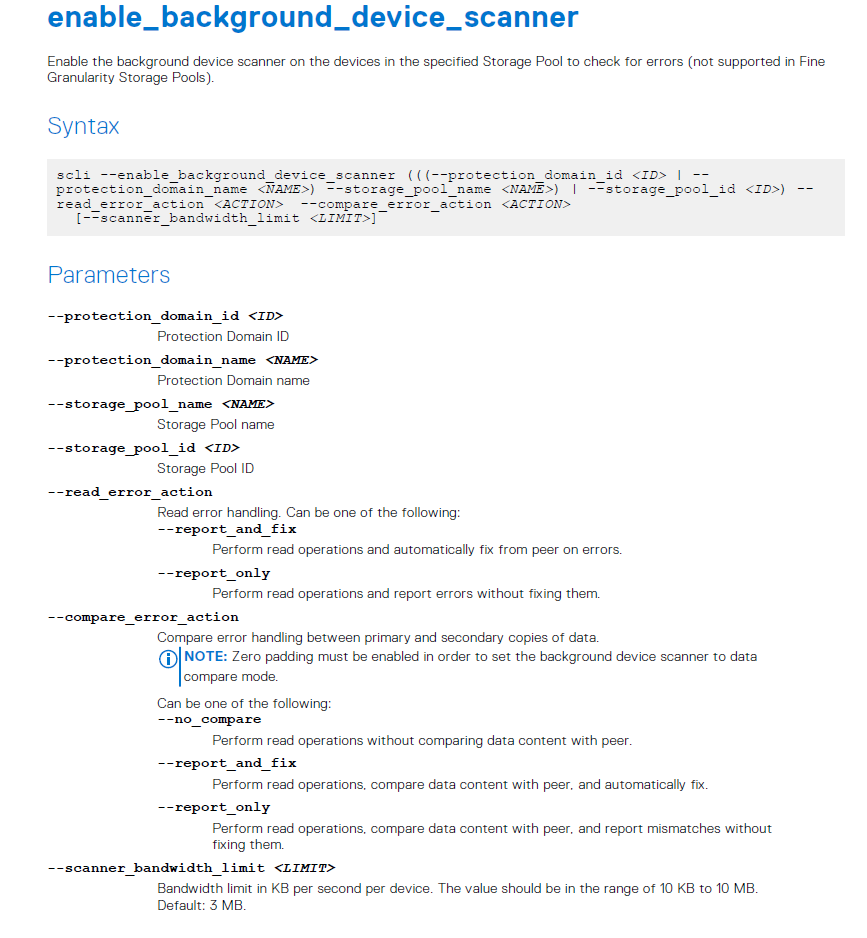
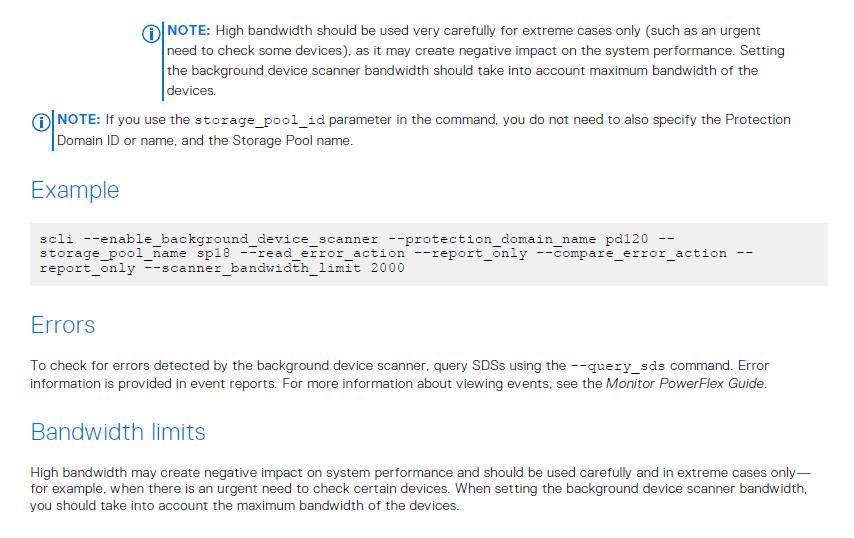
참고: "report_and_fix" 설정을 사용하면 장치 스캐너 오류에 대한 GUI 보고가 발생합니다.
예 #1: PowerFlex 3.5 이상에 대한 프레젠테이션 서버 알림:
디바이스에서 읽지 못했습니다. 다른 복제본에서 데이터가 수정되었습니다. 필요한 조치는 없지만 디바이스에 장애가 있을 수 있습니다.
예 #2: PowerFlex 3.5 이전 버전:
SDS 디바이스 읽기에 5번 이상 실패했습니다. 물리적 디바이스를 교체합니다.
이는 VxFlex OS 버전 3.0의 기본 동작이기도 합니다.
오류가 수정되지 않음(report_only):
scli --enable_background_device_scanner --protection_domain_name pd1 --storage_pool_name 풀 --scanner_mode device_only --report_only
참고: "report_only"설정을 사용하면 GUI에서 보고서가 생성되지 않지만 비교에서 보고서가 생성됩니다. XX 파일을 엽니다.
comparison이라는 파일이 있습니다. 스캐너가 감지한 각 읽기 오류에 대한 정보가 들어 있는 SDS logs 폴더의 XX:
" lwc-ocu6ikr8h3="">24/02 11:21:03.278967 vtreeId adf1ced400000009 Comb 4ab780000163, offset 2928640 - skipping fixing read error from primary due to configuration flag. primary failed on rc= 65
Additional Information
Affected Products
VxFlex Product FamilyProducts
PowerFlex Software, VxFlex Product Family, VxFlex Ready NodeArticle Properties
Article Number: 000022259
Article Type: How To
Last Modified: 15 Sept 2025
Version: 7
Find answers to your questions from other Dell users
Support Services
Check if your device is covered by Support Services.