VNX:无法打开 Unisphere — Java 插件和浏览器问题
Summary: 尝试通过 IE11 访问 Unisphere 时,显示“此应用程序需要 Java”错误,以及与 Java 和浏览器通过 Unisphere 访问相关的其他问题。
This article applies to
This article does not apply to
This article is not tied to any specific product.
Not all product versions are identified in this article.
Symptoms
无法通过浏览器打开 Unisphere。
Unisphere 访问不支持 Internet Explorer 11。
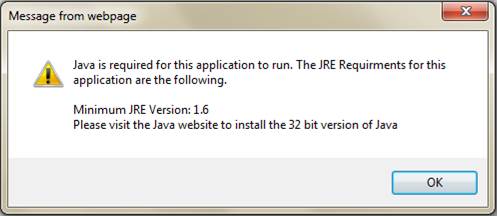
Mozilla 是 Unisphere 的推荐浏览器,但它在访问 Unisphere 时出现 JAVA 插件所需的错误。
Cause
导致此问题的原因之一是已安装的 JRE 运行时环境包中存在 Deployment Toolkit,并且 Unisphere 访问不支持 Internet Explorer 11。
Resolution
由于 IE11 不是 Unisphere 支持的浏览器,因此我们使用 Mozilla 浏览器。Mozilla确实是Unisphere最推荐的浏览器。
现在打开JAVA配置为控制面板=> JAVA(32位)
验证只应该安装一个JRE(1.7u80或1.7u79 32位效果更好):
(Java SE Runtime Environment 7 - 下载 |Oracle 技术网 |Oracle)
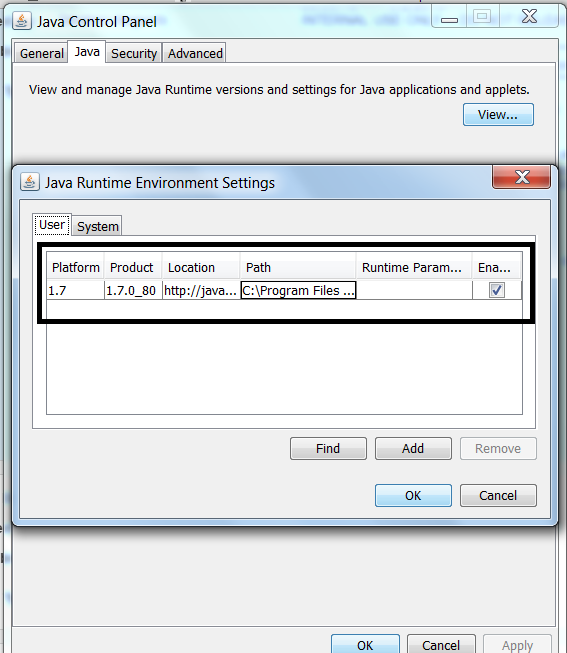
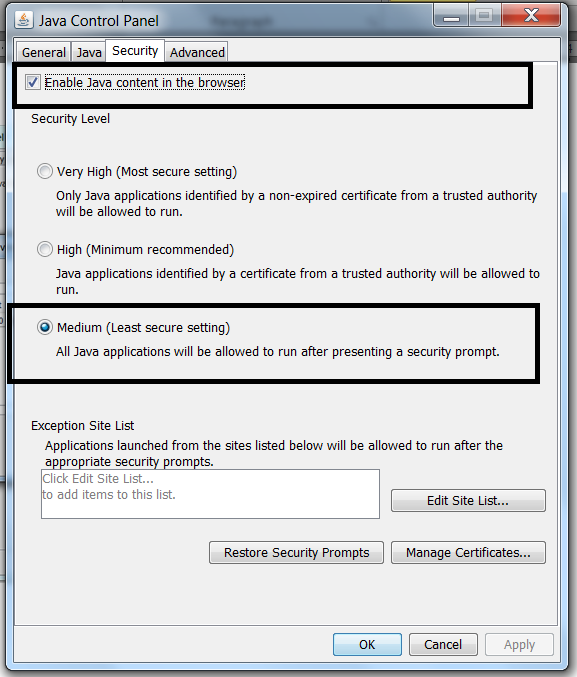
然后检查安全性为中,并且必须选中浏览器中的 JAVA 内容:
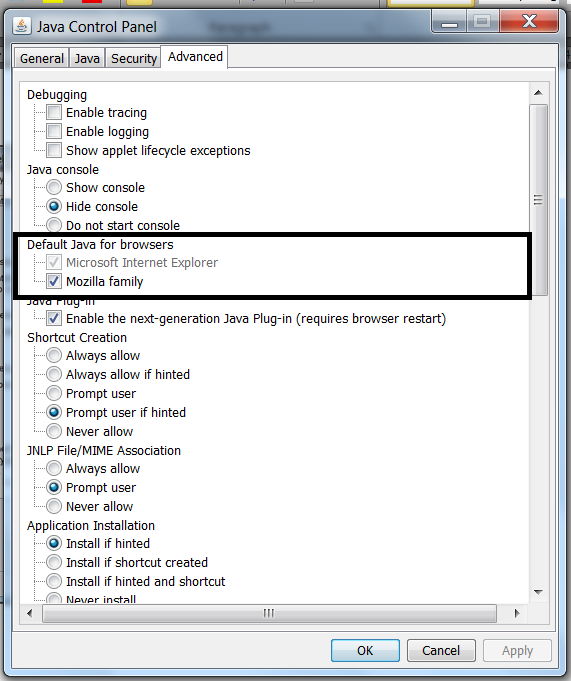
在高级选项卡中,选中 Mozilla系列: 这将启用 Mozilla 浏览器中的 JAVA 内容。
现在重新打开 Mozilla 浏览器以访问 Unisphere。
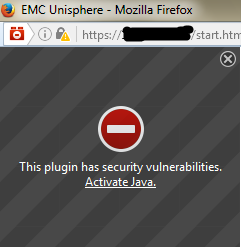
如果进入以下窗口,请单击 “激活 Java ”,然后单击“ 全部显示” 以选择 “允许”并记住:

现在打开JAVA配置为控制面板=> JAVA(32位)
验证只应该安装一个JRE(1.7u80或1.7u79 32位效果更好):
(Java SE Runtime Environment 7 - 下载 |Oracle 技术网 |Oracle)
然后检查安全性为中,并且必须选中浏览器中的 JAVA 内容:
在高级选项卡中,选中 Mozilla系列: 这将启用 Mozilla 浏览器中的 JAVA 内容。
打开 Mozilla 浏览器:
进入设置并打开插件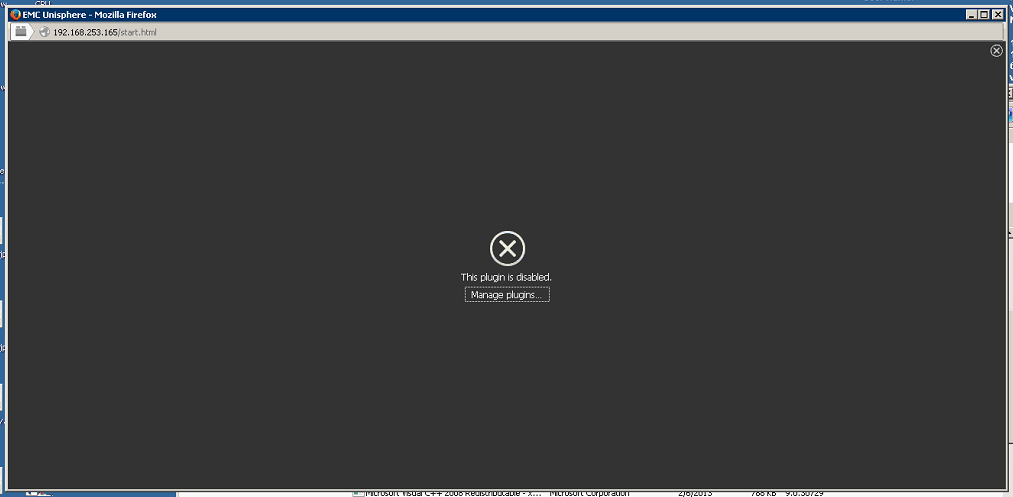
确保只有 JAVA™ Platform SE 7 U80 处于Ask to activate 状态,如果有任何 Java Deployment Toolkit,则将其设置为 Never Activate(Disable) 如下;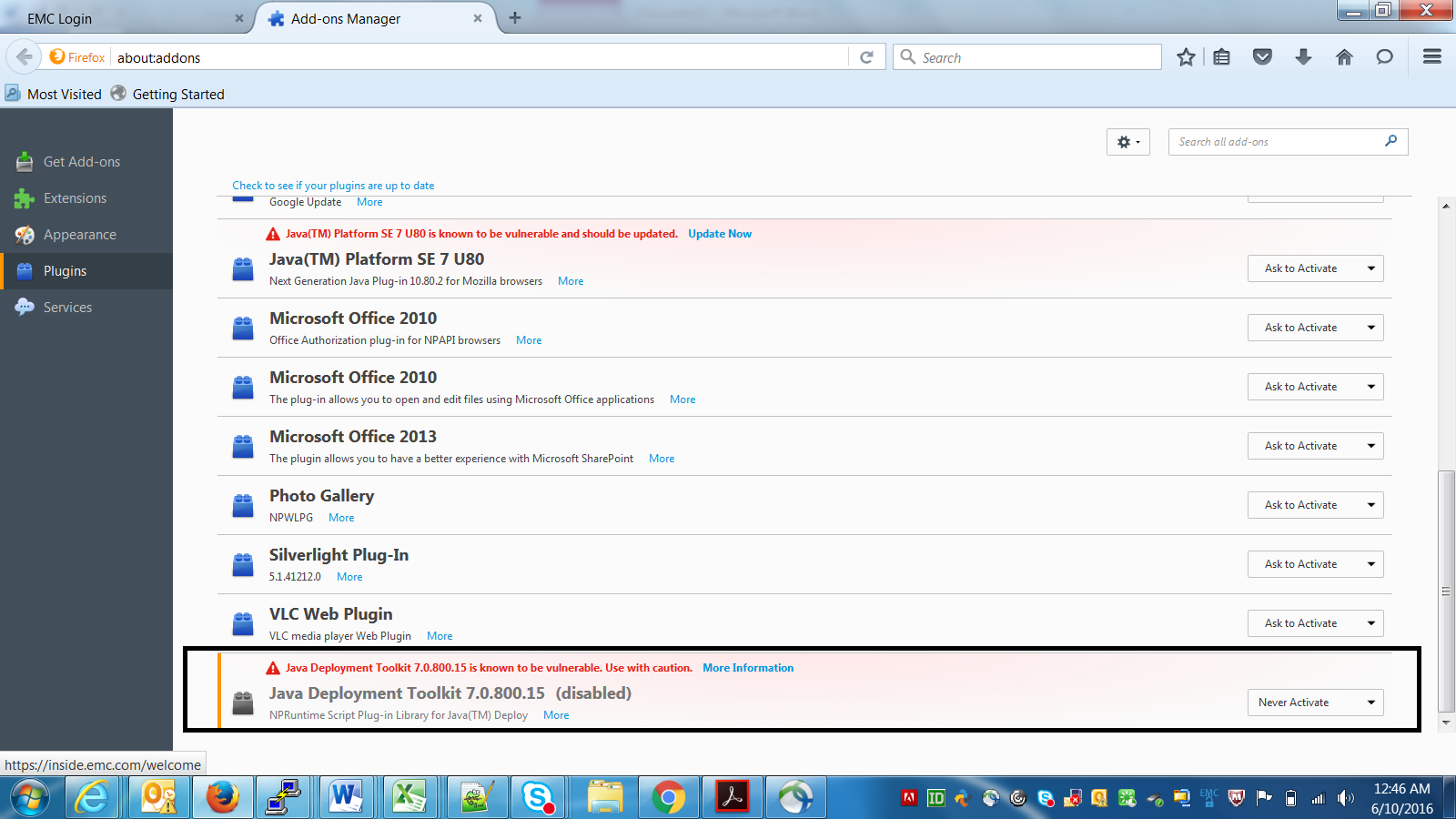
现在重新打开 Mozilla 浏览器以访问 Unisphere。
如果进入以下窗口,请单击 “激活 Java ”,然后单击“ 全部显示” 以选择 “允许”并记住:
Additional Information
本文已在 DELL EMC 社区网络 (DECN) 上升级为 HVC: https://community.emc.com/docs/DOC-55752
Affected Products
Unisphere Central, VNX1 Series, VNX2 SeriesProducts
Unisphere Central, VNX1 Series, VNX2 SeriesArticle Properties
Article Number: 000056514
Article Type: Solution
Last Modified: 07 Nov 2025
Version: 5
Find answers to your questions from other Dell users
Support Services
Check if your device is covered by Support Services.