VxRail: Node is Missing on Hosts Tab From VxRail
Summary: One or multiple nodes are missing on the VxRail hosts tab. The host is not presenting alarms or issues. Node can be in use by vSAN and Virtual machines. This issue can also affect the node "physical view," the node information is not shown and the spinning wheel stay running and running. ...
This article applies to
This article does not apply to
This article is not tied to any specific product.
Not all product versions are identified in this article.
Symptoms
The affected node works properly, the vSAN status is green, disk groups are clean and virtual machines can be ran on the node.
The communication agents on ESXi (Linzhi, iSM, etc.) side are responsive and presenting the correct information.
The node works properly on the cluster, the node "physical view" is not available, and the node is not listed on the hosts list of VxRail.
Cause
The vmk0 is not present or is misconfigured.
You can have the scenarios below:
- cases where the vmk0 is missing, not available at all.
- Cases when the vmk0 is a ghost device, the vmk0 is not shown on ESXi or vCenter console, only running the command line on node*
- Cases when the vmk0 and vmk1 are inverted, vmk1 is VxRail and vmk0 is iDRAC
Resolution
Re-create the vmk0 and connect it to the VxRail Management port group. Follow the steps below: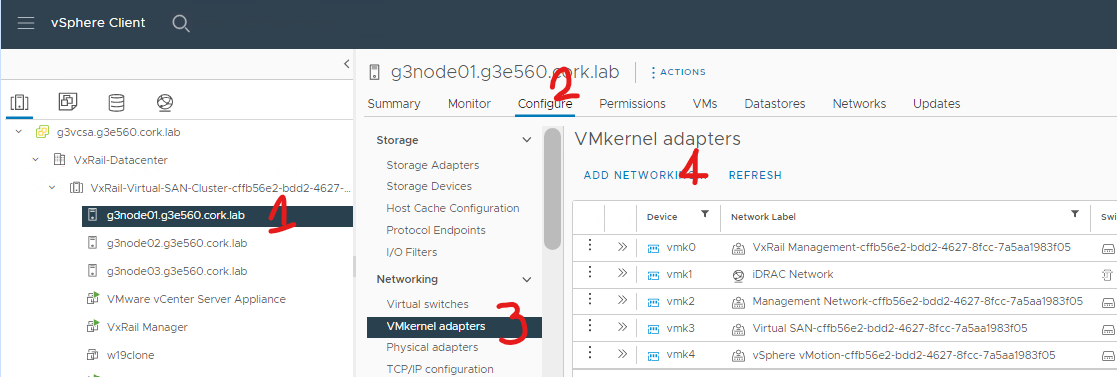
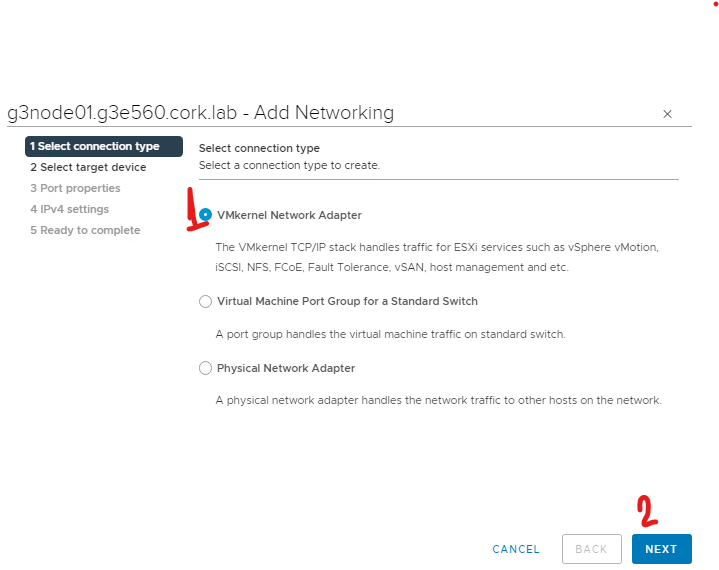
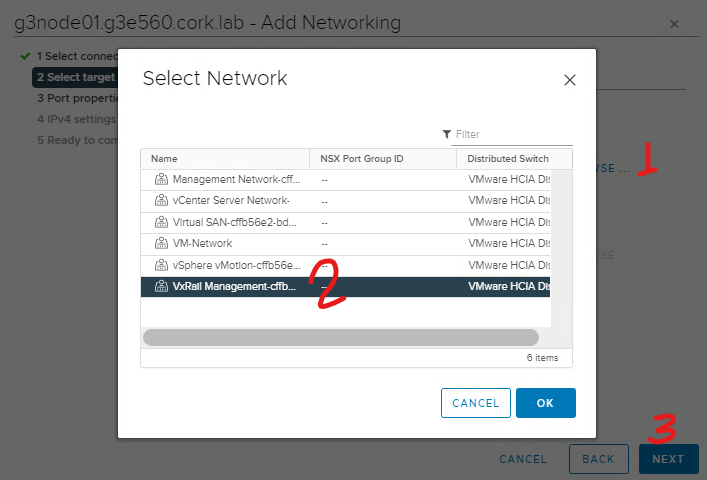
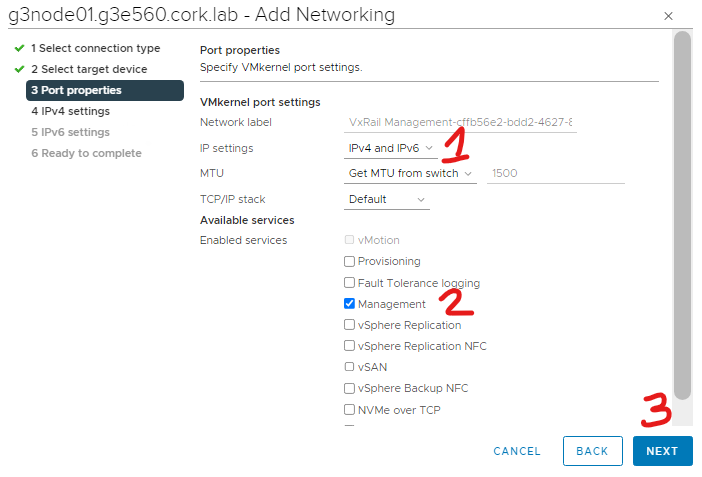
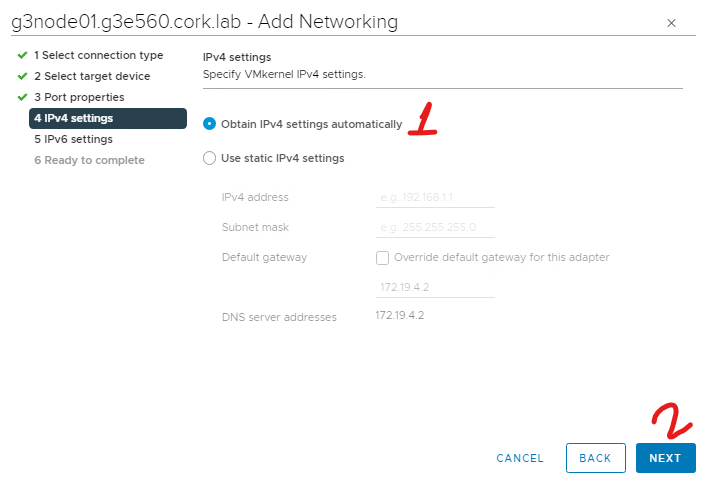
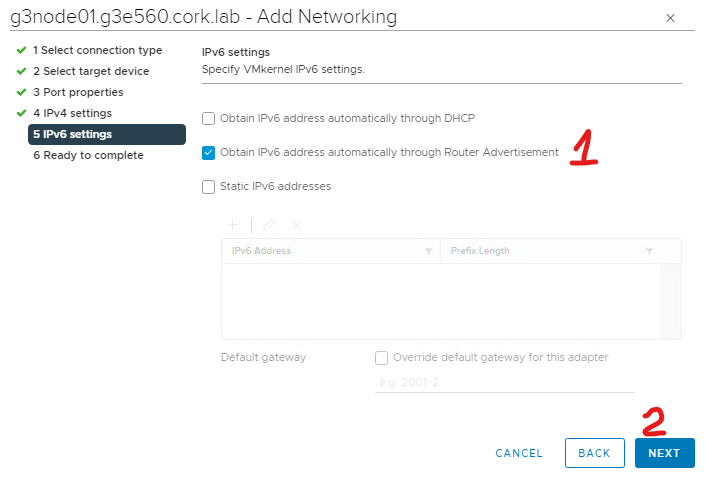
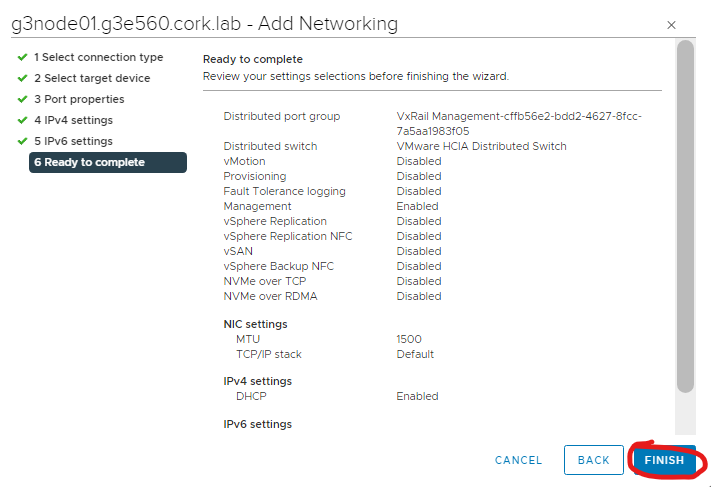
After executing the steps above, make sure that the vmk0 is in use to connect to VxRail management port group.
Wait 5 to 10 minutes and check if the node is back in the hosts tab of VxRail and if the physical view is working.
If the node is not back automatically, restart the service "vxrail-pservice" in the affected node, running the command below./etc/init.d/vxrail-pservice restart
Also restart the VxRail services, on VxRail manager.systemctl restart vmware-marvinsystemctl restart runjars
Additional Information
Screenshots are from the lab environment.
Affected Products
VxRail, VxRail Appliance Series, VxRail SoftwareArticle Properties
Article Number: 000204722
Article Type: Solution
Last Modified: 08 Sept 2025
Version: 2
Find answers to your questions from other Dell users
Support Services
Check if your device is covered by Support Services.